
W hen I first heard about push notifications, I brushed them off. I thought, "That's just for big online stores—my blog doesn't need that."
But a few years ago, I decided to give them a try. I wanted a way to bring back readers who had drifted away and keep people engaged without relying on social media or email, which can be hit or miss.
I was surprised at how effective they were. A well-timed push notification landed right on my readers’ devices, and suddenly, traffic I thought I’d lost was coming back.
Since then, I’ve tested over 15 push notification tools to see which ones are easy to set up, actually work, and won’t break the bank.
In this post, I’m sharing the 7 push notification tools that stood out—tools that can help you recover lost traffic, engage your audience, and grow your blog without depending on social media algorithms or email open rates.
Overview: Best Push Notification Software
If you don’t have time to read the full reviews, check out this handy comparison table to quickly find the perfect push notification software for your needs:
| # | Tool | Best For | Pricing | Free Plan |
| 1 | PushEngage | Best overall (multi-channel & eCommerce) | Starts at $8/month | Yes |
| 2 | OneSignal | Mobile apps and multi-channel messaging | Starts at $19/month | Yes |
| 3 | VWO Engage (PushCrew) | Conversion-focused notifications | Custom quote | No |
| 4 | iZooto | Large content sites and publishers | Starts at $85/month | Yes |
| 5 | PushAssist | Total beginners | Starts at $9/month | Yes |
| 6 | Webpushr | Dedicated web push notifications | Starts at $20/month | Yes |
| 7 | WonderPush | Small budgets | Starts at €1/month | No |
And if you’re new to push notifications, don’t worry. I’ll explain what they are and how they can benefit your WordPress blog in the next section…
What are Push Notifications, and How Do They Help?
Push notifications are small, clickable messages that pop up on the user’s desktop or mobile browser. Using push notifications, you can send personalized messages, offers, announcements, and more to your website visitors.
Here’s an example of a push notification:
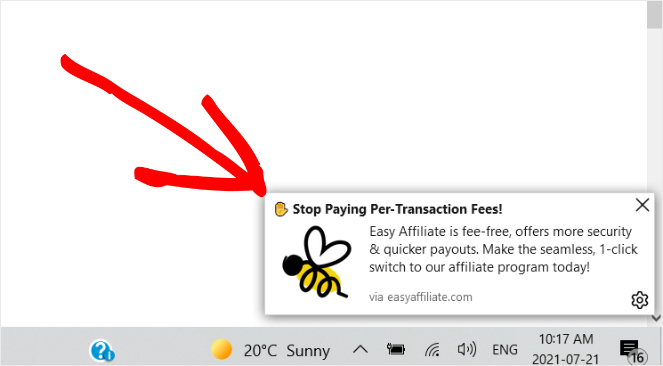
The best part is that your subscribers don’t have to be on your blog to receive push notifications. They go directly to the reader’s web browser or device, even if they’re on a different website.
Push notifications also have a very high engagement rate. Bloggers can take advantage of this and bring readers back to their websites.
For example, you could send a push notification to announce the new blog post that you’ve just published. This will help you drive more traffic to your blog and boost engagement.
Online stores can also take advantage of push notifications. They can send notifications about new deals and cart abandonment reminders to boost sales.
For a reader to receive push notifications, they have to opt-in. Here’s what the opt-in message looks like:
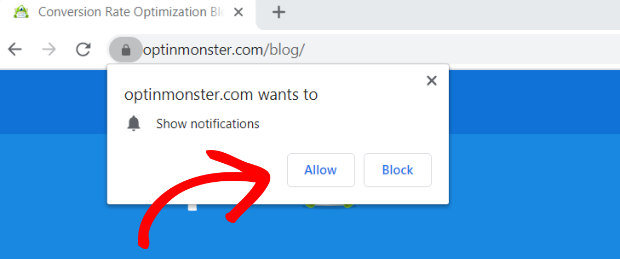
Once the user has opted in, you can send personalized messages to keep them engaged with your site.
Here’s why WordPress site owners are increasingly turning to push notifications:
- You own the connection. Unlike social media, where algorithms decide who sees your posts, push notifications go straight to your subscribers.
- Higher visibility than email. Notifications appear instantly on devices and are harder to miss than emails lost in crowded inboxes.
- Easy setup with plugins. Most push notification tools integrate with WordPress in just a few minutes—no coding required.
- Works for all site types. Whether you run a blog, online store, or membership site, push notifications help you stay top of mind.
- Bring back lost visitors. A single notification can re-engage people who haven’t visited your site in days or weeks.
How I Test and Review Push Notification Software
I went through each push notification tool, step-by-step, to see how it handles the tasks bloggers and site owners care about most. I wanted to know which tools make it simple to set up campaigns, reach the right audience, and track results without getting lost in complicated dashboards.
Here’s what I focused on during testing:
- Setup and installation: How easy it is to get started and create your first notification.
- Campaign creation: The flexibility of building different types of campaigns, from new post alerts to re-engagement messages.
- Targeting and personalization: How well you can segment your audience and customize messages for different groups.
- Automation features: How triggers like scheduled notifications or abandoned cart reminders are handled.
- Analytics and reporting: How straightforward it is to track delivery rates, click-through rates, and overall performance.
- Integration compatibility: How smoothly the tool connects with WordPress, WooCommerce, and other common platforms.
- Pricing and support: Comparing free and paid plans, and the availability of helpful documentation or customer support.
Looking at all these areas helped me see which push notification tools are easy to use, flexible, and practical for running campaigns.
With that said, now let’s dive into my full reviews to find out more about the best push notification tools on the market.
1. PushEngage: Best Overall Push Notification Software
- Push notifications for web browsers, iOS, and Android
- Customizable push notification opt-ins
- Triggered notifications and dynamic segmentation
- TurboSend and scheduling to promote time-sensitive offers
- Abandoned cart reminders and deep eCommerce integrations
- Analytics and A/B testing to help you optimize your campaigns
- GDPR compliant
- And more…
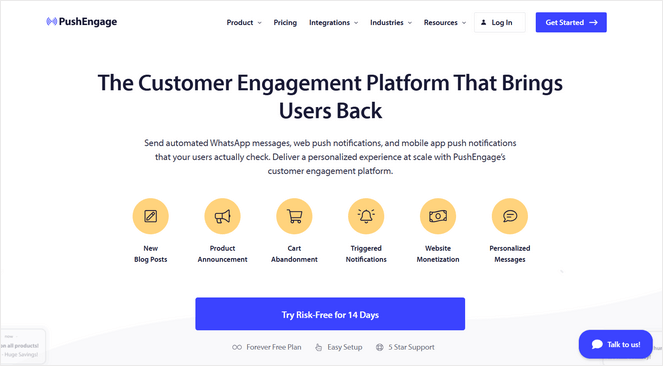
PushEngage is by far one of the best push notification tools on the market. It’s beginner-friendly, flexible, and powerful enough to handle every type of notification your blog or business might need. You can send:
- Web push notifications to reach visitors even when they’re not on your website
- Mobile app notifications to engage users directly on their phones
- WhatsApp messages for personal, direct communication
- On-site chat notifications to prompt users while they’re browsing
- And more
This makes it an all-in-one solution for growing your audience, re-engaging visitors, and driving repeat traffic.
PushEngage is being used by over 25,000+ companies like Dominos, Glamour, WPBeginner, Harvard Business Review, and more. I’ve personally been using it for years as well, and you can learn more about it in our complete PushEngage review.
My Experience with PushEngage
When I first tried PushEngage, I noticed that the campaign builder is surprisingly easy to use, even if you’ve never worked with push notifications before.
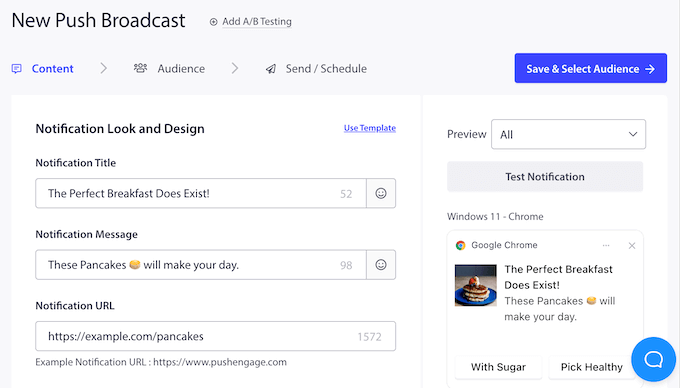
You can create push notifications for pretty much anything you want. You can send automatic push notifications for new blog posts, event reminders, breaking news/updates, welcome messages, flash sales, product announcements, and much more.
Plus, PushEngage works seamlessly for eCommerce sites as well, letting you send abandoned cart reminders, price drop alerts, inventory alerts, and shipping notifications, just to name a few.
I really like the styling options, which let you add images, tweak headlines, and customize call-to-action buttons so your notifications look polished and match your site’s branding. It’s small details like this that make the messages feel professional without any extra effort.
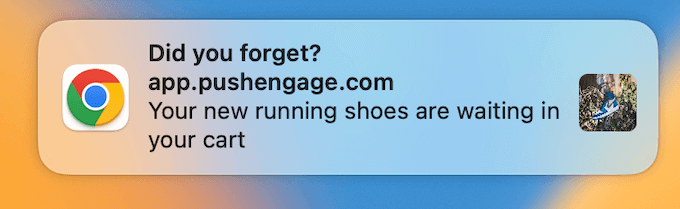
I love that it comes with a variety of campaign triggers, so you can send notifications based on things like time on page, scroll depth, or specific button clicks, which makes campaigns feel targeted and relevant rather than generic.
PushEngage’s personalization features add another layer of relevancy to your campaigns. Your notifications can be tailored by location, language, or time zone. With the easy Attributes API, you can even personalize notifications with your subscriber’s first name, address, hobby, or any other available details to make the messages feel more personal and engaging.
In addition, you can use the automation features to speed up your workflow and save time. For example, you can build drip campaigns or post-purchase updates that run automatically, keeping your audience engaged without needing to micromanage every message.
Finally, the analytics and A/B testing tools make it easy to see what’s working and what isn’t. You can experiment with different headlines, images, or timing, and get a clear picture of which campaigns drive the best results.
| Pros of PushEngage ✅ | Cons of PushEngage ❌ |
| Multi-channel messaging (Web browser, app, WhatsApp, on-site chat) | The free plan doesn’t include personalization features or analytics |
| Easy campaign setup with no coding required | |
| Powerful targeting and automated drip campaigns | |
| Works with all browsers, devices, and site types | |
| Great for driving repeat traffic and sales |
Pricing: PushEngage offers a free plan for up to 200 subscribers and 30 campaigns per month to get you started. In the future, you can upgrade your plan for only $8/month, which lets you send unlimited campaigns to up to 50,000 subscribers.
Why I Recommend PushEngage: PushEngage is one of the most well-rounded tools I’ve found for bloggers because it manages to be both incredibly powerful and very easy to use. It gives you professional-level features at a price point that is much more affordable than most high-end competitors.
If you want a single, budget-friendly dashboard that can handle everything from push notifications to WhatsApp messaging without needing a developer, this is definitely the way to go.
2. OneSignal: Best Push Notification Software for Cross-Platform Flexibility
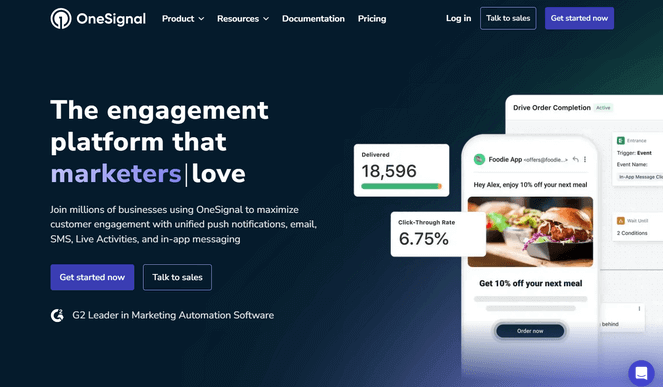
- Omnichannel messaging for web push, mobile push, email, SMS, and in-app messaging
- Detailed user segmentation
- Scheduled delivery to send messages exactly when you want
- Automated journeys to set up sequences of messages for your readers
- A/B testing and real-time insights
- Easy integration with WordPress and most other site builders
- And more…
OneSignal is a heavy-duty engagement platform that goes beyond standard browser alerts. It is built for bloggers who want to manage a full messaging strategy—including mobile apps, email marketing, in-app messaging, and SMS—all from one dashboard. Instead of bouncing between several different tools to reach your audience, it lets you coordinate everything in one place.
Because it supports so many platforms, it does feel a bit more technical than a basic WordPress plugin. It’s the ideal fit if you’ve launched a mobile app for your blog (for example) and want a reliable way to keep your web and app notifications perfectly in sync.
My Experience with OneSignal
When first opening OneSignal, the dashboard feels more technical than some other tools. It isn’t too difficult to use, but it requires some time to find your way around.
Once you get comfortable, the level of control is impressive. It lets you segment users based on behavior, location, or device type, which makes targeting specific groups simple. For example, you can send different messages to people on mobile versus those on a desktop to keep the content relevant.
Scheduling notifications is simple. You can set up a campaign to go out at a specific time, and it delivers exactly when it’s supposed to.
The automation options also stand out; they let you create a series of messages that trigger based on user actions, like visiting a certain page or not returning to the blog after a few days.
The real-time analytics show you exactly who is opening notifications and which campaigns are performing best. That feedback helps you adjust your approach quickly.
One of the best parts is that OneSignal supports email and SMS, so it lets you manage all those channels in one place instead of juggling multiple tools for different types of outreach.
| Pros of OneSignal ✅ | Cons of OneSignal ❌ |
| Omnichannel marketing with excellent cross-platform flexibility | The interface can be complex for beginners |
| Includes personalization, segmentation, and automation features | More expensive and fewer advanced features than PushEngage |
| Provides real-time insights for performance tracking | |
| Integrates with a wide range of platforms | |
| Scalable tool for growing businesses |
Pricing: OneSignal has a free plan for up to 10,000 subscribers per message, but it offers minimal customization and personalization features. The paid plans start at $19 per month.
Why I Recommend OneSignal: OneSignal is a powerful choice, but it’s really meant for bloggers who need that cross-platform flexibility. If you are managing a mobile app alongside your blog or you want to combine your push notifications with SMS and email, the extra cost is worth it for the convenience of having everything in one dashboard.
3. VWO Engage (PushCrew): Best for Conversion-Focused Businesses
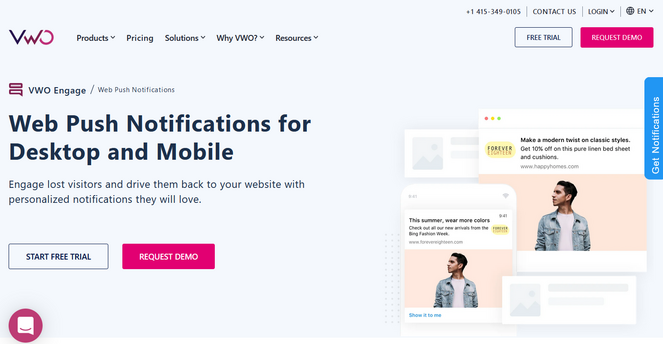
- Behavior-based triggers for specific actions
- Advanced segmentation for cart abandoners or repeat readers
- Goal tracking to connect clicks directly to sales or signups
- Detailed reports on open rates and click behavior
- Syncs with other VWO tools for full site optimization
- And more…
VWO Engage, formerly known as PushCrew, works well if you are very focused on conversion rates and measuring results. It is built for teams that want to tie every notification to a specific action or funnel step, rather than just sending out general updates.
It feels different from basic notification tools because it is part of a larger digital optimization platform. While this means there is more to learn upfront, it gives you a much higher level of detail if you want to optimize exactly how your readers move through your site.
My Experience with VWO Engage (PushCrew):
Setting this up on a test site takes more time than simpler tools, but the options you get in return are impressive.
Once everything is configured, it lets you trigger notifications based on very specific user actions. For example, you can send a targeted message to someone who spends time on your “Services” page but leaves without contacting you.
The segmentation features are excellent for keeping your messaging relevant. They let you group users by what they actually do on your site, so you can create custom messages for people who read certain blog topics or those who have visited multiple times.
After running a few campaigns, the analytics provide a breakdown that most basic tools don’t offer. You can see which notifications lead directly to conversions and which ones are being ignored. It also gives you clear data on open rates, click paths, and user behavior.
While the interface takes some time to get comfortable with because of all the settings, the data is incredibly valuable if you’re trying to grow a business.
| Pros of VWO Engage ✅ | Cons of VWO Engage ❌ |
| Focused on driving user behavior and conversions | Can be more difficult to set up than basic plugins |
| Connects notifications directly to your funnel goals | More expensive with no free version available |
| Advanced segmentation for targeted messaging | It may be overkill for simple blogs |
| Detailed insights through advanced analytics | |
| Supports notifications on web and mobile platforms |
Pricing: Pricing is not available on their website. You will need to schedule a demo with their team to get a custom quote.
Why I Recommend VWO Engage (PushCrew): It’s great for bloggers who want to turn their traffic into customers by tracking exactly which notifications lead to a sale or a signup.
However, it’s a heavy-duty tool that might be more than what most casual bloggers need. If you are just looking to send out basic post updates, this will likely feel like overkill—but if you’re running a business and need to see exactly how your messages hit your bottom line, it’s worth the effort.
4. iZooto: Best Push Notification Software for Content Publishers and Media Sites

- Highly automated push notifications for new content
- Automatic segmentation based on how people interact with your site
- AI-powered recommendations to suggest the best articles
- Native monetization options for publishers
- Campaign scheduling and recurring campaigns
- Real-time analytics and insights
- And more…
iZooto really shines if you run a blog, news site, or any content-heavy platform. It is built specifically to help publishers bring readers back automatically whenever you publish something new, which is a huge time-saver for busy bloggers.
I liked how much it handles on its own. Once you set it up, the tool can segment your audience and send notifications at the right time without you needing to manage every single campaign manually. It’s a great way to keep your site active and your traffic consistent.
My Experience with iZooto
When first installing iZooto on a WordPress site, the setup takes just a few minutes. The integration is smooth, and you won’t need to touch any code to get it running.
I quickly noticed how much automation it offers; the tool automatically segments users based on their behavior, so you don’t have to manually create audience groups for every campaign.
Sending notifications for new blog posts is effortless because the tool detects when you publish content. The personalization features also let you tailor messages based on user interests and reading history, which makes your notifications feel more relevant to your readers.
The AI-powered content recommendations are another highlight. The system suggests which of your articles to promote to specific user segments, which saves you time figuring out what to send.
Plus, a feature that I especially love for bloggers is the monetization option. It lets you display push notification ads, which can generate extra revenue if you have a large subscriber base.
However, keep in mind that iZooto is built specifically for content and media sites. If you’re running an eCommerce store or a service business, other tools might fit your needs better.
| Pros of iZooto ✅ | Cons of iZooto ❌ |
| Excellent for driving repeat visits to content sites | Built specifically for content sites, which may not fit other business types |
| Highly automated campaign management | The Pro version is expensive for smaller blogs |
| Strong AI-powered personalization features | |
| Built-in monetization options for extra revenue | |
| Easy integration with WordPress |
Pricing: iZooto offers a free plan that allows you to send 10 campaigns per day to unlimited subscribers. For unlimited push notifications and advanced features, you need to upgrade to a paid plan, which costs $85 per month for up to 30,000 subscribers.
Why I Recommend iZooto: iZooto is an excellent choice for bloggers and publishers who want to automate their traffic growth. It takes the manual work out of bringing readers back to your new content and helps you stay consistent without needing to manage every notification yourself.
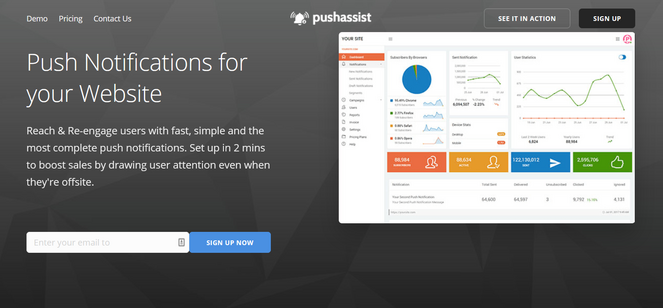
5. PushAssist: Best Push Notification Software for Beginners
- Quick and easy to set up
- Works across all major browsers like Chrome, Firefox, and Safari
- Segment users based on location, interest, buying record, etc.
- Schedule notifications at a specific date and time
- Monitor how users respond to notifications in real-time
- Generous free plan
- And more…
PushAssist is designed for bloggers who want to start sending notifications quickly without getting bogged down in complicated settings. If you’re new to push notifications and just want something that works right out of the box, this tool is a great fit.
Everything about the dashboard feels simple and clear. It’s built for those who don’t want to spend hours watching tutorials or digging through documentation just to send a basic update to their readers.
My Experience with PushAssist
The campaign setup is incredibly fast. It lets you pick a message, add a link, and schedule your delivery without any confusing steps.
I found that scheduling messages is just as easy. You can set up several campaigns to go out at specific times during the week, and they send exactly when you tell them to.
Targeting specific groups is also simple; it lets you segment your subscribers by location so you can send different messages to each group to keep your content relevant.
Similar to iZooto, I discover that PushAssist offers a monetization option as well. So, if you’re looking to earn a little extra money from your blog, you can show ads within your notifications.
In addition, the analytics show you exactly how many people are clicking and engaging with your notifications. I love that the dashboard updates as results come in, which lets you see what’s working right away.
| Pros of PushAssist ✅ | Cons of PushAssist ❌ |
| Quick and easy to use, even for total beginners | Lacks some of the advanced features found in bigger tools |
| Works perfectly across all major browsers | Free plan includes PushAssist branding on notifications |
| Reliable scheduling and location-based targeting | |
| Built-in option to monetize your notifications | |
| Generous free plan for up to 3,000 subscribers |
Pricing: PushAssist costs $9 per month for up to 3,500 subscribers. It also has a free plan that offers unlimited notifications to 3,000 subscribers.
Why I Recommend PushAssist: PushAssist is the best choice for beginners who want a straightforward way to reach their readers without any complexity. It’s simple, reliable, and lets you start growing your traffic in minutes. If you want a tool that just works and doesn’t cost a lot to get started, this is a great place to begin.
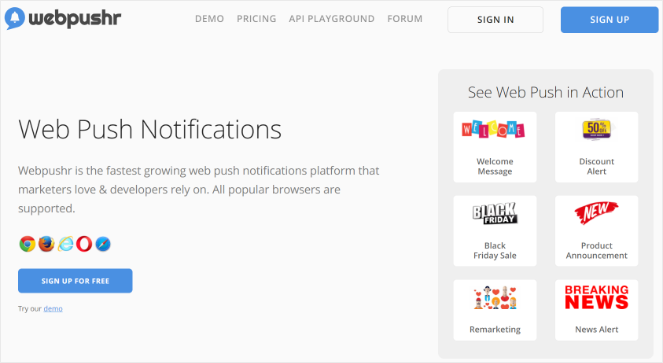
6. WebPushr: Best Highly Specialized Web Push Plugin
- Focused design built exclusively for web notifications
- Customizable prompts with your brand colors and logo
- Advanced segmentation with custom rules for location and behavior
- Non-HTTPS support
- Detailed analytics with optional Google Analytics syncing
- Built-in performance tracking and uptime monitoring
- And more…
WebPushr stands out because it focuses on doing one thing really well: web push notifications. Unlike other tools that try to handle email or SMS at the same time, WebPushr is highly specialized.
This makes the interface much simpler and easier to navigate for WordPress owners who just want a dedicated notification tool.
My Experience with WebPushr
Setting up WebPushr is a breeze because it doesn’t try to be everything at once. Since it’s built specifically for web alerts, the workflow is very direct. I was particularly impressed with how it handles Safari for iOS—this is a common pain point for many plugins, but WebPushr handles it easily.
The customization options for the subscription prompts are excellent. I could choose from several pre-designed templates and tweak the brand colors and logo, so the opt-in felt like a natural part of my site.
Adding emojis and custom CTA buttons to the notifications themselves also made the alerts feel more engaging and less like a robotic system update.
When it comes to the audience, the segmentation is surprisingly deep. You aren’t just limited to basic groups; you can create custom rules to divide your readers using multiple criteria. This ensures your messages are truly relevant to whoever receives them.
The analytics provided are quite detailed, showing everything from the visitor’s device processor to their browser and country. If you’re a data nerd, the fact that you can plug it into Google Analytics is a huge plus.
The only drawback is that because it’s so specialized, there isn’t a massive library of documentation to help you troubleshoot, and the cost can climb quickly once you move past the free tier and grow a large subscriber list.
| Pros of WebPushr ✅ | Cons of WebPushr ❌ |
| Highly specialized and simple to use | Limited documentation and support materials |
| Works on all popular web browsers | Can become expensive as your subscriber list grows |
| Supports both HTTP and HTTPS websites | Only sends web push (no email or SMS) |
| Generous free plan for up to 10,000 subscribers | |
| Includes site uptime and performance monitoring |
Pricing: WebPushr offers a free plan for up to 10,000 subscribers. Paid plans start at $29/month.
Why I Recommend WebPushr: I recommend Webpushr if you want a dedicated, “set-it-and-forget-it” tool that focuses purely on web notifications. It’s a fantastic choice for WordPress users who want a simple interface, reliable browser support, and the added peace of mind that comes with built-in site monitoring.
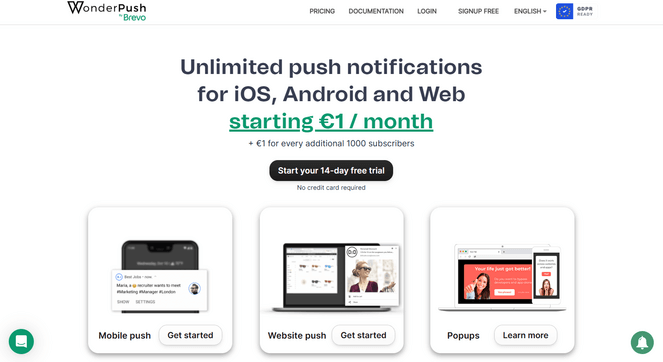
7. WonderPush: Best for Small Businesses on a Budget
- Send notifications across web, iOS, and Android platforms
- Easy-to-use automation
- Behavior-based segmentation to group your readers
- Simple A/B testing to see which headlines get more clicks
- Real-time visual analytics
- GDPR-compliant data handling for peace of mind
- And more…
WonderPush caught my attention because it offers an incredible amount of power for a very low price. If you’re running a small business or a growing blog and need to reach people on every device without spending a fortune, this tool definitely deserves a look.
I also love that they don’t lock their best features behind higher-priced tiers. Whether you have 1,000 subscribers or 100,000, you get access to the same segmentation, automation, and testing tools.
My Experience with WonderPush
Setting up WonderPush was a very smooth experience, mainly because the interface is so beginner-friendly. You don’t need any high-level technical skills to get your first campaign live.
During testing, I found the automation features to be a huge help; I used them to schedule my campaigns ahead of time, and the system handled the delivery perfectly while I focused on other tasks.
In addition, the segmentation tools allowed me to group subscribers by their behavior, so I could send targeted messages to the right people without much effort.
However, I did run into a few hurdles. The customer support can be a bit limited, and the documentation wasn’t as deep as I’ve seen with other tools, so it might take a little longer to get help if you get stuck.
Also, while it’s great for the basics, you’ll find fewer advanced personalization and targeting options compared to software like PushEngage. If you need super-specific customization, this might feel a little restrictive.
| Pros of WonderPush ✅ | Cons of WonderPush ❌ |
| Extremely affordable for small budgets | Fewer advanced personalization options |
| All features are included on every plan | Limited customer support and documentation |
| Very simple, beginner-friendly dashboard | No free plan, only a free trial |
| Built-in A/B testing and automation |
Pricing: Starts at €1/month (for up to 1,000 subscribers). They also offer a 14-day free trial.
Why I Recommend WonderPush: WonderPush is a reliable budget option for bloggers who want more than a free plan but aren’t ready to invest in a premium platform. It gives you the essential tools—like automation and A/B testing—for a very low cost. While it lacks some of the bells and whistles of high-end software, it’s a solid, “no-frills” way to bring traffic back to your site without overspending.
Push Notification Software FAQs
Are there free push notification tools?
Yes. Most of these tools offer a free version to get you started. For example, PushEngage is free for your first 200 subscribers, and WebPushr has a generous free plan for up to 10,000 subscribers.
Do I need coding skills to use push notification software?
No. Tools like PushEngage and PushAssist let you set up everything through a simple dashboard and a WordPress plugin. You can launch your first campaign quickly and easily without touching any code.
Which push notification tool is best for eCommerce?
PushEngage is the best choice for eCommerce. It includes advanced revenue-driving features like abandoned cart reminders, price drop alerts, and inventory updates. OneSignal is also a strong secondary option for stores that need deep mobile app integration.
Can push notifications help small blogs?
Definitely. For small blogs, every visitor counts. Push notifications allow you to build a direct connection with your audience so you can bring them back the moment you publish something new, without having to fight with social media algorithms or crowded email inboxes.
Will notifications slow down my website?
Not if you use a quality provider. Tools like PushEngage load their scripts “asynchronously,” which means they won’t interfere with your site’s loading speed or performance.
What is the Best Push Notification Software?
After testing the top options, PushEngage is the clear winner for most bloggers.
It is a powerful, all-in-one platform that lets you manage web push, mobile app notifications, and WhatsApp updates from a single dashboard. It’s designed to be “future-proof,” meaning it’s simple enough to start with today but has the advanced features you’ll need as your blog grows.
Why I Recommend PushEngage:
- Incredibly Easy to Use: You can get your first notification live in under 10 minutes without touching a single line of code.
- Complete Flexibility: It works on any platform (WordPress, Shopify, Wix) and reaches readers on any browser or mobile device.
- Powerful Automation: Set up “set-and-forget” campaigns that automatically notify readers about new posts or remind shoppers about abandoned carts.
- Generous Free Plan: You can get started for free with up to 200 subscribers, which is perfect for beginners.
If you want a reliable, budget-friendly tool that handles everything from traffic growth to sales, PushEngage is the one to pick.
Well, there you have it!
These were my picks of the best push notification tools for your WordPress blog. If you think I missed any popular push notification software, then let me know in the comments. If you enjoyed this article, you might also enjoy our post on the best live chat plugins or our guide on how to drive more traffic to your blog posts.
And don’t forget to sign up for our email newsletter so you can get useful content like this sent right to your inbox!
Thanks for such a information but need some more ideas to get more traffic with email marketing
Hi there, you can check out some of our other posts for more email marketing tips:
How to Do Email Marketing (Ultimate Beginner’s Guide)
How to Write a Newsletter That Gets Results (17 Tips)
How to Make Money with Email Marketing
Hope these help! 🙂
Hi.
Thank you for posting such an informative post regarding push notifications.
We have recently implemented WebPushr on our ecommerce wordpress woocomerce store and to date, we are pretty happy with the results that it is producing.
Keep up the good work.
Excellent and detailed analysis. All the software is good but I prefer OneSignal.
Could you please also cover the impact of each one of these Push Notification providers on your website load time? I was previously using Truepush on my website. However, it slowed down my website by almost a second.
Hi Aquif, we can certainly try to update the article to cover that factor. I do know that our top pick, PushEngage, is built to be lightweight and as fast as possible, so it won’t slow down your site. Thanks for commenting!
I’ve been following your blog for quite some time now, and I love your content and the lessons you share with your readers. Every time I read a post, I feel like I’m able to take a single, clear lesson away from it, which is why I think it’s so great.
Thank You for this article on Push Notification Software!!
Thank you for presenting such an informative. I greatly appreciate the assistance to find the best tool for the WordPress site.