

I used to watch visitors come and go on my blog, wondering why no one was signing up for my email list…
I thought a simple signup form would be enough—but the truth? Almost nobody noticed it, and even fewer people signed up.
After weeks of frustration, I realized that getting email subscribers isn’t about just having an email capture form—it’s about showing it in the right way, to the right people, at the right time.
That’s when I started testing different email capture tools. Popups that appear at the perfect moment, slide-ins that grab attention without being annoying, and exit-intent campaigns that show up just as someone is about to leave—all of these can turn casual visitors into subscribers almost automatically.
After tons of testing, I’ve discovered the best email capture tools that actually get results. In this guide, I’m sharing my top picks—tools that make growing your list faster, easier, and more effective, so you can focus on creating content instead of chasing subscribers.
Quick Picks: Best Email Capture Tools
No time to read? No problem! You can use this comparison table to quickly find the best email capture tool for your blog:
| # | Tool | Best For | Pricing |
| 1 | OptinMonster | High-converting popups with precise triggers | $7/mo |
| 2 | WPForms | Simple email newsletter signup forms | $49.50/yr + Free |
| 3 | Thrive Leads | Conversion testing and optimization | $99/yr |
| 4 | Beacon | Lead magnets and gated downloads | $19/mo + Free |
| 5 | PopupAlly | Non-intrusive popups | $49.50/yr + Free |
| 6 | Bloom | Elegant Themes/Divi users | $7.42/mo |
| 7 | LiveChat | Email capture via live chat | $19/mo |
Why Do You Need an Email Capture Tool?
Most people who visit your blog won’t come back. In fact, a healthy returning visitor rate is usually anything over 30%. That means the majority of your traffic could disappear without a trace if you don’t capture it.
That’s where email capture comes in. It’s how you turn first-time visitors into subscribers and keep them coming back. The right email capture strategy makes it easy to stay in touch and build a relationship with your audience.
With an email list, you can send targeted, personalized messages that actually get results. Whether you want readers to return for your latest post or promote a new product, email marketing is hands-down the most reliable way to reach them.
My Hands-On Testing Process for Email Capture Tools
As a blogger, I’ve spent a lot of time working with email capture tools, testing them in real-world situations to see which ones actually help grow an email list effectively.
My personal favorites are OptinMonster and WPForms — the tools I use most often and always recommend because they make it easy to capture emails, engage visitors, and grow a list.
The other tools on this list I’ve tested on client websites or on my own demo sites. This gave me a clear understanding of how they perform in practice, which features are most useful for capturing emails, and which tools work best for different types of campaigns.
Here’s what I focused on during testing:
- Installation & setup: How easy it is to get the plugin installed and a basic email form running.
- Form types & templates: The variety of email capture options, like popups, slide-ins, inline forms, and floating bars.
- Targeting & triggers: How well the tool lets you control when and where forms appear for different visitors.
- Customization: Adjusting colors, fonts, and layouts to fit the site’s design without coding.
- Email service integration: Connecting to platforms like Constant Contact, Mailchimp, and other popular email services.
- Performance: Whether the plugin runs smoothly without slowing down the site.
- Analytics: The reporting and insights available to track how forms perform.
By looking at all of these factors, I can give you the most practical, honest review so you can find the email capture tool that’s right for your blog or business.
Now, let’s take a closer look at my picks for the best email capture plugins and tools.
1. OptinMonster: Best Overall Email Capture Tool
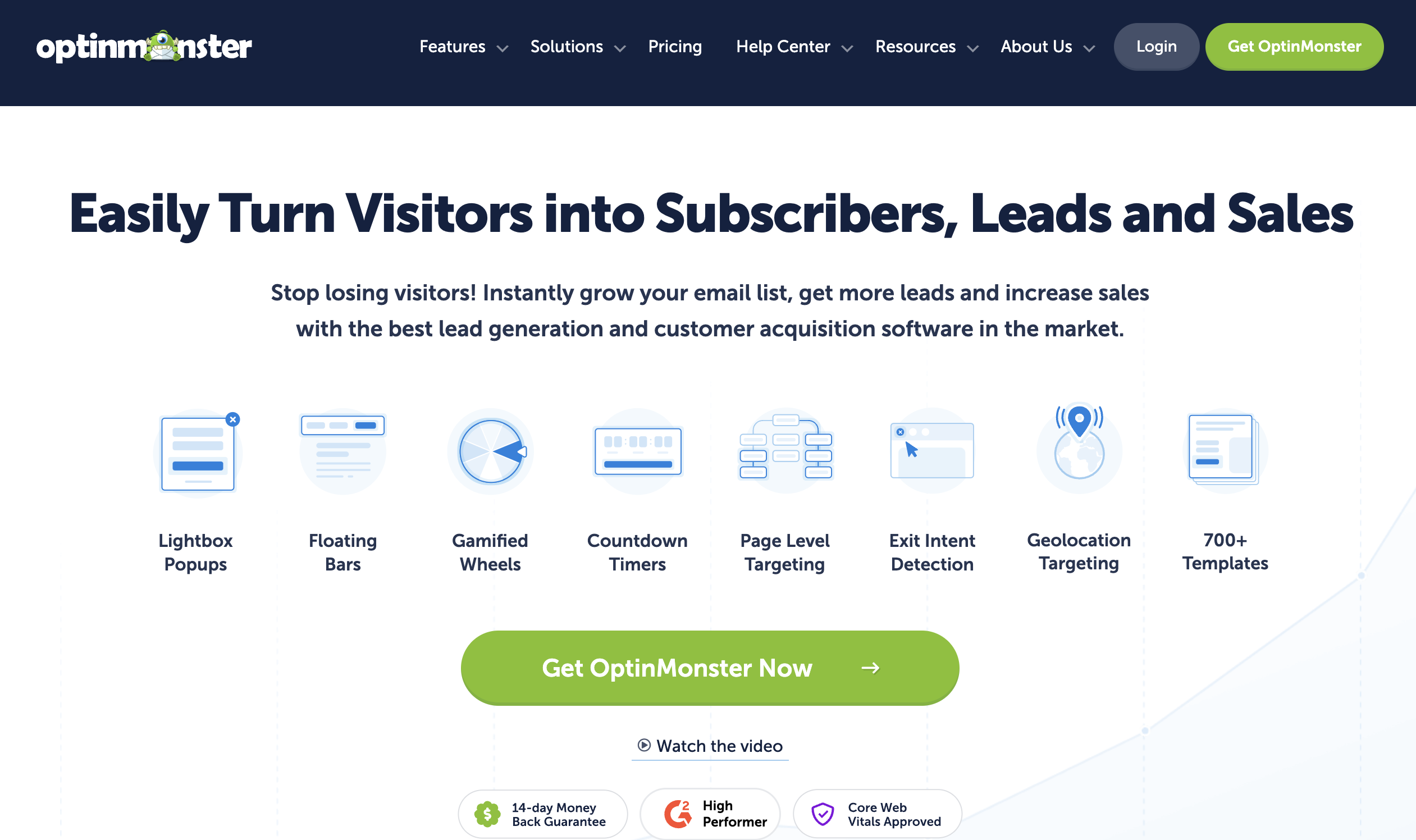
When I first started looking for a way to turn more of my website visitors into subscribers, OptinMonster quickly became my top choice.
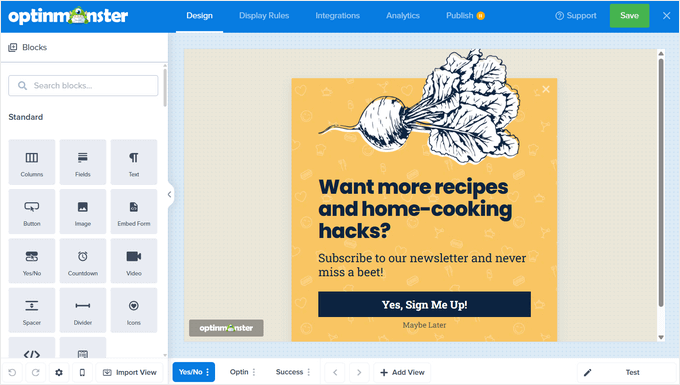
This is overall the most powerful email capture tool I’ve used on my WordPress blog, and setting up campaigns is surprisingly straightforward, even for someone who isn’t a developer. The 700+ templates and drag-and-drop builder makes it super easy to create stunning email optin campaigns.
The variety of campaign types is impressive. I’ve used lightbox popups for newsletter signups, slide-ins for subtle offers, countdown timers for urgency, and yes/no multi-step campaigns to make the signup feel interactive.
I love how you can fully control when and where forms appear. Exit-Intent® popups, in particular, are a game-changer—they detect when someone is about to leave your site and show a targeted message at just the right moment.
With the advanced targeting rules, I can also show specific campaigns to new visitors, returning visitors, or users on specific pages. This kind of precision targeting made my campaigns feel relevant instead of annoying.
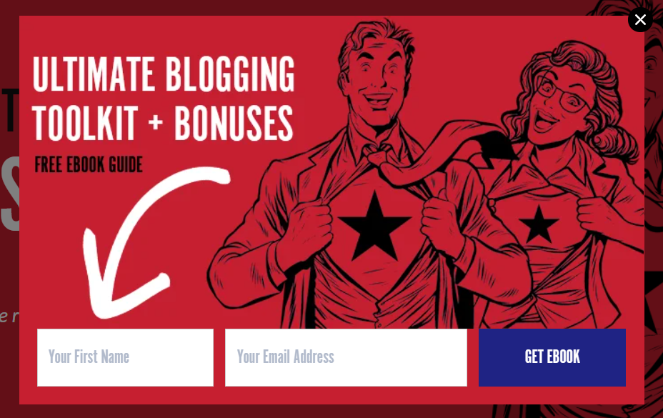
You can even add incentives to your popups, like a free eBook or a coupon, which makes it even easier to capture emails because people are more likely to sign up when they get a gift in return. That’s what we did here on Blog Tyrant:
OptinMonster seamlessly integrates with all of the top email marketing services, such as Constant Contact, AWeber, Mailchimp, ActiveCampaign, and many more.
The analytics dashboard is detailed and clear. I can see exactly how many people viewed each campaign, how many signed up, and which triggers performed best. A/B testing is also built in, so I can test different headlines, images, and calls-to-action without guessing.
If you’re interested, you can read our detailed OptinMonster review, and here’s a quick video walkthrough you can follow to get started!
Pros of OptinMonster
- Extremely easy to use with a drag-and-drop builder
- 700+ templates to get started quickly
- Advanced targeting and exit-intent technology increase conversions
- Multiple form types including popups, slide-ins, floating bars, yes/no campaigns, coupon wheels, content lockers, and more
- Built-in A/B testing and detailed analytics reporting
- Seamless integrations with major email marketing services
- AI-powered suggestions for campaign copy
Cons of OptinMonster
- No free plan is available
- Pricing can feel high for beginners
Pricing: Starts at $7/month for the Basic plan. Higher-tier plans unlock advanced features like exit-intent triggers, campaign scheduling, A/B testing, and more.
Why I Recommend OptinMonster: I recommend OptinMonster for bloggers, marketers, and business owners who want complete control over how and when they capture emails. It’s perfect if you want to grow your list quickly using advanced targeting, exit-intent campaigns, and multiple form types. Even if you’re new to email marketing, the drag-and-drop builder and pre-made templates make setup fast and painless.
2. WPForms: Best Simple Email Capture Tool for Beginners
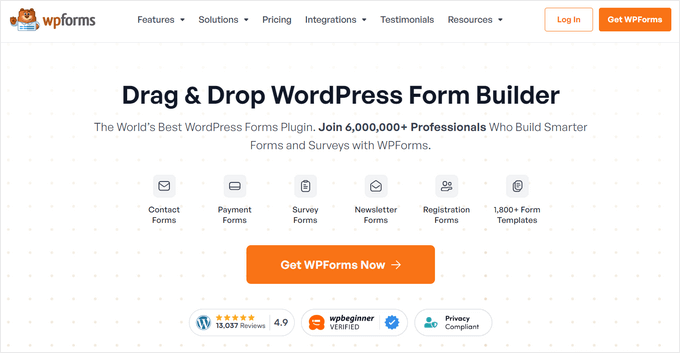
WPForms is the go-to plugin for beginners who want a reliable, easy-to-use way to create email capture forms without stress. It’s built to be simple, fast, and flexible enough to grow with your needs.
When I first started using WPForms, I was able to create my first newsletter signup form in just minutes. The pre-built templates saved time, and the drag-and-drop builder made customization effortless. I could rearrange fields, change button text, and add a custom message without touching a line of code.
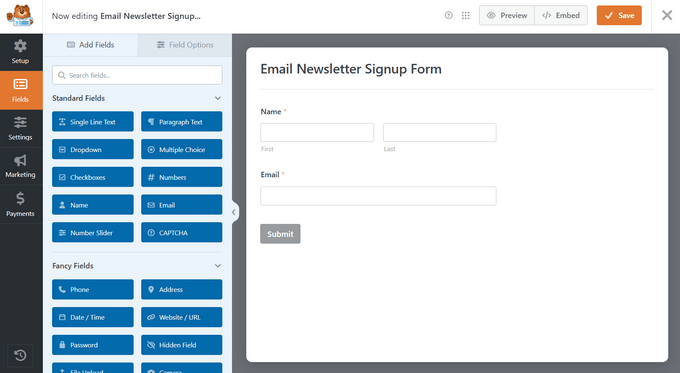
I also experimented with some of the advanced features. For example, I could turn long forms into multi-step forms, which helps in keeping visitors engaged. Conditional logic also allowed me to show or hide fields based on user input, collecting more relevant information without overwhelming anyone.
Embedding the form on my site was easy too—with the WPForms widget, I placed it exactly where I wanted, with no formatting issues.
I like that you can display a custom thank-you message or redirect visitors to a specific page after they fill out the forms. This is helpful for bloggers because it lets you send new subscribers to a welcome post or popular article while their interest is still high.
Plus, WPForms sends weekly email summaries to give a quick snapshot of how your forms are performing, showing submission counts and conversion rates without logging into the dashboard.
The only limitation I noticed is the lack of targeting or advanced triggers. Unlike tools such as OptinMonster, WPForms can’t show forms to specific visitors at specific times, which might matter if you want highly personalized campaigns.
Pros of WPForms
- Beginner-friendly drag-and-drop form builder
- 2,000+ pre-built templates to save setup time
- Can create all types of forms, not just email capture
- Built-in anti-spam protection
- Advanced features like conditional logic and form abandonment tracking
- Weekly email performance summaries
Cons of WPForms
- No targeting or triggers for specific users
- Free version is limited in features
Pricing: Starts at $49.50/year. There’s also a free version of WPForms available to download.
Why I Recommend WPForms: WPForms is perfect for beginners who want a simple, reliable email capture solution. You can get a professional-looking form live in minutes without wrestling with complicated settings. Plus, it’s versatile enough to create surveys, contact forms, and other types of forms—making it a valuable tool for growing blogs.
3. Thrive Leads: Best for Conversion Optimization-Focused Marketers
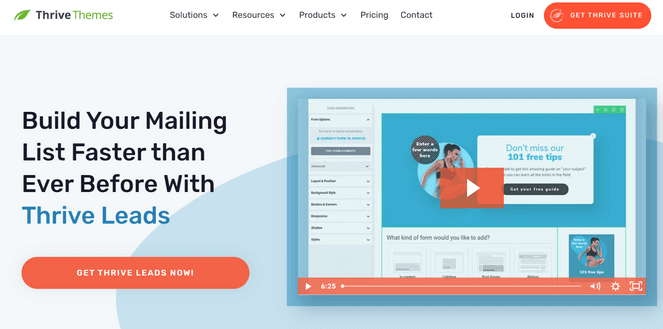
Thrive Leads is designed for one thing: turning visitors into subscribers. If your focus is conversion optimization, this email capture plugin gives you the tools to test ideas and improve results instead of guessing what works.
When I first used Thrive Leads, the drag-and-drop editor made it easy to create forms from scratch or start with a pre-made template. While the template library is smaller than some tools, the designs are clean and clearly built for conversions.
Thrive Leads offers a wide range of opt-in form types. I tested lightboxes, sticky ribbons, slide-ins, in content, and more, to see which formats performed best. Having multiple options made it easier to capture attention without relying on a single popup style.
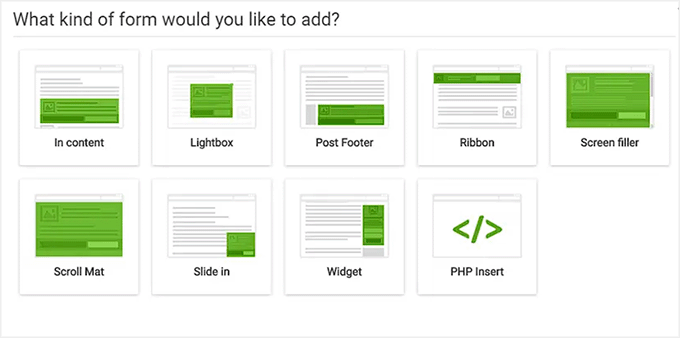
Targeting and triggers are another strong point. I could display forms based on the page a visitor was on, how far they had scrolled, or where they came from, which made the opt-ins feel more relevant.
I like how the built-in A/B testing helped me compare headlines and layouts and quickly see which versions converted better. The analytics dashboard also showed impressions and conversion rates clearly, so I didn’t have to guess what was working.
Thrive Leads integrates with popular email marketing services like Constant Contact and Drip, and setup only took a few clicks.
Pros of Thrive Leads
- Drag-and-drop editor with conversion-focused templates
- Multiple opt-in form types including popups, ribbons, in content, and more
- Smart targeting and triggering options
- Built-in A/B testing for headlines, designs, and layouts
- Detailed analytics to track form performance
- Integrates with popular email marketing services
Cons of Thrive Leads
- Smaller template library compared to some competitors
- Higher price point than beginner-focused plugins
Pricing: Starts at $99/year for the standalone plugin. Or, you can get the entire Thrive Suite, which includes Thrive Leads, Thrive Architect, Thrive Apprentice, and more, for $299/year.
Why I Recommend Thrive Leads: Thrive Leads is ideal for marketers and bloggers who want full control over testing and optimization. If you’re serious about conversions and want data-driven insights to grow your list faster, this tool delivers.
4. Beacon: Best Email Capture Tool & Lead Magnet Creator
Beacon takes a different approach than most email capture tools. Instead of focusing only on forms and popups, it helps you create lead magnets that give visitors something valuable in exchange for their email address.
What I liked right away is that Beacon is a web-based tool, not a WordPress plugin. That means it works on any platform and doesn’t add anything to your site that could slow it down.
Creating a lead magnet was refreshingly simple. I picked a template, added my content, and had a polished download ready in minutes. The templates look professional out of the box, so I didn’t need design skills to make something that matched my brand.
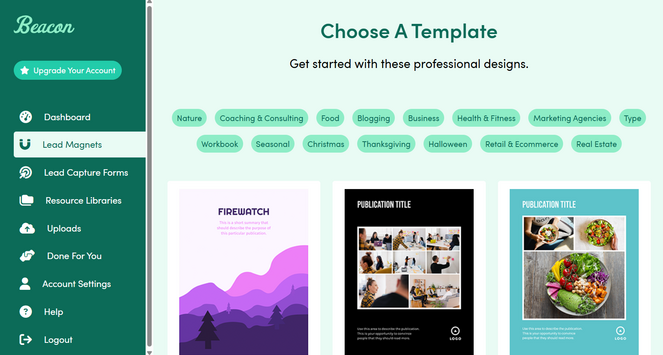
Turning a blog post into a PDF was one of Beacon’s biggest strengths. I pasted in my content, and Beacon automatically formatted it into a clean, professional guide that felt like a real incentive to subscribe.
Once the lead magnet was ready, I used one of Beacon’s pre-made templates to create and add a simple email capture form to my site to gate the content. Connecting it to my email marketing service was straightforward, and new subscribers were added to my list automatically.
I also tested the resource library feature, which lets you group multiple lead magnets into a single hub. This works well for bloggers who offer more than one download and want to showcase them in one place.
Pros of Beacon
- Easy-to-use interface for creating lead magnets and lead capture forms
- Web-based tool that works on any blogging platform
- Quickly turns blog posts into professional downloads
- Wide selection of templates
- Connects with popular email marketing services
Cons of Beacon
- Free plan is limited to 100 leads per month
- No advanced targeting or detailed analytics
Pricing: Starts at $19/month. There’s also a limited free plan that allows you to create one new lead magnet per month.
Why I Recommend Beacon: Beacon is ideal for bloggers who want an easy way to turn existing content into lead magnets and start collecting emails without using plugins or complex setups.
5. PopupAlly: Best for Non-Intrusive Email Popups
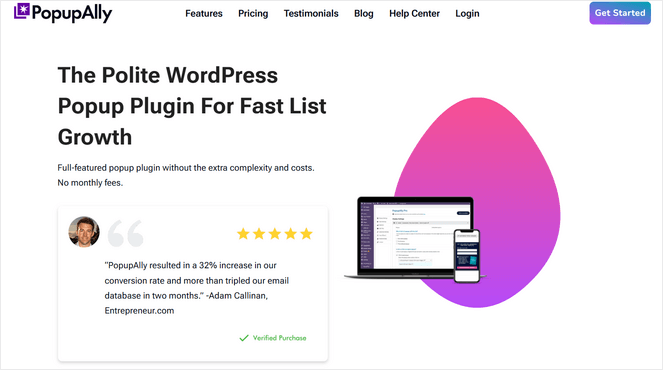
PopupAlly is built for site owners who want to grow their email list without annoying visitors. It’s often called the “polite popup” plugin because it focuses on respectful, non-intrusive ways to encourage signups.
Setup was quick and beginner-friendly. I started with a pre-made template and customized colors, fonts, and buttons using the drag-and-drop editor. Everything matched my site’s branding without needing custom code.
One feature I really liked is Reader Decision Points. Instead of immediately asking for an email address, PopupAlly gives visitors simple choices first, like “Yes, send me updates” or “No thanks, I’ll browse.” This feels less pushy and works well for blogs that prioritize user experience.
PopupAlly also supports video popups, which I tested with a short intro video that played smoothly without slowing down the page. Trigger options include exit intention, scroll-based, click activation, and more, making it easy to show popups at the right moment.
The built-in stats dashboard shows views, signups, and conversion rates, so it’s easy to track performance. The main limitation is advanced targeting, which is more basic compared to larger tools.
Pros of PopupAlly
- Beginner-friendly setup and templates
- Drag-and-drop editor with design control
- Polite popup features like Reader Decision Points
- Supports video popups
- Built-in conversion stats
Cons of PopupAlly
- Limited advanced targeting and segmentation
Pricing: Starts at $49.50/year. There’s also a limited free version available.
Why I Recommend PopupAlly: PopupAlly is a solid option for bloggers who want effective popups that respect their readers and don’t feel intrusive.
6. Bloom: Best Email Capture Tool for Elegant Themes Users
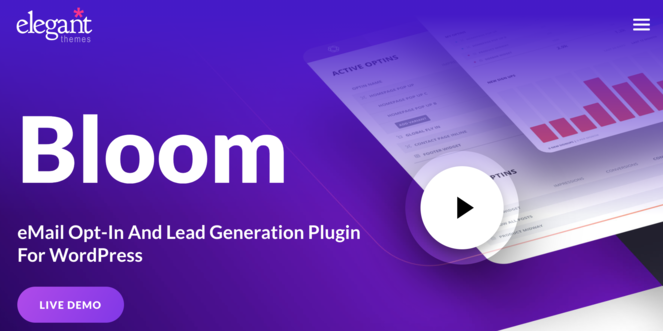
Bloom is a great email capture tool if you’re already using a WordPress theme by Elegant Themes, like Divi. It plugs directly into your existing setup and lets you create opt-in forms without learning a new system or workflow.
When I tried Bloom, the first thing I noticed was how design-focused it is. The plugin comes with a large collection of templates, and most of the work is simply choosing a layout and adjusting it to match your site. Fonts, colors, and spacing are easy to tweak, and the results look polished without much effort.
Bloom gives you several ways to trigger forms. You can display opt-ins after a time delay, once someone leaves a comment, or after they complete a purchase. These triggers make it easier to capture subscribers when they’re already engaged, rather than interrupting them immediately.
Targeting is handled at the page and post level. I could choose exactly where each form appeared, which helped keep offers relevant to the content visitors were already reading.
Bloom also includes built-in analytics, so you can track impressions and conversions without setting up a separate tracking tool.
Pros of Bloom
- Beautiful, professionally designed templates
- Multiple triggers and page-level targeting
- Built-in analytics for tracking conversions
- Seamless integration with WordPress and Divi
Cons of Bloom
- No free version
- Only available with the Elegant Themes membership
- Can impact site performance on slower setups
Pricing: Starts at $7.42/month.
Why I Recommend Bloom: Bloom is a strong choice for WordPress users already invested in Elegant Themes who want visually polished opt-in forms with solid analytics built in.
7. LiveChat: Best for Collecting Emails Via Live Chat

LiveChat helps you grow your email list by letting visitors share their contact info while you help them in real time. It’s especially useful for sites where visitors have questions before subscribing—like support-heavy websites or blogs with complex topics—because you can engage naturally while capturing emails.
Setting up live chat is straightforward. You can match the chat window to your site’s design, add friendly greetings, and set automation rules to invite visitors to chat on key pages.
One of the best features for growing your list is that pre-chat surveys can include an email opt-in, letting visitors share their contact info while getting help.

I also like how the built-in analytics and chat history provide insight into which pages and conversations drive the most signups. You can use this data to refine your approach and make the email capture process even more effective.
The main limitation is that LiveChat is primarily chat-focused. If you want fully automated email capture without live interaction, popups or traditional forms may work better for you.
Pros of LiveChat
- Captures emails through live chats and pre-chat surveys
- Customizable chat interface
- Automation rules help capture leads automatically
- Integrates with CRM and email marketing tools
- Tracks chat history and visitor insights
Cons of LiveChat
- Mainly chat-focused, not ideal for fully automated email capture
- No free plan and pricing is higher than other email capture tools
Pricing: Starts at $19/month per user.
Why I Recommend LiveChat: It’s perfect for sites where visitors have questions before subscribing. By combining support and email capture, you can build trust while steadily growing your list.
Bonus. Formidable Forms: Best for Building Advanced Email Capture Forms
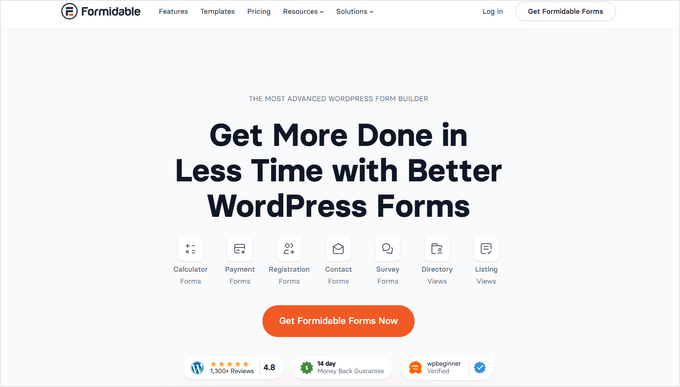
Formidable Forms goes beyond basic email optin popups and lets you build advanced forms to grow your subscribers.
For example, you can build a calculator that provides custom results based on user input while collecting email addresses, a quiz that provides results only after vistors enter their email address, or a survey that can collect detailed information and automatically add respondents to your email list.
Creating a form is pretty straightforward thanks to the drag-and-drop builder and over 300 pre-built templates. Plus, you can customize your forms with advanced fields like date, time, ranking, scale, dynamic, and more.
It also comes with built-in analytics let you see which forms perform best and which capture the most emails.
The main limitation is the learning curve — with so many complex features, beginners may feel overwhelmed if they only need a simple newsletter form.
Pros of Formidable Forms
- Build advanced email capture forms like calculators, quizzes, and surveys
- Drag-and-drop builder with 300+ templates
- Integrates with major email services and CRMs
- Built-in analytics to track form performance
Cons of Formidable Forms
- Can be complex for beginners
- Free version is limited
Pricing: Starts at $39.50/year.
Why I Recommend Formidable Forms: It’s ideal for bloggers and businesses that need a single tool for advanced forms and email capture. You can run surveys, quizzes, or calculators that gather emails automatically, giving your site powerful capabilities beyond simple signup forms.
Email Capture Tool FAQs
What is an email capture tool?
An email capture tool lets you collect email addresses from your website visitors using popups, forms, and other strategies to grow your list.
How do I know which email capture tool is right for my blog?
It depends on your goals. If you want simplicity and reliability, WPForms is great. If you want high conversions with advanced targeting, OptinMonster is the better choice. Consider how you plan to engage visitors and what type of campaigns you’ll run.
Which email capture tool is best for beginners?
WPForms is ideal for beginners. Its drag-and-drop builder and pre-built templates make it easy to set up professional-looking signup forms without any hassle.
Are there free email capture tools?
Yes. WPForms, Beacon, and PopupAlly offer free versions. They have some limitations compared to paid plans, but they’re great for getting started.
Can email capture tools annoy my visitors?
Yes, if used incorrectly. Tools like PopupAlly focus on polite, non-intrusive popups, while OptinMonster lets you control triggers and timing to show forms only when they’re most effective.
What is the Best Email Capture Tool?
Based on my experience, I think OptinMonster is the best email capture tool for most users. It combines ease of use with powerful features like exit-intent, advanced targeting, A/B testing, and detailed analytics—everything you need to turn visitors into subscribers fast.
However, if you want simple, beginner-friendly email signup forms, WPForms is a great option as well. Plus, if you’re on a budget, there’s a free version of WPForms that you can use to get started.
I hope you enjoyed this post. If you’re looking for more tips for building an email list, then check out this guide of easy hacks to get more email subscribers. And don’t forget to sign up for our email newsletter so you can receive similar content straight to your inbox!
Nice!
Thanks for sharing this great article on Email capture tools, its very informative to pick the right tool.
thanks
Thanks for sharing your ideas through this blog with us. The way you describe “best email capture tools to grow your list fast” is really quite impressive and informative. I agree with you in order to build an email list, you need to know how to capture email addresses from website visitors
That was an amazing list! I have used OptinMonster but later shifted to MailEngine. It is a very helpful and user-friendly tool and it is working great for me.