

Y ou've probably signed up for an affiliate program, grabbed your tracking URL, dropped it into a post — and then signed up for three more.
Before long, you have no idea which links are earning, which programs are worth keeping, or what happens if one of them changes their URL structure and you have to hunt down every mention across your site.
I’ve been watching bloggers navigate this for years. The signup part is easy. It’s everything after that gets messy.
The right affiliate marketing plugins fix that. They turn ugly tracking URLs into clean branded links, show you exactly what’s working, and handle the maintenance that would otherwise eat up hours of your time.
So I went looking for the best WordPress affiliate plugins. After testing all ten, here’s what I found — whether you’re promoting other people’s products and need better ways to manage your links, or you’re ready to recruit affiliates to promote your own.
Quick Picks: Best WordPress Affiliate Plugins
If you don’t have time to read the full reviews, check out this handy comparison table to quickly find the right affiliate plugin:
| # | Plugin | Best For | Pricing | Free Version |
| 1 | PrettyLinks | All-in-one affiliate marketing plugin | $99.60/yr | ❌ |
| 2 | ThirstyAffiliates | Free affiliate link management | $99.60/yr | ✅ |
| 3 | MonsterInsights | Affiliate click and conversion analytics | $99.50/yr | ✅ |
| 4 | AdSanity | Display ad management for bloggers | $89/yr | ❌ |
| 5 | WP Tasty Links | Automated affiliate linking for food blogs | $49/yr | ❌ |
| 6 | OptinMonster | Email list growth for affiliates | $7/mo | ❌ |
| 7 | Lasso | Product displays and link tracking | $19/mo | ✅ |
| 8 | AffiliateWP | Running your own affiliate program | $149.50/yr | ❌ |
| 9 | RewardsWP | Creating customer refer-a-friend programs | $79.50/yr | ✅ |
| 10 | Easy Affiliate | Launching a first affiliate program | $99.60/yr | ❌ |
Why You Need a WordPress Affiliate Plugin
Raw affiliate links might work fine when you’re promoting one or two products. But as your affiliate income grows — and as the number of programs, links, and posts involved grows with it — managing everything by hand stops being realistic.
Links break. Programs change their URLs. You have no way of knowing which posts are actually driving your income and which ones aren’t earning anything at all.
A good affiliate plugin turns that into something you can actually manage and grow. Here’s what the right setup makes possible:
- Turn long, ugly tracking URLs into clean branded links that look professional
- Track which links get clicked and which pages are actually driving your commissions
- Update a link in one place and have it change automatically across every post on your site
- Auto-link keywords so old content earns without any manual work
- Get alerted when an affiliate link breaks or goes inactive before it costs you commissions
- Build your own affiliate program and pay commissions to partners who promote your products
- Incentivize existing customers to refer friends through built-in reward systems
- Grow your email list so more people hear every affiliate recommendation you make
The plugins on this list fall into two categories, and it’s worth knowing which one you actually need.
The first is for affiliate marketers — bloggers who promote other people’s products and need a better way to manage, track, and optimize their links. If you’re juggling multiple programs and want to stop guessing what’s working, this is where to start.
The second is for bloggers who want to run their own affiliate program. Instead of earning commissions by promoting others, you’re recruiting people to promote you. A blogger with a membership site, for example, can offer members a commission every time they refer someone new, which means your audience is actively growing your audience.
How I Test and Review WordPress Affiliate Plugins
Not all affiliate plugins solve the same problems, so I approached this list by looking at how each one fits into the actual day-to-day workflow of running a WordPress blog. Instead of focusing on feature lists, I paid attention to how these tools behave when you’re creating content, updating links, and trying to keep everything organized over time.
For each plugin, I installed it on a working site and used it the way a typical content creator would. That meant adding links inside posts, managing them across multiple pages, and seeing how easy it was to come back later and make updates without breaking anything.
Here’s what I evaluated:
- Ease of Setup: How easy is it to install the plugin and create your first affiliate link? I looked at whether you can jump in quickly or if it takes a while to figure things out.
- Adding Affiliate Links: Does it make your life easier when you’re actually writing? I focused on how simple it is to insert links, reuse them, and make quick edits without slowing down.
- Link Management: Once you have a bunch of links, can you keep things organized? I checked whether there’s a clear place to view, search, and update them without digging through menus.
- Automation: Does the plugin cut down on repetitive work? Things like bulk edits or automatic linking can help — if they’re simple and reliable.
- Click Tracking: Can you see which links people are clicking? I focused on whether the data is easy to find and actually useful.
- Price: Is it worth paying for? I looked at what you get for the price and whether it makes sense compared to other tools.
Going through each plugin this way made it pretty clear which ones actually make managing affiliate links easier, and which ones just add extra steps.
I also looked at a few plugins that let you run your own affiliate program. For those, I focused on how easy it is to set up and manage affiliates, track referrals and payouts, and whether the plugin gives you enough control without becoming a headache to run day-to-day.
Now, let’s dive in to the full reviews…
1. PrettyLinks – Best All-in-One Affiliate Marketing Plugin
- Affiliate link cloaking with custom URL slugs
- Automatically turns keyword mentions into affiliate links across posts
- LinkHealth monitors for broken or inactive affiliate links
- Product displays with images, descriptions, and call-to-action buttons
- Click and conversion tracking with Google Analytics integration
- A/B split testing to compare different destination URLs on the same link
- QR code generator for offline affiliate promotions
- And more…
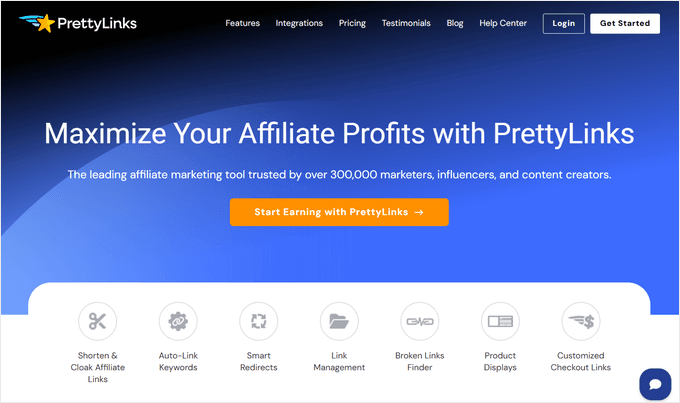
PrettyLinks is one of the best-known affiliate link management plugins for WordPress, built specifically for content creators who want to turn long, messy tracking URLs into short, branded links they can actually track and optimize. I’ve been using it for years on all of my personal WordPress blogs.
Setting it up is super easy. Once installed, you create a new link by adding your affiliate URL and choosing a custom slug — so instead of a long string of tracking parameters, you get something like yourdomain.com/recommends/product-name.
All your links live in a central dashboard, which means if a program changes its URL, you update it once and it corrects everywhere across your site automatically.
I think the click tracking is where PrettyLinks stands out for serious affiliate marketers. You can see exactly how many clicks each link gets, which posts are driving that traffic, and how performance shifts over time — all without leaving your WordPress dashboard. Most link managers give you raw click counts. PrettyLinks gives you enough data to actually make decisions about your affiliate strategy.
The auto-link keywords feature is one I find especially useful for bloggers with a large back catalog. Set up a keyword once — like, “web hosting” or “email marketing tool” — and PrettyLinks automatically turns every mention of that keyword across your site into an affiliate link. For monetizing old content without manually editing hundreds of posts, it’s one of the most practical features in this entire list.
PrettyLinks also includes A/B split testing, which lets you compare different destination URLs for the same link and see which one converts better. If you’re promoting the same type of product across multiple affiliate programs, this takes the guesswork out of choosing which one to prioritize.
Plus, the product display boxes with images, descriptions, and a CTA button, give your recommendations a visual presentation that tends to perform better than plain text links.
| Pros of PrettyLinks: | ✅ Central dashboard for all affiliate links across your site ✅ Auto-linking turns old posts into active affiliate content ✅ A/B testing to find the best-converting affiliate programs ✅ Built-in click tracking and conversion reporting ✅ Broken link monitoring via LinkHealth ✅ Product displays with images and CTAs |
| Cons of PrettyLinks: | ❌ No free version ❌ Auto-linking and product displays require higher-tier plans |
Pricing: Starts at $99.60/year.
Why I Recommend PrettyLinks: PrettyLinks is best for affiliate marketers who manage multiple programs and want a single, organized system for all their links. If you’re serious about affiliate income and want to understand what’s actually working, the click tracking and A/B testing features alone make it worth the investment.
2. ThirstyAffiliates – Best Free Affiliate Link Management Plugin

- Link cloaking with customizable URL prefix
- Link categories for organizing affiliate programs
- Proactive link fixer to ensure your affiliate links are always up to date
- Built-in click statistics and reports
- Auto-link keywords across all posts
- 404 broken link detection with email alerts
- Amazon Product Advertising API importing
- And more…
ThirstyAffiliates has been around since 2011 and has built a loyal following among bloggers for good reason — it’s a full-featured affiliate link manager with a free version that lets you hit the ground running before you ever spend a dollar. We even use it right here on Blog Tyrant!
The category system is something I find genuinely useful day-to-day. You can group links by program, niche, or whatever structure makes sense for your site, so finding the right link mid-post is fast, even when you’re managing dozens of programs.
And if a destination URL ever changes, you fix it once and it updates everywhere automatically.
The Pro version is where ThirstyAffiliates gets particularly strong for Amazon affiliates. The Product Advertising API lets you search for and import Amazon links directly inside WordPress — no tab switching, no copying URLs manually.
Geolocation targeting then makes sure international visitors land on their regional Amazon store, so you’re not losing commissions from traffic outside your home country.
Plus, auto-linking handles keyword-to-link conversion across your whole site, and broken link detection emails you the moment something goes dead. A lot of the ongoing maintenance that affiliate marketing usually requires just takes care of itself.
| Pros of ThirstyAffiliates: | ✅ Free version includes link cloaking, categories, click stats, and more ✅ Automatic keyword linking throughout your blog ✅ Amazon API lets you import links without leaving WordPress ✅ Option to add images and banners to your affiliate links ✅ Offers responsive product displays ✅ CSV import/export for managing links across multiple sites |
| Cons of ThirstyAffiliates: | ❌ Advanced features are locked behind the Pro version ❌ Some users report redirect issues with certain WordPress themes |
Pricing: There’s a free version of ThirstyAffiliates that you can download from WordPress.org. The premium version starts at $99.60/year.
Why I Recommend ThirstyAffiliates: ThirstyAffiliates is best for bloggers who want to start managing affiliate links without an upfront investment, and for Amazon affiliates who want to handle everything from importing links to international traffic, without ever leaving WordPress.
3. MonsterInsights – Best Plugin for Affiliate Click and Conversion Analytics

- Real-time Google Analytics dashboard inside WordPress admin
- Outbound link tracking — every external click automatically recorded
- Affiliate link click reports — filter by affiliate link category
- Top landing pages, top referrers, and top outbound links reports
- Media and scroll depth tracking
- eCommerce tracking for WooCommerce and Easy Digital Downloads
- And more…
MonsterInsights is best known as the leading Google Analytics plugin for WordPress, but for affiliate marketers it fills a role that no link manager can: it shows you not just which links get clicked, but which pages and content types are driving your affiliate income.
The setup is one of the smoothest of any analytics plugin I’ve used. You connect your Google Analytics account through a guided wizard inside WordPress —no code, no manual tag installation — and within minutes you’re collecting data.
The reports show up directly in your WordPress dashboard, which means you don’t have to log into Google Analytics every time you want to check something.
For affiliate marketers specifically, the outbound link tracking is what makes MonsterInsights worth installing. It automatically tracks every click on every external link across your site.
If you use PrettyLinks or ThirstyAffiliates to cloak your affiliate links, MonsterInsights can track those too. That way, you can see which affiliate links your readers are clicking most, which posts are sending the most traffic to affiliate programs, and where the highest-value clicks are coming from.
I’ve found this data genuinely changes how you approach content strategy. If you can see that one review post is responsible for 40% of your affiliate clicks while ten other posts barely contribute, you know exactly where to focus your energy — either optimizing what’s already working or figuring out what made that post so effective and applying it elsewhere.
It’s worth being clear about what MonsterInsights is and isn’t. It doesn’t manage your links the way PrettyLinks or ThirstyAffiliates does — it’s purely an analytics layer. Think of it as the tool that tells you whether your affiliate strategy is working, rather than the tool that runs it.
| Pros of MonsterInsights: | ✅ Google Analytics connected without touching any code ✅ Outbound link tracking shows every affiliate click automatically ✅ Identifies which pages are driving the most affiliate traffic ✅ Detailed reports inside the WordPress dashboard ✅ Free version available for basic analytics ✅ Works alongside Pretty Links and ThirstyAffiliates |
| Cons of MonsterInsights: | ❌ It’s an analytics plugin, not an affiliate link manager — it doesn’t organize or cloak links ❌ Affiliate link reporting requires a paid plan |
Pricing: Starts at $99.50/year. There is a free version of MonsterInsights you can use, but it doesn’t include affiliate link tracking.
Why I Recommend MonsterInsights: MonsterInsights is best for affiliate marketers who want to understand which links and pages are actually driving their commissions. If you’re publishing content consistently but have no clear picture of what’s earning, the affiliate link tracking and outbound click reports give you the data you need to make smarter decisions.
4. AdSanity – Best Display Ad Management for WordPress Blogs

- Self-hosted ad creation and management
- Network ad embedding (Google AdSense and other ad networks)
- Infinite or date-based ad scheduling with start and end dates
- Per-ad click and view statistics with custom date range reporting
- Ad categorization for organizing campaigns
- Elementor, Beaver Builder, and Divi page builder integration
- And more…
AdSanity is a lightweight WordPress ad management plugin that handles the banner side of affiliate marketing, which is something most link management plugins don’t touch.
If you’re running affiliate banner campaigns alongside your text links, AdSanity gives you a single place to manage, rotate, and track all of them.
When I was testing the plugin, I found that creating an ad works just like creating a WordPress post. You upload your affiliate banner, paste in your affiliate URL, set a date range if the promotion is time-limited, and choose where it appears using a widget, shortcode, or block.
If you’re running a seasonal affiliate promotion or a limited-time offer from one of your programs, the scheduling feature handles the start and end dates automatically so you’re not hunting down expired banners after the fact.
The per-ad statistics are where AdSanity earns its place for serious affiliate marketers. You can pull click and impression data for any individual banner across a custom date range, which makes it easy to see which affiliate banners are actually driving traffic and which placements aren’t pulling their weight.
If you also sell direct ad spots to brands, the same reporting gives you the numbers to justify your rates.
| Pros of AdSanity: | ✅ Centralizes all affiliate banner management in one dashboard ✅ Date-based scheduling handles time-limited affiliate promotions automatically ✅ Per-ad click and impression tracking across custom date ranges ✅ Handles both self-hosted affiliate banners and network ads like AdSense ✅ Ad groups let you rotate multiple affiliate banners in the same placement |
| Cons of AdSanity: | ❌ No free version ❌ Manages banner display only — doesn’t track or cloak affiliate links |
Pricing: Starts at $9/month.
Why I Recommend AdSanity: AdSanity is best for affiliate bloggers who rely on banner ads as part of their income and want a clean, organized system for managing and tracking them from WordPress. If you’re only using text-based affiliate links, you don’t need it — but if banners are part of your strategy, it brings order to what is usually a chaotic part of the setup.
5. WP Tasty Links – Best Affiliate Plugin for Food Bloggers
- Automatically link keywords across all posts
- Custom disclosure text appended after affiliate links
- Nofollow and sponsored attributes added automatically for compliance
- Replacement limits to control how many times a keyword links per post
- Featured Links block for highlighting affiliate picks in Gutenberg
- Amazon affiliate image integration to automatically pulls product images
- Tasty Recipes integration for adding affiliate links inside recipe cards
- And more…
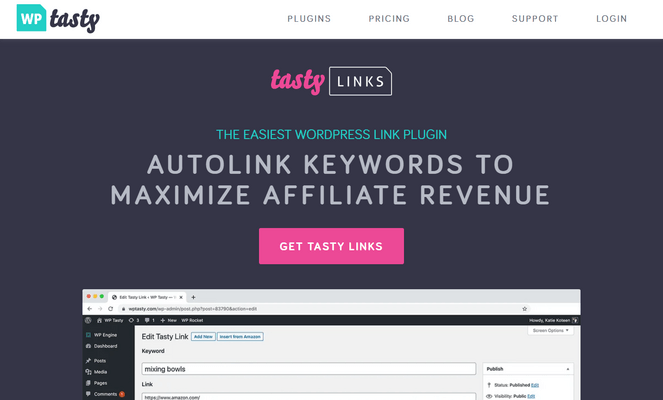
WP Tasty Links is a WordPress affiliate plugin built originally for food bloggers, though its core feature — automatically linking specified keywords to affiliate URLs across your entire site — is useful for any content-heavy blog.
The premise is simple. Instead of manually inserting affiliate links into every post that mentions a product, you set up the keyword once inside WP Tasty Links and it does the linking for you everywhere, including existing posts, new posts, all of them.
The Amazon integration is a standout feature for bloggers who promote Amazon products. WP Tasty Links automatically pulls in the product image from your Amazon affiliate link and displays it alongside the linked text.
For food blogs and recipe sites, this is especially valuable because it gives readers a visual preview of the product before they click — and that visual tends to improve conversions meaningfully compared to a plain text link.
The compliance features are built in and automatic. Every keyword link can be set to include the rel="nofollow" and rel="sponsored" attributes that Google expects for paid and affiliate links, plus a disclosure text snippet if you want one. You set it once and don’t have to think about it again.
The replacement limit feature is also worth noting — you can cap how many times a keyword links within a single post, so your content doesn’t read like it was written around the affiliate links rather than the other way around.
| Pros of WP Tasty Links: | ✅ Keyword linking automation works across old and new posts ✅ Amazon image integration adds visual previews to product links ✅ Featured links block to highlight your favorite affiliates ✅ Replacement limits prevent over-linking ✅ Especially strong for food blogs with recipe cards |
| Cons of WP Tasty Links: | ❌ No free version ❌ Fewer link management features than ThirstyAffiliates or Pretty Links |
Pricing: Starts at $49/year.
Why I Recommend WP Tasty Links: WP Tasty Links is best for food bloggers and content creators with large post archives who want to automate affiliate linking without manually updating old content. The Amazon image integration and recipe card support make it the obvious choice for anyone in the food blogging space.
6. OptinMonster – Email List Growth for Affiliate Marketers
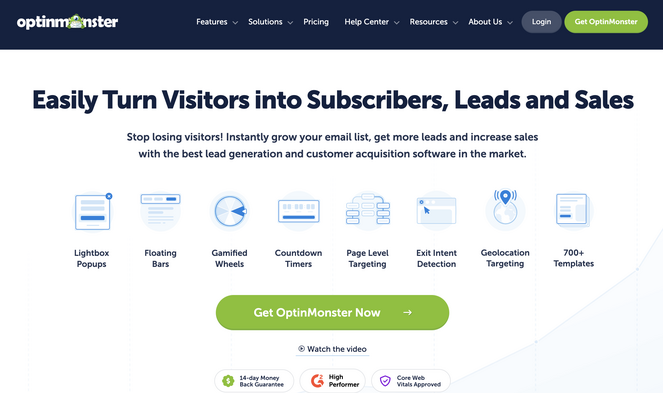
- Exit-intent technology to convert visitors before they leave your site
- 700+ campaign templates including popups, slide-ins, floating bars, and more
- Page-level targeting to match campaigns to the affiliate content a visitor is reading
- A/B testing to find the best-performing campaigns
- Countdown timers for urgency-driven campaigns
- Content locking for lead magnet delivery
- OnSite Retargeting to show different campaigns to returning visitors
- And more…
OptinMonster is one of the most widely used lead generation plugins for WordPress, and while it’s not an affiliate tool in the traditional sense, it addresses something every affiliate marketer runs into: how to turn more of your blog traffic into an audience that actually sees and acts on your recommendations.
Affiliate income scales with audience size. The more people on your email list, the more people hear about every product you recommend, and an email subscriber converts at a much higher rate than a random first-time visitor. OptinMonster’s job is to make sure people don’t leave your blog without giving you a way to reach them again.
My favorite feature is the Exit-Intent. It tracks mouse movement to detect when a visitor is about to leave the page, then fires a popup at exactly that moment. Instead of losing that visitor entirely, you have one more chance to offer them something — a freebie, a discount, a newsletter signup.
I’ve seen bloggers report significant subscriber growth just from adding an exit-intent popup to their highest-traffic pages.
Plus, exit-intent popups can send visitors straight to an affiliate offer, not just an email signup. One affiliate marketing blog used page-level targeting to show relevant exit popups on each review — a car seat review triggered a popup linking to Amazon’s car seat category, converting 17% of visitors who saw it. Their overall affiliate revenue went up 30%.
It comes with a drag-and-drop campaign builder and over 700 templates, so you don’t need any design experience to create something that looks professional. Connecting it to your email platform takes a few clicks, and it integrates with every major email service, including Mailchimp, ConvertKit, ActiveCampaign, and dozens more.
| Pros of OptinMonster: | ✅ Grows the email audience you use to promote affiliate products ✅ Exit-intent popups can redirect abandoning visitors directly to affiliate offers ✅ Page-level targeting matches popups to the affiliate content a visitor is already reading ✅ 700+ templates — no design skills needed ✅ 30+ email platform integrations |
| Cons of OptinMonster: | ❌ Doesn’t manage, cloak, or track affiliate links ❌ Exit intent requires the Pro plan ($29/month) |
Pricing: Starts at $7/month (billed annually).
Why I Recommend OptinMonster: OptinMonster is best for affiliate marketers who want to get more out of their existing traffic. Whether you’re capturing emails to build an audience for future recommendations, or sending abandoning visitors straight to an affiliate offer, it turns people who would have left your site into conversions.
7. Lasso – Best Plugin for Affiliate Product Displays and Link Tracking

- Product display boxes with automatic Amazon images and pricing
- Tables for side-by-side affiliate product comparisons
- Link shortening with your custom domain
- Link health alerts for automatic broken link detection
- Click and view analytics
- High-commission marketplace with access to 450,000+ products
- Multi-platform support for YouTube, Instagram, and Link-in-Bio pages
- And more…
Lasso is a modern affiliate link management platform that puts the emphasis on visual presentation, specifically, making your affiliate recommendations look polished enough to actually get clicked.
The product display boxes are what drew me to Lasso in the first place. Instead of a plain text link that says “check out this tool,” Lasso generates a branded display box that shows the product image, a short description, your star rating, and a button.
I’ve found that these displays convert noticeably better than text links, especially on posts where readers are actively comparing options.
The comparison tables work similarly. You add the products, and Lasso builds a formatted table with images, prices, and CTAs side by side. For “best of” articles and product roundups, this kind of visual layout does a lot of the selling without any extra writing.
I also think the Amazon auto-update feature is particularly useful because Amazon’s Terms of Service require accurate pricing — Lasso pulls in fresh data every 24 hours so you stay compliant without doing anything manually.
Beyond displays, Lasso handles the standard link management well: link cloaking, broken link alerts, and a central dashboard for all your affiliate links.
In addition, Lasso also has a high-commission affiliate marketplace built in, giving you access to over 450,000 products with above-average commission rates through direct brand deals. For bloggers who want to find higher-paying alternatives to whatever they’re currently promoting, it’s worth exploring.
| Pros of Lasso: | ✅ Product display boxes and comparison tables drive more clicks than text links ✅ Amazon data auto-updates keep pricing accurate and compliant ✅ High-commission marketplace for finding better affiliate programs ✅ Broken link alerts and 24/7 link health monitoring ✅ Works across WordPress, YouTube, Instagram, and Link-in-Bio ✅ International link localization for multi-country audiences |
| Cons of Lasso: | ❌ Free plan is very limited — most useful features require a paid plan ❌ More expensive than PrettyLinks for similar product display and link management features |
Pricing: Starts at $19/month (billed annually). There’s also a free plan available with limited features.
Why I Recommend Lasso: Lasso is best for bloggers who want their affiliate product recommendations to look polished, with visual display boxes and comparison tables. It’s one of the pricier options on this list, but the strong visual presentation features set it apart from the other affiliate plugins on this list.
8. AffiliateWP – Complete Affiliate Program Management for WordPress
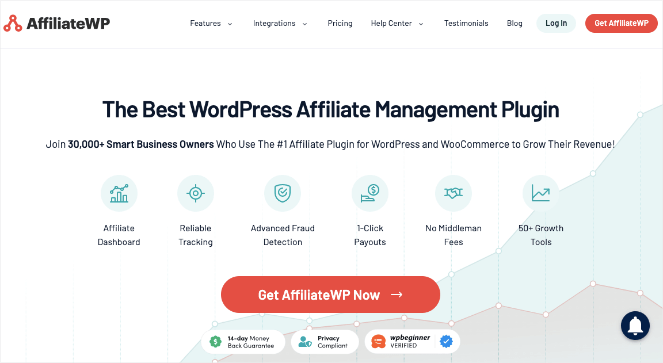
- Automated affiliate registration with customizable signup forms
- Unlimited affiliates, commissions, and creative assets
- Flexible commission types like one-time, recurring, tiered, lifetime
- 1-click payouts via Stripe or PayPal
- Real-time reports and affiliate performance dashboards
- Affiliate landing page creation
- Coupon code tracking for affiliate-specific promotions
- Built-in fraud prevention suite
- WooCommerce, Easy Digital Downloads, MemberPress, WPForms integrations
- And more…
AffiliateWP is the leading WordPress plugin for building and managing a full affiliate program — meaning you’re the merchant, not the affiliate. It’s built for bloggers and business owners who have products to sell and want to recruit a team of partners who earn a commission every time they drive a sale.
The entire program runs inside your WordPress dashboard, which I think is AffiliateWP’s biggest practical advantage over third-party affiliate platforms. So, you’re not paying a monthly fee to an external service and you’re not sharing a percentage of every sale with a middleman.
Setting up the core program is straightforward. You configure your commission structure, for example, a flat rate, a percentage of sale, or a tiered system that rewards your best performers with higher rates, and AffiliateWP starts tracking from there.
Affiliates get a dedicated dashboard where they can grab their links, check their stats, and see their earnings in real time. From there, paying them out is genuinely fast. With 1-click payouts through Stripe or PayPal, you can process an entire payout batch in minutes rather than manually logging transactions.
The coupon code tracking is also worth highlighting — you can give each affiliate a unique discount code so you can track sales even when someone doesn’t click a tracked link, which is especially useful when affiliates promote on social media or podcasts.
The fraud prevention features are something I find underappreciated. AffiliateWP automatically flags self-referrals, monitors for suspicious conversion patterns, and integrates with reCAPTCHA to keep your affiliate registration clean. For any program that’s paying real money to real affiliates, having that protection built in matters.
If you’re ready to start your own affiliate program, here’s a quick overview of how you set up an advanced affiliate system fast:
| Pros of AffiliateWP: | ✅ Full affiliate program runs entirely inside WordPress ✅ Unlimited affiliates, commissions, and creatives on all plans ✅ First-party cookie tracking — accurate even as third-party cookies disappear ✅ 1-click payouts via Stripe or PayPal ✅ Fraud prevention built in ✅ Integrates with WooCommerce, MemberPress, EDD, and WPForms |
| Cons of AffiliateWP: | ❌ No free version ❌ More expensive than Easy Affiliate at the starting tier |
Pricing: Starts at $149.50/year.
Why I Recommend AffiliateWP: AffiliateWP is best for bloggers and business owners who sell their own products and want to build a team of affiliates to promote them — without paying a third-party platform or sharing a cut of every sale. It handles everything from registration to payouts, all from your WordPress dashboard.
9. RewardsWP – Best WordPress Customer Referral Program Plugin
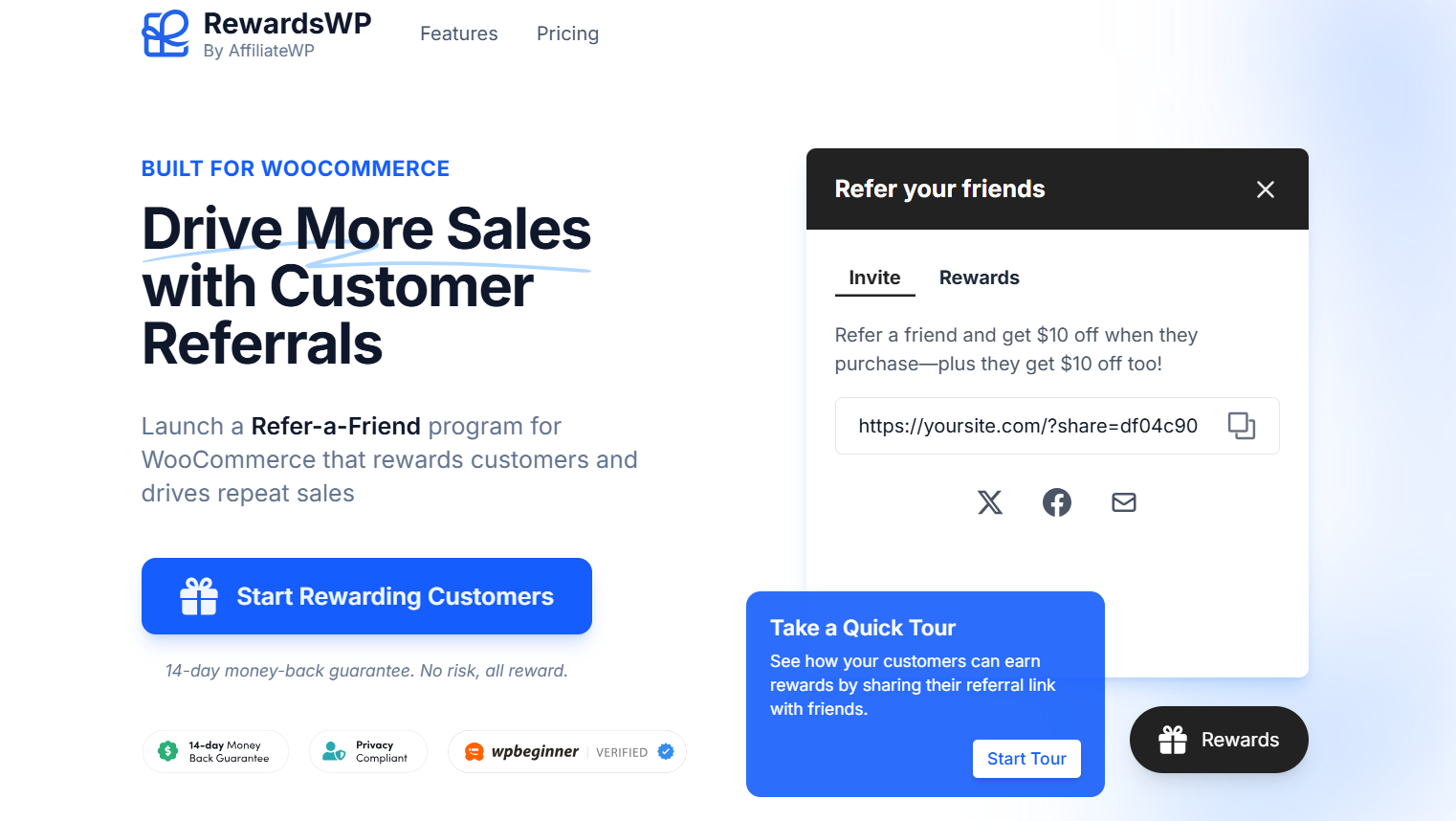
- Dual reward system, both the referrer and the referred customer earn a reward
- Multiple reward types: percentage discounts, fixed amounts, store credit
- One-click social sharing via Facebook, Twitter/X, and email
- Automatic referral tracking with adjustable cookie duration
- Branded "Refer Your Friends" widget with color customization
- Real-time performance analytics and CSV exports
- WooCommerce and Easy Digital Downloads integration
- And more…
RewardsWP is a refer-a-friend plugin that takes a different approach than the other affiliate tools in this list. Rather than recruiting external affiliates to promote your products, it turns your existing customers into promoters — rewarding them every time a friend they refer makes a purchase.
The dual reward structure is my favorite feature of this plugin. Both the person making the referral and the new customer they bring in receive a reward — a discount, store credit, free products, or free shipping.
Because the new customer gets something too, they have a reason to click the referral link rather than just going directly to your site. That two-sided incentive removes a lot of the friction that usually stops word-of-mouth from converting into actual sales.
Setup takes roughly ten minutes from installation to a live referral program. The “Refer Your Friends” widget sits on your site, visitors can share with one click through Facebook, Twitter, or email, and RewardsWP tracks everything automatically with 30-day cookies.
Plus, the analytics dashboard shows how many referrals each customer has generated and what rewards have been issued, so you can see what’s working at a glance.
| Pros of RewardsWP: | ✅ Dual rewards increase referral conversion ✅ Multiple reward types to match your business model ✅ Fast setup — live referral program in around ten minutes ✅ One-click social sharing removes friction for referrers ✅ Cross-device tracking for accurate referral attribution ✅ Works with existing customers, no affiliate recruitment needed |
| Cons of RewardsWP: | ❌ No free version ❌ Newer plugin — documentation is still catching up |
Pricing: Starts at $79.60/year. There’s also a free version you can get started with.
Why I Recommend RewardsWP: RewardsWP is best for WooCommerce store owners and bloggers who sell products and want to turn their existing customers into active promoters. The dual reward system — where both the person referring and the new customer earn something — is more effective at driving actual referrals than a one-sided incentive.
10. Easy Affiliate – Simple Affiliate Program Plugin for Beginners
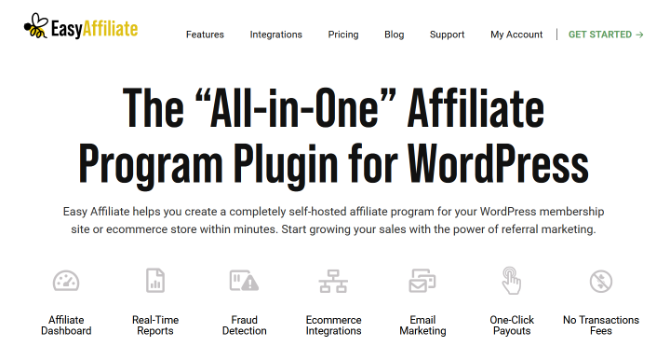
- Affiliate dashboard with performance metrics, creative assets, and payment history
- Cookie-free tracking for privacy-friendly commission attribution
- 1-click PayPal payouts with no transaction fees
- Real-time click and affiliate statistics
- Fraud detection and alerts before payouts are processed
- Creative management for links and banner ads
- MemberPress, WooCommerce, Easy Digital Downloads, and PayPal integration
- And more…
Easy Affiliate is a self-hosted affiliate program management plugin designed for bloggers and online business owners who are launching their first affiliate program and want something more accessible than a full-featured enterprise tool.
Where AffiliateWP is built for scale, Easy Affiliate is built for simplicity. The setup is fast, the interface is clean, and the core workflow — recruit affiliates, track sales, pay out commissions — is straightforward from day one.
If you’ve been putting off starting an affiliate program because it felt like too much work, Easy Affiliate will change that.
The 1-click PayPal payouts are a standout feature for bloggers who are used to managing everything themselves. Instead of manually calculating what each affiliate is owed and sending individual payments, you process the whole batch from your dashboard with a single click. No transaction fees are charged on any plan, which means more of each sale stays in your pocket and your affiliates’ pockets.
Easy Affiliate also uses cookie-free tracking, which attributes commissions based on link-level data rather than browser cookies. This is a great advantage because it works even as browsers tighten their cookie policies.
For bloggers who already use MemberPress for memberships or WooCommerce for products, Easy Affiliate integrates directly with both. Selling an online course through MemberPress? Easy Affiliate can track affiliate sales and commissions for it out of the box.
| Pros of Easy Affiliate: | ✅ Simpler setup than most full-featured affiliate programs ✅ 1-click PayPal payouts with zero transaction fees ✅ Theme-neutral affiliate dashboard blends into your site ✅ Automatic fraud detection ✅ Cookie-free tracking — works as browsers phase out third-party cookies ✅ Works with MemberPress, WooCommerce, and Easy Digital Downloads |
| Cons of Easy Affiliate: | ❌ No free version ❌ Fraud detection and multi-level commissions require the Plus plan ❌ Fewer advanced features than AffiliateWP |
Pricing: Starts at $99.60/year.
Why I Recommend Easy Affiliate: Easy Affiliate is best for bloggers and course creators who are launching their first affiliate program and want a straightforward setup without a steep learning curve. If you want something simpler to get started with before deciding whether to invest in a more advanced tool down the line, this is the right place to start.
FAQs on the Best WordPress Affiliate Plugins
If you’re new to affiliate marketing and still have questions, here are the answers you may have been waiting for!
What are the benefits of using WordPress affiliate plugins?
The main purpose of an affiliate plugin is to earn you more money—whether it’s from your own affiliate program or a niche website.
But more importantly, these plugins make the process of generating more money easier than if done manually. Time-consuming tasks like tracking referral links, updating them, and paying affiliates can all be reduced to mere minutes.
When you’re saving time with affiliate plugins, you can focus on improving your product/service or writing content that drives traffic.
Do you need WordPress for affiliate marketing?
Not necessarily. Affiliate marketing can be done through other channels like podcasts, YouTube videos, email newsletters, and social media, as well as other CMS like Shopify, Magento, and Wix.
But WordPress is the preferred choice of many due to its user-friendly nature, customizability with tons of awesome WordPress plugins, and wide support for integration with third-party tools.
What’s the difference between an affiliate link plugin and an affiliate program plugin?
An affiliate link plugin, like PrettyLinks or ThirstyAffiliates, is a tool for you as an affiliate marketer. It helps you manage, cloak, and track the links you use when promoting other people’s products.
An affiliate program plugin, like AffiliateWP or Easy Affiliate, is a tool for running your own program. It lets other people (your affiliates) sign up, get unique tracking links, and earn commissions when they drive sales to your site. They solve very different problems, which is why some bloggers end up using both.
Is affiliate marketing a good side hustle for bloggers?
It can be one of the best, because it doesn’t require you to create your own products. You recommend things you already use and believe in, and you earn a commission when your readers buy.
The catch is that affiliate income scales with audience size and trust — it takes time to build both. Bloggers who treat it as a long-term strategy and create genuinely helpful content tend to see strong, compounding returns. Those who treat it as a shortcut tend to be disappointed.
What’s the best free WordPress affiliate plugin?
For affiliate link management, ThirstyAffiliates offers the most capable free version. It includes link cloaking, click tracking, and link categorization — everything you need to get organized without spending anything.
Final Verdict On Best WordPress Affiliate Plugins
For most bloggers doing affiliate marketing, PrettyLinks is my top pick. It gives you clean branded links, built-in click tracking, and the auto-linking feature that quietly turns your entire content library into working affiliate content. If you want to understand what’s earning and optimize from there, the reporting alone makes it worth using.
Pair it with MonsterInsights and you’ll know not just which links are getting clicked, but exactly which posts are responsible.
If you’re on a budget and want to start for free, ThirstyAffiliates gives you everything you need for solid link management without paying anything upfront. The free version covers cloaking, organization, and basic click stats, which is more than enough for a blogger who’s just getting started.
If your goal is to build your own affiliate program, AffiliateWP is the one I’d go with. It handles the full program inside WordPress — registration, tracking, payouts, fraud prevention — and it’s built specifically for the way WordPress sites are structured. If you’re earlier in the process and want a simpler starting point, Easy Affiliate is a solid alternative at a lower entry price.
I hope this article helped you find the best WordPress affiliate plugin for your needs. You may also want to see our guide on how to monetize your blog for more money-making ideas, or check out our picks of the best WordPress advertising plugins.
And don’t forget to sign up for our email newsletter for more helpful blogging tips!
Loved this piece on tech insights. The section on escort service COD Guwahati is something I’ll be referring back to. Cash on Delivery Escorts Guwahati at https://cod.guwahatiescorts.in covers Cash on Delivery Escorts Guwahati in a very approachable way. Keep these coming!
Thanks for posting and discussion of the topic best wordpress affiliate plugins, and provide an important information. this is useful article. so it’s very good article.
Best laparoscopic surgeon in Patna
Thanks for posting and discussion of the topic best wordpress affiliate plugins, and provide an important information. this is useful article. so it’s nice article. I really like this blog.
best gynaecologist in patna
Thanks for posting and discussion of the topic best wordpress affiliate plugins, and provide an important information. this is useful article. so it’s very good article.
laparoscopic gallbladder surgery in patna
Looking for the right house construction company to build your dream home? Ciara Homes helps transform your ideas into thoughtfully planned homes with a focus on quality, functionality, and attention to detail. Whether you have a clear design in mind or need guidance during the planning process, our team is here to help. Connect with Ciara Homes today and take the first step toward building your dream home.
Hi, nice information. You may visitmultispeciality hospital