

I f you make money through Patreon, you've probably noticed how much of it they keep. Between the platform fee and payment processing, a good chunk of every dollar your supporters pay never actually reaches you.
And the fees are only part of it. The bigger problem, and the one I’ve seen a lot of bloggers run into, is that those supporters aren’t really yours.
You can’t email them whenever you want or take them with you, and if Patreon changes its rules or its pricing, you just have to live with it. Your income is sitting on a platform you don’t control.
That’s why so many bloggers are moving their monetization onto their own WordPress blog instead. You keep far more of what you earn, your supporters become an audience you actually own, and no one can change the terms overnight.
I’ve tested the tools that make this switch work and narrowed it down to the 7 best Patreon alternatives for WordPress, so I can point you to the one that fits how you want to make money.
Overview: Best Patreon Alternatives for Bloggers
No time to read the full article? No worries, check out this comparison table to quickly find the best Patreon alternative for your needs:
| # | Plugin | Best For | Pricing | Free Version |
|---|---|---|---|---|
| 1 | MemberPress | Paid membership tiers for your audience | $199.50/yr | ❌ |
| 2 | Easy Digital Downloads | Selling digital downloads from your blog | $79.60/yr | ✅ |
| 3 | WP Simple Pay | Taking payments without a shopping cart | $49.50/yr | ✅ |
| 4 | WooCommerce | A full online store for selling merchandise | Free | ✅ |
| 5 | Blubrry | Hosting and monetizing a podcast | $15/mo | ❌ |
| 6 | WP Charitable | Donations and recurring supporter gifts | $69/yr | ✅ |
| 7 | Memberful | Hosted membership subscriptions for WordPress | $49/mo | ❌ |
Before I go over these plugins in detail, let’s go over some of the disadvantages of Patreon…
What is Patreon? And Why Alternatives Are Worth Considering
Patreon is a popular membership platform used by over 300,000 creators. It was founded in 2013 and it aims to help creators and artists earn a monthly income.
In exchange for a monthly fee, subscribers get rewards and perks like exclusive content, extra podcast episodes, live chats, etc.

While many creators use Patreon to monetize their audience, there are drawbacks to the platform. Cons of Patreon include:
- Patreon Fees – Patreon is free to start but they take up to 11% of the monthly income you earn. There’s also payment processing fees on top of that, although that’s the same for most sites like Patreon.
- No Control – When you join the Patreon platform, you have to abide by their rules. If you don’t follow community guidelines, your account can be banned.
- Difficult to Get Discovered – The discoverability on Patreon is low. You can’t rely on the platform to help you find new supporters or fans for your projects.
Running your monetization on your own WordPress blog fixes most of these problems.
Here’s what changes when you move everything onto a site you control:
- Keep More of What You Earn – You only pay payment processing fees, so a larger share of each payment actually reaches you, especially as your audience grows.
- Own Your Audience – Every supporter becomes part of your email list or customer base, so you can reach them directly without relying on a third-party platform.
- Your Brand Stays Front and Centre – Your content lives on your own domain, so people remember your site and your work, not a platform.
- More Flexibility in How You Earn – You’re not limited to one model. You can combine memberships, digital products, courses, physical products, or donations depending on your audience.
If you already have a blog, or you’re just getting one set up, it’s worth thinking about how you want to handle monetization from the start.
These tools make it pretty straightforward to move away from Patreon and build something that works better for you long term.
How I Test & Review Patreon Alternatives
If you’re replacing Patreon with one of these, you’re trusting a new tool with your income and your supporters’ payments. So before I recommend any of them, I want to know it works the way it should.
I installed each of these plugins on a live WordPress site, set up a membership or a product to sell, and ran test payments through to see how it handles a sale. I also read through real user reviews to find the problems that only show up after someone’s been using a tool for a few months, not just in the first week.
On top of that, a couple of these are tools I’ve run on my own sites for years, like MemberPress and WP Simple Pay, so some of this comes from using them day to day, not just from a quick trial.
Here are the main things I pay attention to when I review a tool like this:
- What it’s designed to do well: Memberships, digital downloads, and donations are very different jobs, and most of these tools are built around one of them. I look at what each plugin is best at, not just the long list of things it can technically do.
- How much of your money you keep: Some of these charge a fee on every transaction, on top of the standard payment processing cut. When you’re just starting to earn, that adds up fast, so I always check the fine print.
- How easy it is to get going: You shouldn’t need to hire a developer or sit through an hour of tutorials. I note any point where the setup got confusing, because if it slowed me down, it’ll probably slow you down too.
- How your readers can pay you: Patreon makes paying simple, so any alternative needs to do the same. I check whether each tool supports credit cards, PayPal, and recurring subscriptions, because the more familiar the checkout feels to your readers, the more likely they are to follow through and support you.
- What the free version really gives you: A lot of these offer a free plan, but what you get ranges from a really useful tool to one that barely does anything. For bloggers on a budget, I test how far you can get before you’re asked to pay.
Testing them this way means every tool here is one I’d recommend. The reviews below will help you find the Patreon alternative that fits what you want to build.
With that said, now I’ll share my favorite Patreon alternatives for WordPress.
1. MemberPress: Best WordPress Membership Plugin for Paid Content
- Easy to setup and zero transaction fees in most plans
- Unlimited membership levels with recurring or one-time billing
- Content access rules that lock posts, pages, and files to paying members
- Built-in course builder that works like the WordPress editor
- Member forums and directories for building community
- Content dripping to release lessons or perks on a schedule
- Coupons, order bumps, and customizable pricing pages
- Stripe, PayPal, Square, Apple Pay, and Google Pay support
- And much more…
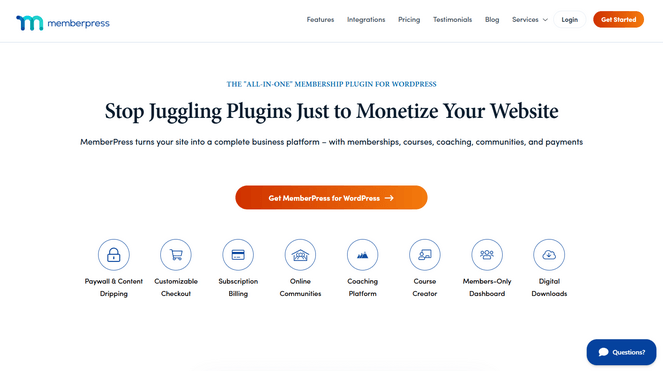
MemberPress is the best, all-in-one membership plugin for WordPress, and it’s the first tool I recommend for when a blogger wants to do what Patreon does, charge for exclusive content, and keep full ownership of their members and their income.
It’s used by thousands of professionals who have collectively sold over $1 billion in memberships.
With MemberPress, you can easily create membership subscriptions where users have to pay to access your exclusive content. You can create multiple membership tiers and accept one-time or recurring payments.
Getting it set up won’t take you long. You create a membership level, set the price and how often it bills, then use the access rules to decide what members can see. If you’ve ever published a post in WordPress, the process will feel familiar.
For step-by-step instructions, check out this tutorial to learn how to create a profitable membership site with MemberPress.
The access rules are what let you control exactly what members get. You can lock down individual posts, whole categories, downloads, or just part of a page, so your free content keeps pulling people in while your best material stays behind the paywall. You decide exactly what’s free and what’s locked, all without touching any code.
For example, you can create a series of premium blog posts that are only available to paying members. This makes MemberPress one of the best Patreon alternatives for writers and bloggers.
My favorite part is that the course builder is built in, not a separate plugin you have to add. It’s built on the WordPress block editor, so creating a lesson feels just like writing a blog post, and the drag-and-drop curriculum builder handles videos, topics, and images. So if you want to give paying members a proper online course instead of just a stream of posts, you can build one right inside MemberPress.
There’s also content dripping, which lets you release lessons or perks on a set schedule instead of all at once. If you’ve ever worried that members will binge everything and cancel, this is the feature that keeps them subscribed month after month.
| Pros of MemberPress | Cons of MemberPress |
|---|---|
| ✅ Memberships, courses, and payments in one plugin, nothing to juggle | ❌ No free version to test with first |
| ✅ You own your members and their contact details, not a platform | ❌ Some of the strongest community features sit in the higher tiers |
| ✅ Lock down exactly the content you want with simple access rules | ❌ The lowest plan takes a transaction fee on each payment until you upgrade |
| ✅ Beginner-friendly course builder that works like the WordPress editor | |
| ✅ Content dripping keeps members subscribed longer | |
| ✅ CoachKit for selling online coaching, premium community forums, bulk memberships for corporate accounts |
Pricing: MemberPress starts at $199.50/year. For 0% transaction fees, you’ll need to upgrade to the Growth plan, which costs $349.50/year.
Why I Recommend MemberPress: MemberPress is best for bloggers who want to charge a recurring fee for exclusive content and keep full control of their members and their money. It’s the closest thing to running your own Patreon, except the audience and the income are entirely yours, and you get courses and community tools in the same plugin.
2. Easy Digital Downloads: Best Patreon Alternative for Selling Digital Products
- Sell ebooks, music, presets, templates, software, and any downloadable file
- Automatic, secure file delivery with unique download links
- Built-in subscriptions and recurring billing
- Discount codes, product bundles, and variable pricing
- Full sales reporting and customer history in your dashboard
- Stripe, PayPal, Square, Apple Pay, and Google Pay support
- Over 100 integrations, including Mailchimp and Zapier
- And more…
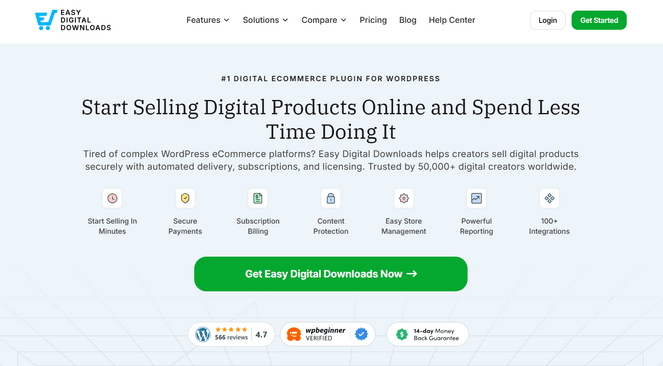
Easy Digital Downloads is a plugin for selling digital products like ebooks, music, presets, and software directly from your own blog. It’s the best Patreon alternative for creators who’d rather sell their work as products than ask their audience for a monthly pledge.
That suits a lot of creators better than a membership. A photographer can sell their Lightroom presets, a writer can sell an ebook, a musician can sell their tracks. You make the file once and sell it over and over, with no stock to manage and nothing to ship. If you can deliver it as a file, you can sell it here.
Easy Digital Downloads (EDD) is easy to use right out of the box. It comes with a full shopping cart system that allows your audience to purchase multiple downloads at once.
What I found really helpful is that the delivery is completely hands-off. The moment someone buys, the plugin creates a secure, one-time download link for them, so you’re never emailing files by hand or worrying that a public link is getting passed around. The access controls take care of that in the background.
Because the whole store runs on your own site, you keep every customer’s email and purchase history in your dashboard. So when you release your next product, you can email the people who already bought from you, instead of hoping a marketplace or Patreon puts it in front of them.
It covers the selling details too. You can run discount codes, bundle a few products together, and turn on subscriptions if you want recurring income from your downloads. And because it only sells downloads, there’s none of the extra setup that comes with a full online store built for shipping and inventory.
You can learn more about my experience with this plugin in my detailed Easy Digital Download review.
| Pros of Easy Digital Downloads | Cons of Easy Digital Downloads |
|---|---|
| ✅ Made just for digital downloads, so there’s less to set up than a full online store | ❌ Not designed for selling physical products |
| ✅ Automatic, secure file delivery with no manual emailing | ❌ Some advanced selling features require a higher tier |
| ✅ You keep the customer relationship and all the data | ❌ The free version adds a 3% fee on Stripe payments until you upgrade |
| ✅ Unlimited products and sales with no platform cut | |
| ✅ Subscriptions available if you want recurring income too | |
| ✅ Free plugin available to get started |
Pricing: There is a free version of Easy Digital Downloads available. Easy Digital Downloads Pro starts at $99.50/year.
Why I Recommend Easy Digital Downloads: Easy Digital Downloads is best for bloggers and creators who want to sell digital products to their audience instead of asking them for a monthly pledge on Patreon. If you sell things people download, like ebooks, presets, or music, this gives you a simple way to sell them and keep every customer on your own list.
3. WP Simple Pay: Best Way to Take Payments Without a Store
- Accept one-time and recurring payments with no shopping cart
- Drag-and-drop payment form builder, no coding needed
- Let customers choose their own amount, perfect for tips and support
- Cards, Apple Pay, Google Pay, US bank payments, and buy-now-pay-later
- Custom fields to collect exactly the info you need
- Coupon codes and automatic tax handling
- Customers stay on your site through the whole checkout
- And more…
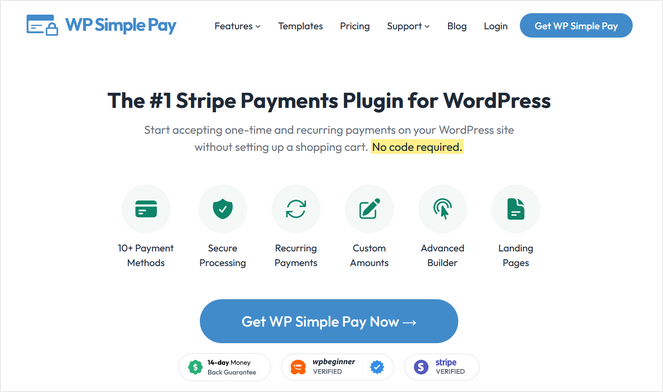
WP Simple Pay lets you collect payments from your audience with nothing more than a simple form, no store or shopping cart required. Whether you’re charging for a service, selling a single product, or just letting readers tip you, this is the lightweight way to take the money without building a whole store or membership site around it.
The setup matches that simplicity. You build a payment form with a drag-and-drop builder, or use one of the ready-made templates, drop it onto a page, and you’re ready to get paid, usually in a few minutes. There’s nothing to configure beyond the form itself, which is a relief if the idea of a full eCommerce plugin makes you nervous.
One small touch here I’m a fan of: you can let people pay whatever amount they want. That turns a plain payment form into a tip jar, where a reader who wants to say thanks just types in a number that feels right. If all you want is a way to accept support, that’s often all you need.
It also handles recurring payments, so the same form that takes a one-off thank-you can also set someone up as a monthly supporter. You start small and grow into steady income without changing tools.
Because everything runs through Stripe and stays on your own site, your readers never get bounced to an unfamiliar third-party page to pay. They stay with you start to finish, which keeps the whole thing feeling like part of your blog rather than a detour through someone else’s checkout.
| Pros of WP Simple Pay | Cons of WP Simple Pay |
|---|---|
| ✅ No store to build, just a payment form you drop on a page | ❌ Recurring payments need a higher tier |
| ✅ Super fast, no-code setup and pre-made templates | ❌ Not meant for running a product catalog or shop |
| ✅ Let supporters pay their own chosen amount, great for tips | ❌ The free plugin charges an additional 3% transaction fee |
| ✅ Supports recurring payments and installment plans | |
| ✅ Wide range of payment methods, including buy-now-pay-later | |
| ✅ Free plugin available to download |
Pricing: Starts at $49.50/year. There’s also a free version of the plugin you can download.
Why I Recommend WP Simple Pay: WP Simple Pay is best for creators who want the simplest possible way to take payments or support from their audience, right on their own site instead of through Patreon. If you just want a clean form that handles one-time or recurring payments, this does exactly that with nothing extra to set up.
4. WooCommerce: Best for Running a Full Store on Your Blog
- Sell physical products, digital goods, and subscriptions in one store
- Full control over your checkout, your data, and your costs
- Free, open-source core plugin
- Built-in payments through WooPayments, plus dozens of gateways
- Thousands of extensions to add almost any feature you need
- Shipping, tax, and inventory tools built in
- And more…
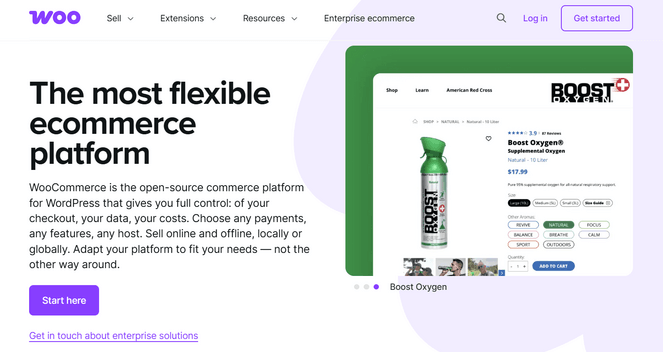
WooCommerce is the free plugin that turns your WordPress blog into a full online store. If the way you want to earn from your audience involves actual products, whether that’s merch, physical goods, or a mix of things, it’s the best Patreon alternative on this list built for that.
What I like about WooCommerce is that it doesn’t box you into one kind of product. You can sell a t-shirt and a downloadable guide right out of the box, and add a monthly subscription box with an extension, all from the same store. If your income comes from a few different places, you can run all of it in one spot instead of stitching together separate tools.
The core plugin is free, so you can open a basic store without paying anything for the software itself. You only start spending once you add extensions for specific features, like the subscriptions I just mentioned.
The trade-off for all that flexibility is more setup at the start. A full store has more moving parts, so you’ll spend a little time on shipping, tax, and product settings before you start selling. It’s still beginner-friendly, there’s just more to work through because you’re running an actual store.
In return, you own the whole thing. Your checkout and your customer list are yours instead of a platform’s, and no one takes a cut of every sale, which is the entire reason for leaving Patreon in the first place.
| Pros of WooCommerce | Cons of WooCommerce |
|---|---|
| ✅ Sell physical products, digital goods, and subscriptions together | ❌ More setup than a simple membership or payment tool |
| ✅ Free, open-source core with no platform fees | ❌ Costs add up once you start adding paid extensions |
| ✅ Endless extensions to add nearly any feature | ❌ Not ideal for bloggers that focus on creating content |
| ✅ Complete control over checkout, data, and costs | |
| ✅ Product pages can rank in Google and bring you new buyers |
Pricing: Free to download. Paid extensions are available if you want to add extra features.
Why I Recommend WooCommerce: WooCommerce is best for bloggers who want to earn money by selling real products, not by charging for content the way Patreon does. If you’re selling physical merch, a mix of product types, or you just want room to grow into a bigger store later, this is the most flexible option for that on the list.
5. Blubrry: Best Patreon Alternative for Podcasters

- Reliable podcast hosting with unlimited downloads
- Premium content options for paid, ad-free, or bonus episodes
- Dynamic ad insertion for running sponsorships
- Programmatic advertising to start earning right away
- The PowerPress plugin to publish episodes from WordPress
- A free WordPress site included with hosting
- And more…
Blubrry is a podcast hosting platform built for creators who want to publish and earn from a show on their own WordPress site instead of someone else’s. If your audience listens more than it reads, this is how you monetize that.
The best part is how tightly it ties into WordPress. Blubrry’s PowerPress plugin lets you publish podcast episodes straight from your WordPress dashboard, so your show lives on your own blog instead of scattered across apps you don’t control. If you already work in WordPress every day, that keeps everything in one familiar place.
On the money side, Blubrry gives you a couple of routes. Dynamic ad insertion lets you place sponsor spots into your episodes and swap them out over time, so a single back catalog can keep earning as you line up new sponsors.
There’s also programmatic advertising if you’d rather have ads matched to your show automatically and start earning without chasing deals yourself.
If you’d rather your listeners pay you directly, I love that it includes a premium content option that lets you offer paid, ad-free, or bonus episodes to supporters. That’s the podcaster’s version of what fans pay for on Patreon, only it runs through your own website.
The stats are worth a mention too, because I think they’re the kind sponsors actually trust. Blubrry’s listener numbers are IAB-certified, which is the standard advertisers look for, so when you pitch a sponsor you’re handing them figures they’ll take seriously.
| Pros of Blubrry | Cons of Blubrry |
|---|---|
| ✅ Earn through sponsorships, automatic ads, or paid podcast episodes | ❌ Only makes sense if you actually run a podcast |
| ✅ Publishes podcasts straight from WordPress with PowerPress | ❌ Monthly storage limits on the lower plans |
| ✅ Trusted, IAB-certified stats that sponsors respect | ❌ No free plan, only a free trial |
| ✅ AI tools to help with podcast creation | |
| ✅ You own and control your show, not a third-party app |
Pricing: Starts at $15/month. There’s a 30-day free trial so you can try it before paying.
Why I Recommend Blubrry: Blubrry is best for podcasters who want to earn from their show while keeping it on their own WordPress site. Between sponsorships, automatic ads, and paid bonus episodes, it gives podcasters several ways to turn listeners into income without leaning on a platform that owns the audience.
6. WP Charitable: Best WordPress Plugin for Donations and Support
- Drag-and-drop donation form and campaign builder, no code needed
- Ready-made, optimized campaign templates
- One-time and recurring donations
- Fee relief so donors can cover the processing cost
- Donor management and reporting in one dashboard
- Peer-to-peer fundraising with supporter teams
- Supports Stripe, PayPal, Square, and other payment gateways
- And more…
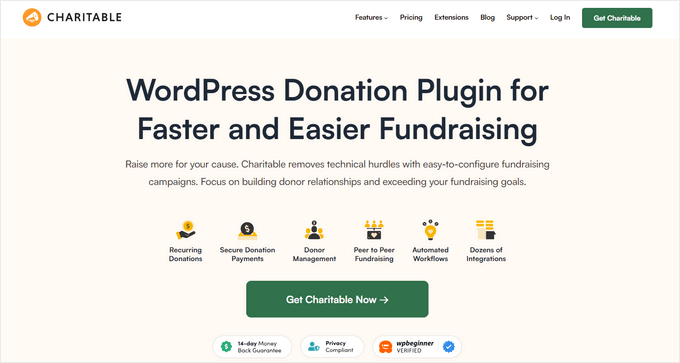
WP Charitable is a donation plugin that lets your readers support you with one-time or recurring gifts, right on your blog. Some audiences don’t want a product or a locked post. They just want a way to say thanks, and this gives them an easy way to do it.
Putting the donation form together is quick. You start from a ready-made template, then use the drag-and-drop builder to adjust it to match your blog, all without touching code. In a few minutes you’ve got a proper donation page instead of a bare payment link.
The feature that makes the biggest difference to your income is recurring donations. A reader can set up a monthly gift, which turns a single thank-you into support you can count on every month. If you never wanted to gate content or sell anything, that’s a way to earn that still feels true to how you write.
I love the fee relief option, where donors can choose to cover the payment processing cost themselves. It sounds minor, but it means the full amount someone meant to give actually reaches you, and in my experience plenty of supporters happily tick that box when you offer it.
WP Charitable keeps every donor and gift in one dashboard, so you can see who’s giving, who’s set up a recurring gift, and how a campaign is doing at a glance. Running it inside WordPress instead of a separate service is what keeps it manageable alongside everything else you do.
| Pros of WP Charitable | Cons of WP Charitable |
|---|---|
| ✅ No platform fees, so you keep more of every donation | ❌ Recurring donations require a higher tier |
| ✅ Recurring donations work like ongoing supporter pledges | ❌ Peer-to-peer fundraising is a Pro plan feature |
| ✅ Drag-and-drop forms and templates, no code | ❌ The free plugin is limited |
| ✅ Fee relief lets donors cover processing costs | |
| ✅ Donors and gifts tracked in your own dashboard |
Pricing: Starts at $69/year. There’s also a free version of the WP Charitable you can download.
Why I Recommend WP Charitable: WP Charitable is best for bloggers whose readers are happy to support them just because they like what you do, with no product or locked post expected in return. It gives those readers a simple way to chip in, and with recurring donations, that support can come in every month instead of only once.
7. Memberful: Best Hosted Membership Platform for WordPress

- Sell monthly, annual, or custom subscriptions
- Supports one-time payments and group subscriptions
- Members-only newsletters, podcasts, and downloads
- Connects to your WordPress site with a plugin
- Free trials, coupons, and referral program
- Works with the Stripe payment gateway
- One-click checkout with Apple Pay and Google Pay
- And more…
Memberful is another way to run paid memberships on your blog, but instead of a plugin you install and manage yourself, it’s a hosted service that plugs into your existing WordPress site and runs the membership side for you.
Of everything on this list, Memberful is the most direct swap for Patreon. You create membership tiers, your audience subscribes, and they unlock whatever you put behind the paywall. The difference is that it runs on your own site and bills through your own Stripe account, so the members belong to you and you can take them with you if you ever switch tools.
You connect it to your site with the Memberful plugin and link your Stripe account, and from there it handles the billing, renewals, and member logins. Because Memberful runs all of that for you, there’s far less to set up than with a full membership plugin.
One thing I noticed is that it isn’t limited to paywalled blog posts. You can put a members-only newsletter, a private podcast, or digital downloads behind a subscription, so whichever way you reach your audience, you can make a members-only version of it.
The biggest downside is the cost. It’s the most expensive option on this list to run, so Memberful makes the most sense once you have a steady base of members rather than just a handful of early supporters.
Plus, Memberful charges high transaction fees to creators who use it, which is not that different from Patreon. You’re still charged 4.9% transaction fees, compared to Patreon’s 11%.
| Pros of Memberful | Cons of Memberful |
|---|---|
| ✅ The most direct Patreon-style membership setup on the list | ❌ The most expensive option here, with a flat monthly fee plus a transaction cut |
| ✅ Runs on your own website and Stripe account, so you own the members and get paid directly | ❌ Works through Stripe only |
| ✅ Put a members-only newsletter, podcast, or downloads behind a subscription | ❌ No free plan, just a free trial |
| ✅ Quick one-click checkout with Apple Pay and Google Pay | |
| ✅ Free trials and referral programs built in |
Pricing: Starts at $49/month plus a 4.9% transaction fee. There’s no free plan, but you can try it free until you start accepting payments.
Why I Recommend Memberful: Memberful is best for bloggers who already have an audience ready to subscribe and want Patreon-style memberships without building the whole system themselves. If you’d rather plug a membership service into your existing site than manage a full plugin, it gives you that recurring income with more control than Patreon and a setup that stays simple.
What is the Best Patreon Alternative?
I think that the best Patreon alternative is MemberPress. With MemberPress, you can create any type of membership subscription you want. You can offer exclusive blog posts, digital products, online courses, members-only forums, and more, in exchange for a monthly fee.
Plus, it’s easy to set up and it has tons of customization options, making it a great choice for creators who want to have full control over their membership site.
The best part? Because it’s a plugin, you can use it to create memberships on your existing WordPress site. That means that you have complete control and you don’t have to worry about transaction fees. So, if you’re looking for a Patreon alternative that gives you more control over your membership site, then MemberPress is definitely worth considering.
Note: Keep in mind, there are plenty of Patreon alternatives that I could also have added to this list. Some other popular platforms include Podia, Buy Me a Coffee, Kickstarter, Liberapay, and more.
But, I wanted to focus mainly on the best alternative to Patreon options that integrate with WordPress as a way for creators to sell memberships and subscriptions, or accept donations right from their own website.
FAQs About Patreon Alternatives
Still unsure about Patreon alternatives? Here are the answers to the most common questions I get about Patreon alternatives:
Which Patreon alternative has the lowest fees?
Almost all of these Patreon alternatives have low fees. Unlike Patreon, the WordPress plugins on this list don’t take an ongoing cut of your earnings. On a paid plan, you just pay your payment processor, usually around 3% per transaction, and keep the rest. That goes for our top pick, MemberPress, along with WP Simple Pay, Easy Digital Downloads, and WP Charitable.
The one exception is Memberful, a hosted service that adds a monthly fee and its own transaction cut on top, so you keep less with it than with a plugin you run yourself.
What’s the best free Patreon alternative?
Easy Digital Downloads, WP Simple Pay, and WP Charitable all have free versions you can download, so you can sell digital products, take one-off payments, or collect donations without spending anything up front. WooCommerce is free to start as well if you want a full store.
Do I need technical skills to use these tools?
No. Every WordPress plugin here is built for beginners, with drag-and-drop builders and setup wizards that don’t require any code. If you can publish a blog post, you can set up a membership, a donation form, or a payment form. Memberful runs as a hosted service that connects to your site, so it handles much of the technical side for you.
Can I use more than one of these together?
Yes, and a lot of creators do. You might sell a few digital products through Easy Digital Downloads, and add a donation button with WP Charitable, all on the same site. Mixing a couple of these lets you earn from your audience in more than one way.
Is it worth switching from Patreon, or should I keep both?
If your Patreon income is small and you’re just starting out, there’s no harm in keeping it while you set up your own site. But once that income matters, moving it to WordPress means you keep more of every dollar and own the audience behind it. Many creators start the switch by pointing new supporters to their own site while letting existing Patreon members stay where they are.
That’s a wrap; I hope this list of the best Patreon alternatives for creators helped you find the best solution for your needs. Now you can get monetary support from your audience so you can continue to provide them with the content they love.
If you enjoyed this post, check out our guide on how to monetize your blog. It goes over additional strategies you can use to make money online, and I do also have a full list post with different ideas for how to make money online if you’re interested!
And don’t forget to sign up for our email newsletter for more helpful blogging tips!
This is very helpful information. good work and content. article is very interesting and easy to understand and learn. Thanks you for sharing
Very surprised that Substack is not listed here, also a superb platform for monetising paid subscribers and offering exclusive content.
Read it and bookmarked it 🙂
Thank you!