

I 've talked to a lot of bloggers who are sitting on course ideas they never launch. Not because the idea isn't good — but because figuring out how to actually build and sell a course feels like a whole second job.
I ran into this myself when I first started exploring course platforms for my WordPress blog. There were so many moving parts — payments, video hosting, student progress tracking — and I had no idea how they all fit together.
Once I found the right platform though, the whole process became a lot less intimidating. What felt overwhelming suddenly felt doable.
After testing dozens of options, I put together this list of the best online course platforms to help you find the right fit for your blog and your budget.
Quick Picks: Best Online Course Platforms
No time to read? No problem! Check out this quick comparison of my top picks for the best online course platforms:
| # | Platform/Plugin | Best For | Pricing | Rating |
| 1 | MemberPress | All-in-one WordPress course plugin | $199.50 | ⭐⭐⭐⭐⭐ |
| 2 | Thrive Apprentice | Design-focused course creators | $149 | ⭐⭐⭐⭐⭐ |
| 3 | MemberMouse | Advanced selling and analytics | $149.50 | ⭐⭐⭐⭐⭐ |
| 4 | AccessAlly | Building a full course business | $495 | ⭐⭐⭐⭐ |
| 5 | LearnDash | Educators and training organizations | $199 | ⭐⭐⭐⭐ |
| 6 | LifterLMS | Starting with a free course plugin | $149.50 + Free | ⭐⭐⭐ |
| 7 | Teachable | Beginners that want a hosted platform | $29/mo | ⭐⭐ |
| 8 | Thinkific | Hosted platform with more marketing tools | $36/mo + Free | ⭐⭐ |
Before we dive into the full reviews, let’s look at a few reasons why using a course platform might be beneficial.
Why Use Online Course Platforms?
Using an online course platform makes the whole process of creating and selling courses much more manageable. Instead of piecing together separate tools for payments, video hosting, and student management, you get everything in one place.
For bloggers, they’re also one of the best ways to make more money from your content. If you’re already writing about a topic you know well, a course lets you package that knowledge into something you can sell. Here are a few reasons why bloggers in particular love them:
- Extra income stream: Stop relying solely on ads or affiliate links. A course is something you own completely and can sell over and over again.
- No technical headaches: Everything you need is built in, so you can go from idea to published course without touching a line of code.
- Your audience is already there: If people are reading your blog, they already trust you. That makes them much more likely to buy from you too.
One thing worth knowing before we dive in: some tools on this list are WordPress plugins, which means you’ll need your own WordPress site with hosting and a domain name to use them.
Others are online platforms where you can host your educational lessons. While you don’t need your own website to use them, be warned that they come with limitations and you won’t have full control over your content.
How I Test and Review Online Course Platforms
I’ve spent a lot of time testing course platforms because I know how much the wrong choice can slow you down. Setting up a course takes real effort, and the last thing you want is to get halfway through building it and realize the platform can’t do what you need.
When I first started comparing platforms, I was surprised by how much they varied. Some made the whole process feel straightforward, while others buried simple features behind confusing menus or expensive upgrades.
So I don’t just sign up and poke around for a few minutes. I actually build out courses and go through the experience the way a real student would.
Here’s what I focus on when reviewing each platform:
- Ease of Use: Can a beginner set up and publish a course without hitting a wall? I pay close attention to how intuitive the builder is and how long it takes to get something live.
- Course Building Features: I look at what content types are supported — video, audio, quizzes, drip content — and how flexible the curriculum builder actually is.
- Payment and Pricing Options: I check whether you can offer one-time payments, subscriptions, and bundles, and how much the platform takes from each sale.
- Student Experience: I go through courses as a student to see how smooth the learning experience feels on both desktop and mobile.
- Integrations: I test how well each platform connects with popular tools like email marketing services, payment gateways, and WordPress itself.
By looking at all of these factors, I can give you an honest picture of what each platform is actually like to use — not just what the sales page promises.
With that said, here are my full reviews of the best online course platforms for bloggers.
1. MemberPress: Best Online Course Platform Overall
- Visual drag-and-drop course builder
- Easily protect course content with access controls
- Automatically create frontend content with the ReadyLaunch page maker
- Quizzes and built-in progress tracking
- Awesome online coaching addon
- Ability to create private forums for students
- Supports one-time payments, recurring payments, and bulk memberships
- And more…
MemberPress is well-known as the best WordPress membership plugin, but it’s also become my top pick for creating and selling online courses on your blog.
What I love about it is that everything lives in one place. You’re not juggling a separate course plugin, a membership plugin, and a payment system — MemberPress handles all of it from your WordPress dashboard. For bloggers who want to keep things simple, that’s a huge advantage.
The Courses addon is included with MemberPress and doesn’t require a separate download. It’s built on top of the WordPress block editor, so building a course feels just like writing a blog post. I found the learning curve to be surprisingly small — if you’re comfortable in WordPress, you’ll feel at home here.
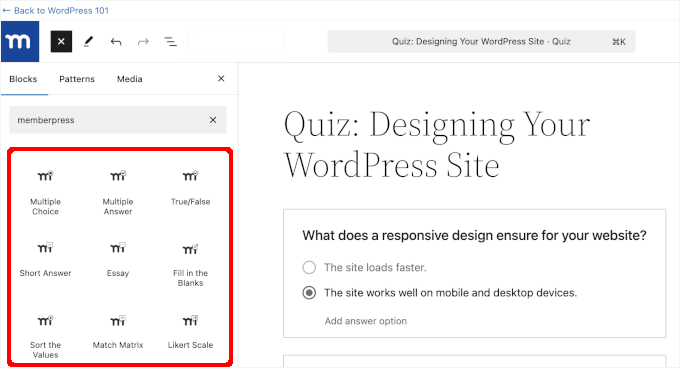
The drag-and-drop curriculum builder makes it easy to add lessons, topics, videos, and images, and the ReadyLaunch feature gives your course pages automatic professional styling that you can customize to match your brand.
Beyond courses, MemberPress gives you serious control over your content and pricing. You can create multiple courses, set different pricing plans, add subscriptions, run coupons, and protect content with access rules. There’s also built-in support for Apple Pay, Google Pay, Stripe, and PayPal, plus a newer Square integration if you also sell in person.
One newer addition worth mentioning is CoachKit, which is available on the Elite plan. It’s designed for bloggers and creators who want to offer one-on-one or group coaching alongside their courses — a nice option if you want to add a premium tier to your business.
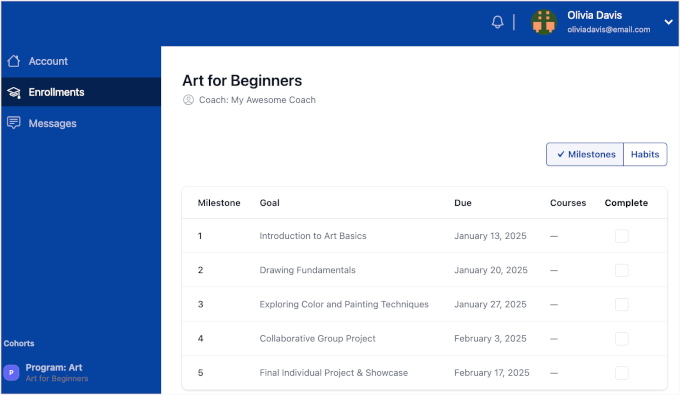
You can also track each student’s progress and manage everything from a single dashboard, which makes it much easier to see how your courses are actually performing.
For more details, check out this post to learn how to create an online course with MemberPress, step-by-step.
| Pros of MemberPress: | ✅ All-in-one solution — courses, memberships, and payments in one plugin ✅ Beginner-friendly course builder that works just like the WordPress editor ✅ Strong access controls and content protection ✅ No transaction fees on any plan ✅ CoachKit addon for adding coaching alongside courses ✅ AppKit addon to turn your courses into a mobile app without coding ✅ Supports Apple Pay, Google Pay, Stripe, PayPal, and Square |
| Cons of MemberPress: | ❌ Pricier than some other options on this list |
Pricing: Starts at $199.50 per year.
Why I Recommend MemberPress: If you want one plugin that handles your courses, your memberships, and your payments without needing to piece things together, MemberPress is the one I’d go with. It’s what I recommend to most bloggers who are serious about building a course business on WordPress.
2. Thrive Apprentice: Best for Design-Focused Course Creators
- Easy drag-and-drop course builder
- Supports multimedia lessons including video and audio
- Course overview pages to boost enrollment and sales
- 100s of pre-made course templates and layouts
- Super flexible drip functionality
- Comes with membership capabilities
- And more…
Thrive Apprentice is a popular online course builder plugin for WordPress, and what really sets it apart to me is how much creative control it gives you over the way your courses look.
Most course plugins give you a template and let you customize colors. But, Thrive Apprentice goes much further than that.
With its drag-and-drop visual editor, you can customize virtually every page your students will see — course overviews, lesson pages, module pages, even your school homepage. For bloggers who care about branding, that kind of design freedom is hard to find elsewhere.
There are also 55+ ready-made templates to get you started quickly, and each one can be fully customized to match your brand.
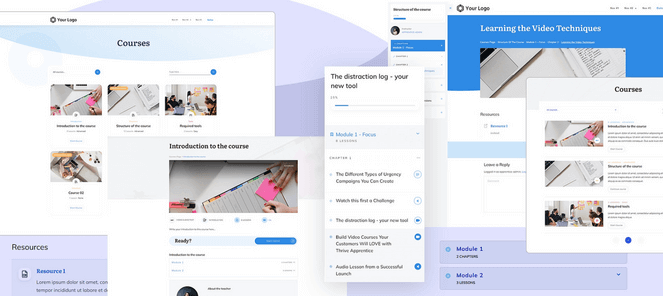
The content dripping feature is also one of the most flexible I’ve seen — you can schedule lessons to release on a specific day and time, which makes it easy to keep students engaged and coming back consistently.
On the assessment side, you can assign weighted grades across multiple assessments throughout a course, with students seeing their final grade alongside their certificate on the completion page. It adds a level of professionalism that most course plugins don’t offer.
There’s also a Stripe customer portal that lets students manage their own subscriptions and billing without ever having to contact you.
It integrates with ConvertKit, ActiveCampaign, Mailchimp, Stripe, and Square, and if you’re already using other Thrive Themes products, that makes it even more powerful.
| Pros of Thrive Apprentice: | ✅ Easy step-by-step School Setup Wizard ✅ 55+ professional course page templates to get started quickly ✅ No transaction fees on any plan ✅ Stripe customer portal for student self-management ✅ Conditional display to personalize content for each student ✅ Resource area for students with PDFs, links, and more |
| Cons of Thrive Apprentice: | ❌ Only offers built-in support for Stripe and Square payments ❌ Fewer membership features than MemberPress |
Pricing: Thrive Apprentice costs $149 per year for the standalone WordPress plugin. Or, you can purchase Thrive Suite for $299 per year, which includes Thrive Apprentice and other powerful plugins like Thrive Quiz Builder, Thrive Leads, Thrive Architect, and more.
Why I Recommend Thrive Apprentice: If design matters to you and you want your courses to look polished and on-brand without hiring a developer, Thrive Apprentice is a fantastic choice — especially if you’re already using other Thrive Themes tools.
3. MemberMouse: Best Course Platform for Advanced Selling and Analytics
- Drag-and-drop visual course builder
- Account page course display for students
- Ability to build and offer quizzes
- Access controls to protect members-only content
- One-time payments and recurring subscriptions
- Powerful automation tools and integrations
- And more…
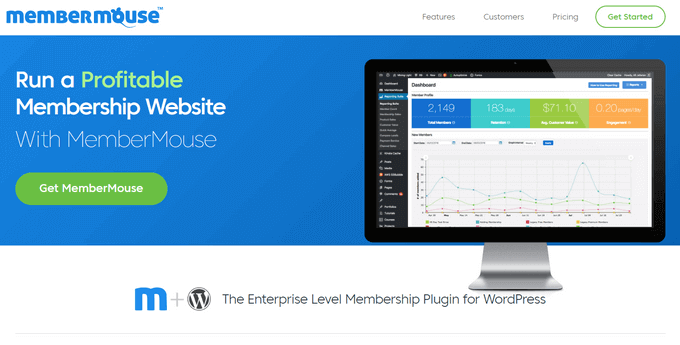
MemberMouse supports courses, memberships, and payments on WordPress, but what makes it worth considering over other plugins on this list is what happens after someone buys. The built-in reporting suite tracks churn, retention, lifetime customer value, and revenue by channel — data that most course plugins simply don’t give you without adding separate tools.
The course builder covers the essentials: lessons, drip content, and progress tracking. The Plus plan adds quizzes and certificates, which is enough for most bloggers running structured courses. If you need more, it integrates directly with LearnDash and Thrive Apprentice.
I think the student experience is well thought out too. Classroom Mode gives your courses a clean, branded layout automatically — you can add your own colors, logo, and images without touching any code.
Where MemberMouse earns its place is in how it handles selling. SmartTags let you show different content and offers to members based on their behavior or membership level, so you can target upsells to the right people at the right time.
Plus, I love that you can tease locked courses to members who don’t have access yet, showing them what they’re missing with a direct link to purchase — which is a nice way to drive additional course sales from your existing audience.
One-click upsells and downsells are built in too, meaning a student who just bought one course can be offered another in a single click without re-entering payment details. For course creators who are serious about maximizing revenue from an existing audience, that’s a meaningful difference.
| Pros of MemberMouse: | ✅ Easy step-by-step School Setup Wizard ✅ 55+ professional course page templates to get started quickly ✅ No transaction fees on any plan ✅ Stripe customer portal for student self-management ✅ Conditional display to personalize content for each student ✅ Resource area for students with PDFs, links, and more |
| Cons of MemberMouse: | ❌ Steeper learning curve ❌ May be overkill for bloggers just starting out with courses |
Pricing: Starts at $149.50 per year.
Why I Recommend MemberMouse: If you have an established audience and want deeper data and smarter selling tools around your courses, MemberMouse offers capabilities that most course plugins don’t match. It’s not the easiest starting point, but for course creators focused on growth and revenue optimization, it’s a strong option.
Alternative: WishList Member is another powerful membership plugin that offers a built-in online course builder.
4. AccessAlly: Best for Building a Full Course Business
- Flexible course builder
- Supports live and dripped courses
- Recurring payments with Stripe and PayPal
- Cross selling dashboards and 1-click upsells
- Gamified points system to encourage learning
- Engagement and sales metrics
- And more…
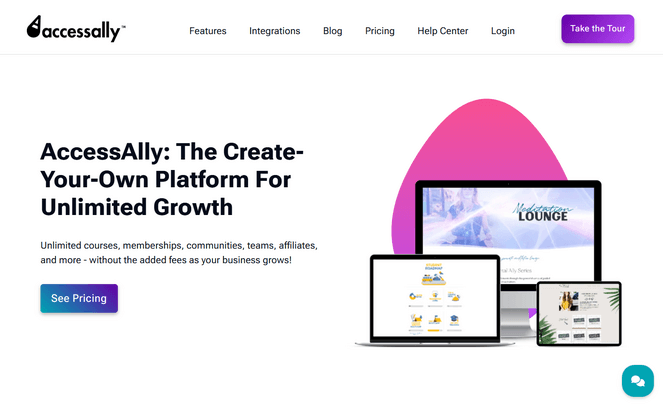
AccessAlly has been around since 2012 and packs a serious amount of course functionality into a single WordPress plugin. Every plan includes unlimited courses, unlimited members, and no transaction fees — so your costs stay flat as your course business grows.
The course builder supports modules, lessons, quizzes, drip content, and assignment uploads. There are three quiz types to choose from: design assessments and personality tests, scoring tests, and pass/fail quizzes.
On the student side, progress tracking, badges, and gamification features like points and levels give learners a reason to stay engaged and keep moving through your material.
During testing, I found that you can also set video breakpoints so students can search and navigate through video content more easily, and add audio bookmarks to track listening patterns — details that most course plugins don’t bother with.
In addition, students can upload assignments and receive feedback directly through the platform, which is useful if you’re running any kind of coaching alongside your courses.
Selling is also handled natively. Order forms, one-click upsells, installment plans, free trials, coupon codes, and a built-in affiliate program are all included without needing separate plugins. There’s even bulk course enrollment for selling team access if you have a corporate audience.
| Pros of AccessAlly: | ✅ Unlimited courses, members, and memberships on all plans ✅ Modules unlock based on progress, schedule, or drip release ✅ Gamification lets students spend points to unlock bonus content ✅ No transaction fees on any plan ✅ Built-in community groups and member directory |
| Cons of AccessAlly: | ❌ One of the more expensive WordPress plugins on this list ❌ Advanced LMS features require the Pro plan or higher |
Pricing: Starts at $495 per year.
Why I Recommend AccessAlly: If you’re looking to build a serious online business — courses, memberships, communities, and an affiliate program all in one place — AccessAlly can handle all of it. That said, it’s probably too much for bloggers who just want to sell a few straightforward courses, and the price tag reflects that.
5. LearnDash: Best for Educators and Training Organizations
- Easy course creation wizard
- Drag-and-drop online course builder
- AI quiz builder and course outline builder
- Built-in profile dashboard for learners
- One-time payments, subscriptions, and course bundles
- Ability to integrate both virtual and in-person elements into your courses
- And more…
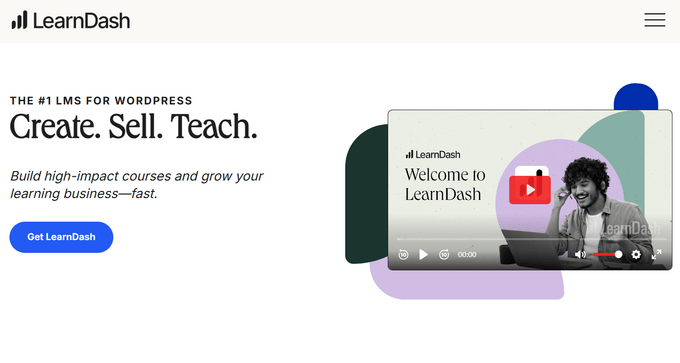
LearnDash is one of the most established LMS plugins for WordPress, and it’s particularly well-suited for anyone running a more serious course operation — think online educators, training companies, or bloggers who’ve outgrown simpler tools.
The course builder itself is easy enough to navigate, but there are a lot of settings and it can take some time to get everything configured the way you want.
Once you do, though, there’s a lot available — interactive quizzes with question banks and timed settings, assignments, badges, certificates, and discussion forums, all without needing separate plugins.
The student experience has also gotten noticeably better since the last time I tried it. LearnDash’s Focus Mode strips away distractions and gives lessons a clean, professional look without any design work on your end. The course pages have also been modernized recently, with a cleaner layout that makes it easier for students to see their progress and navigate content at a glance.
On the reporting side, LearnDash offers powerful built-in analytics — you can track learner progress, quiz performance, and course completion rates directly from your WordPress dashboard. Course reviews are also now built into the core plugin, which is a handy way to build social proof without an extra addon.
For selling, you get flexible options including one-time payments, subscriptions, memberships, and course bundles. It integrates with WooCommerce, Stripe, PayPal, Mailchimp, ConvertKit, Zapier, and more.
| Pros of LearnDash: | ✅ Trusted by major universities, so it’s proven to handle large student bases ✅ One of the most advanced quiz builders of any WordPress LMS plugin ✅ Flexible drip content options based on dates, previous completions, or quiz results ✅ No transaction fees on any plan ✅ Scales well as your course catalog grows |
| Cons of LearnDash: | ❌ Takes more time to set up than simpler alternatives ❌ Limited content access controls |
Pricing: Starts at $199 per year for one site license.
Why I Recommend LearnDash: If you’re building a serious course business and need a plugin that can grow with you, LearnDash is a solid choice. It has the depth and integrations to handle complex setups, and it’s trusted by some of the biggest educational institutions in the world for a reason.
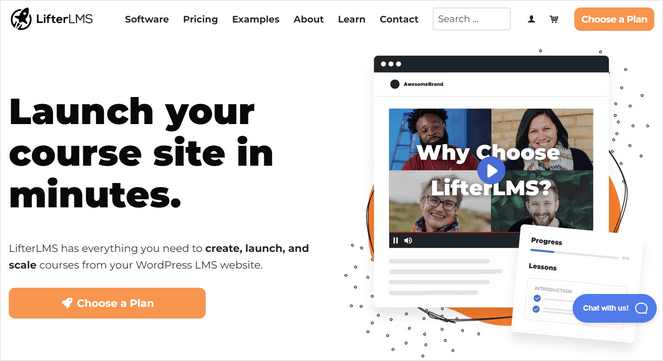
6. LifterLMS: Best Free WordPress Course Plugin
- Drag-and-drop course builder and multimedia quizzes
- Built-in student dashboard with lesson downloads
- Private coaching areas and forums
- Supports one-time and recurring payments
- Option to create and sell course bundles
- Content restriction controls
- And more…
LifterLMS is a popular LMS plugin for WordPress, and one of its biggest advantages is that the core plugin is completely free. You can create unlimited courses, memberships, and enrollments without paying anything upfront, which makes it a genuinely good option if you’re just getting started and want to test the waters before committing to a paid plan.
The drag-and-drop course builder is flexible and easy to work with. You can create multimedia lessons with video, audio, and text, set up quizzes, add assignments, and control the pace of your course with drip content. You can also require students to complete lessons in order before moving on, which is useful if your course has a specific learning path.
On the student engagement side, I love that LifterLMS includes achievements and badges based on triggers like completing a course or passing a quiz, as well as certificates with pre-made templates.
The reporting is also detailed — you can track everything a student does, from video views to quiz scores to certificate completions.
For selling, you get flexible options including one-time payments, subscriptions, and memberships, with built-in Stripe and PayPal support. Plus, it integrates well with WPForms, Mailchimp, ConvertKit, WooCommerce, and more.
I will say that once I started looking into the pricing more closely, it became clear that many of the features you’ll actually want — like payments, quizzes, and social learning — require premium addons. Those costs can add up quickly depending on what you need, so it’s worth mapping out what you need before you commit.
| Pros of LifterLMS: | ✅ Easy drag-and-drop course builder ✅ Free core plugin with no limits on courses or enrollments ✅ Flexible drip content and course prerequisite options ✅ No additional transaction fees ✅ Detailed individual student progress tracking |
| Cons of LifterLMS: | ❌ The free plan doesn’t include payment processing, so you’ll need to upgrade to actually sell courses ❌ Basic features like email marketing integrations are locked behind higher-tier plans ❌ Course design customization is more limited than some other plugins |
Pricing: LifterLMS offers a free plan with limited features. Premium plans start at $149.50 per year.
Why I Recommend LifterLMS: LifterLMS is a solid choice for bloggers who want to start for free and scale up gradually. Just go in knowing that you’ll likely need some premium addons to get everything you need.
7. Teachable: Best Hosted Online Course Platform for Bloggers
- Drag-and-drop course builder
- AI tools to generate lessons, quizzes, and sales pages
- Built-in checkout with flexible payment options
- iOS & Android student apps
- Supports digital downloads, memberships, and coaching
- Sales analytics and progress reports
- And more…
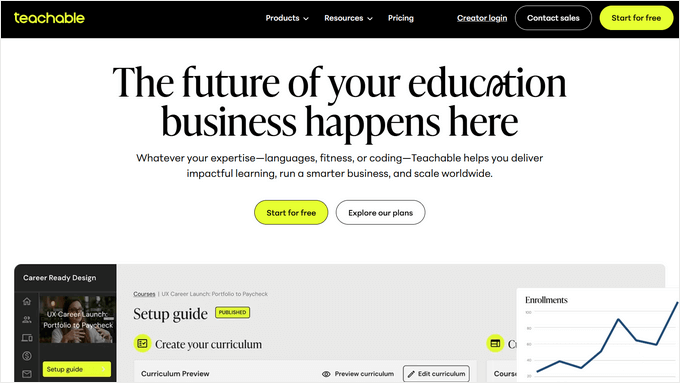
Teachable is a hosted platform, which makes it a different option from the other tools on this list. You don’t need a WordPress site to use it — you can run your entire course business through Teachable on its own, using a custom domain name or as a subdomain of your existing site.
That’s the main appeal. There’s no plugin to install, no hosting to worry about, and no updates to manage. Teachable handles all of that for you, which makes it a genuinely good option for bloggers who want to keep things simple and separate from their WordPress setup.
The built-in editor lets you create video courses, lectures, and quizzes, and the sales page tools mean you don’t necessarily need a separate landing page builder. You can collect student feedback, talk to students in real-time, and award certificates on completion.
During testing, I also noticed that Teachable has a well-rated mobile app that lets students view courses offline and track their progress across devices, which is useful if your audience tends to learn on the go. Your courses are automatically optimized for mobile with no extra work on your end.
The main thing to be aware I want you to be aware of with Teachable is that the entry-level Starter plan comes with a 7.5% transaction fee. You’ll need to upgrade to a higher plan to remove it, which pushes the cost up fairly quickly.
The other thing worth considering is that you’re building on someone else’s platform. You don’t have the same level of control over your content and branding that you’d get with a WordPress plugin.
| Pros of Teachable: | ✅ No technical setup required — ideal for non-WordPress users ✅ Handles hosting, updates, and backups automatically ✅ Intuitive interface that’s easy to navigate for both you and your students ✅ Students can access courses offline through the mobile app ✅ Accepts international payments in 130+ currencies |
| Cons of Teachable: | ❌ More expensive than most WordPress plugins ❌ The cheapest plan still comes with a 7.5% transaction fee ❌ Less control over content and branding compared to WordPress plugins |
Pricing: Starts at $29/month, which includes a 7.5% transaction fee. Higher plans remove the transaction fee entirely.
Why I Recommend Teachable: It’s a good option for bloggers who want to launch courses without dealing with the technical side of WordPress. It’s simple, reliable, and handles everything for you. Just keep in mind that you’ll pay more for that convenience than you would with a WordPress plugin, and you’ll have less control over your content and branding in the long run.
8. Thinkific: Best Teachable Alternative with More Marketing Features
- Self-paced, scheduled, and cohort courses
- AI-generated quizzes
- Live lessons and webinars with Zoom
- Supports multimedia lessons
- Badges, certificates, interactive games
- Built-in online communities
- And more…
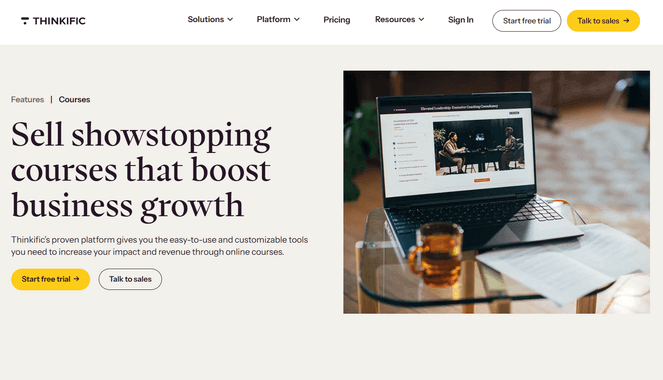
Thinkific is another fully hosted platform, which means you don’t need a WordPress site to use it. Like Teachable, everything is managed for you — hosting, updates, and backups — so you can focus on building your courses rather than dealing with the technical side of things.
I found the drag-and-drop course builder intuitive and easy to get started with. You can upload videos, build quizzes, schedule lessons, and automate your courses without touching any code. There are also course templates to help you get started quickly, which I appreciated.
What I think sets Thinkific apart from Teachable is how much it’s grown as a business tool. It has built-in email marketing and automation, so you can manage your audience directly from the platform without needing a separate email service.
The sales and revenue reporting is also solid — you can track gross and net revenue, identify high-value customers, and monitor recurring revenue all from one dashboard.
The mobile experience is worth mentioning too. Students can access all lesson types through the Thinkific app, including quizzes, assignments, and live lessons, which makes for a more complete learning experience on the go.
Thinkific does offer a free plan, but it’s quite limited. You’ll need to upgrade to a paid plan to access most of the features that make it worthwhile, and the pricing climbs quickly as you need more functionality.
| Pros of Thinkific: | ✅ No technical setup required — everything is managed for you ✅ Free core plugin with no limits on courses or enrollments ✅ Flexible drip content and course prerequisite options ✅ No additional transaction fees ✅ Detailed individual student progress tracking |
| Cons of Thinkific: | ❌ Free plan is too limited to build a real course business on ❌ Gets expensive quickly as you need more features ❌ Less control over content and branding than a WordPress plugin |
Pricing: Thinkific offers a free plan for 1 course with limited features. Paid plans start at $36 per month.
Why I Recommend Thinkific: Thinkific is a solid option for bloggers who want a hosted platform with more built-in marketing tools than Teachable. Just keep in mind that the pricing climbs quickly as your needs grow, and if you’re already on WordPress, you’ll get more flexibility and control with one of the plugins earlier on this list.
Bonus: Udemy: Best for New Bloggers Without an Existing Audience
- Fully hosted course platform
- Marketplace Insights tool for planning course topics
- Built-in instructor dashboard and curriculum pages
- Helpful customer support team
- And more…
Udemy is one of the most well-known online learning platforms in the world, with over 62 million students and 210,000+ courses. For bloggers, the appeal is obvious — you can put your course in front of a massive, built-in audience without having to do much marketing yourself.
I think Udemy is worth considering if you don’t yet have an established audience and want to test whether there’s demand for your course idea before investing in your own platform. The barrier to entry is low, and for newer bloggers who are still building their readership, getting your first students is much easier here than waiting until your audience is large enough to sell to directly.
The instructor dashboard makes it straightforward to plan your curriculum, upload videos and audio, add quizzes and coding exercises, and manage your students. You can also accept international payments without any extra setup.
That said, there are some real downsides I’ll be upfront about. Udemy controls your pricing — courses are regularly discounted heavily on the platform, sometimes down to $10 or less, which can devalue your content.
The revenue split is also worth paying attention to. You keep 97% when students come through your own referral links, but only 37% when Udemy promotes your course. There’s also been growing frustration among instructors about declining payouts, and Udemy has no obligation to keep your course on the platform.
Like any marketplace, you don’t own your audience here. If Udemy changes its policies — and it has done so multiple times — there’s not much you can do about it.
| Pros of Udemy: | ✅ Massive built-in audience of 62 million+ students ✅ Free to publish courses ✅ Great for testing course ideas without building your own platform ✅ Students get lifetime access, which is a strong selling point |
| Cons of Udemy: | ❌ You keep only 37% of revenue when Udemy drives the sale ❌ Udemy controls pricing and regularly discounts courses heavily ❌ No ownership of your audience or student data |
Pricing: You can teach courses on Udemy for free. However, Udemy takes between 3% and 63% of each sale depending on how the student found your course.
Why I Recommend Udemy: Udemy is a decent starting point if you want to validate a course idea quickly without building your own site. But if you’re serious about building a course business long-term, you’ll want your own platform where you control your content, your audience, and your revenue.
Alternative: Skillshare is an online course platform similar to Udemy, but it’s more focused on creative skills.
What is the Best Online Course Platform for Bloggers?
If you’re a WordPress blogger and just want one plugin that handles everything, MemberPress is the one I’d go with. It covers courses, memberships, and payments without needing to piece anything together, and it’s easier to set up than you might expect.
If design matters to you and you want your courses to look polished and on-brand, Thrive Apprentice is hard to beat. The amount of control it gives you over how your courses look is something most other plugins just don’t offer.
If you’re building a more serious course business — multiple courses, memberships, communities, an affiliate program — AccessAlly can handle all of it in one place. It’s the most expensive option on this list, but for the right kind of creator it’s worth it.
And if WordPress isn’t your thing at all, Teachable is the easiest way to get a course up and running quickly. You don’t have to worry about hosting, updates, or any of the technical stuff — just build your course and start selling.
FAQs About Online Course Platforms
Still have questions? Here are the answers to the most common questions I get about online course platforms:
Which online course platform is best for beginners?
MemberPress is the easiest WordPress option to get started with, thanks to its familiar block editor interface. If you’d rather avoid WordPress entirely, Teachable is the most beginner-friendly hosted option.
What’s the difference between a WordPress plugin and a hosted platform?
With a WordPress plugin, your courses live on your own website that you manage and you have full control over your content, branding, revenue, and data.
With a hosted platform like Teachable or Thinkific, the company manages everything for you. The tradeoff is that you’re building on someone else’s platform rather than your own. That means less control over your branding, and if the platform changes its pricing, policies, or shuts down entirely, there’s not much you can do about it. You also don’t own your student data in the same way you would on a self-hosted WordPress site.
Can I sell courses and memberships from the same plugin?
Yes — MemberPress, MemberMouse, and AccessAlly all handle both courses and memberships natively, so you don’t need separate plugins for each.
Do any of these platforms charge transaction fees?
Most of the WordPress plugins on this list, like MemberPress, Thrive Apprentice, MemberMouse, and LearnDash don’t charge transaction fees at all. On the other hand, hosted platforms like Teachable charge a 7.5% transaction fee, and Udemy takes between 3% and 63% of each sale depending on how the student found your course.
Can I migrate my courses to a different platform later?
It’s possible but rarely straightforward. Most platforms have migration tools, but moving student data, recurring subscriptions, and course content between platforms always involves some manual work. It’s worth choosing carefully upfront rather than planning to switch later.
That’s a wrap! I hope these reviews helped you find the best online course platform for your needs. If you enjoyed this post, then you might also like our tutorial on how to sell videos online with WordPress or our expert picks of the best digital products to sell.
And don’t forget to sign up for our email newsletter so you can get helpful content like this sent right to your inbox!
WONDERFUL WEBSITE
Very well explained topic for my website. A few days back only I have created a new website. Very soon I am going to create some courses to sell on the online platforms.
I appreciate your work. Useful content provided by this website
That was a great list! I have used Memberpress earlier but now shifted to CourseFunnel. It turned out to be the best tool for me. Very easy to use. Its drag-and-drop interface is very convenient and saves a lot of time.
I’m surprised that Gumroad is not on here which is a fantastic platform for creating and selling courses on.