

E arly in my blogging journey, I made the rookie mistake of using basic contact forms that came bundled with my theme.
When those failed, I just plastered my email address directly on my website — which led to an inbox absolutely buried in spam. It was messy, unprofessional, and honestly embarrassing.
That’s when I started using proper form builders. For bloggers, these tools are a game-changer — they help you grow your email list, gather reader feedback, run surveys, and even process payments if you sell digital products or courses.
Over the years, I’ve tested so many form plugins across my own blogs and client sites. I’ve narrowed it down to the 9 best WordPress form builders for WordPress. Whether you’re a new blogger on a tight budget or an established creator ready to invest in premium tools, there’s something here for you.
Quick Overview: Best Form Builders for WordPress
No time to read the full reviews? Here’s a quick comparison of the best WordPress form builders to help you find the right one for your needs:
| Plugin | Best For | Starting Price | Key Feature | Free Version? |
|---|---|---|---|---|
| WPForms | Beginners who want an all-in-one solution | $49.50/year | Drag-and-drop builder + AI form generation | ✅ |
| OptinMonster | Advanced lead generation & conversions | $7/month | Exit-intent & behavior-based targeting | ❌ |
| Thrive Leads | List building & conversion optimization | $99/year | A/B testing that auto-optimizes toward the winning form | ❌ |
| Formidable Forms | Complex, data-driven forms and apps | $39.50/year | Real-time calculations for quotes, pricing, and orders | ❌ |
| UserFeedback | Collecting visitor feedback | $49.50/year | Smart targeting that shows surveys at the right moment | ✅ |
| HubSpot Forms | Free and simple forms | Free | Built-in CRM integration | ✅ |
| Gravity Forms | Advanced form functionality | $59/year | Extensive add-on ecosystem | ❌ |
| Ninja Forms | Flexible, modular form building | $59.40/year | Pay-per-feature extensions | ✅ |
| Jetpack Forms | Jetpack users who need simple forms fast | Free | Built right into the WordPress block editor | ✅ |
How Do I Test and Review WordPress Form Builders?
I’ve been using these form plugins for years across all kinds of WordPress blogs and websites, building everything from simple contact forms to multi-step surveys and payment forms.
I also did a fresh round of testing recently to make sure my recommendations are still current.
Here’s what I looked at:
- Ease of setup — Getting a form live should take minutes, not hours. I paid attention to how smooth the initial setup was for each plugin.
- Form builder experience — A drag-and-drop builder is only useful if it actually works the way you’d expect. I tested how intuitive each interface felt in practice.
- Design flexibility — Forms need to look like they belong on your site. I checked how well each plugin adapts to different WordPress themes.
- Spam protection — I looked at how effectively each plugin filters out bots without creating friction for genuine visitors.
- Email integrations — Most bloggers need their forms connected to an email marketing tool. I tested how cleanly each plugin handles those connections.
- Submission reliability — There’s nothing worse than missing a form entry. I made sure submissions were consistently recorded and delivered.
- Customer support — Good documentation and responsive support matter more than most reviews admit. I factored in how easy it is to get help when something goes wrong.
Pricing matters too because I know a lot of new bloggers are on a budget. So, I’ve noted where free plans are actually worth using and where you’ll need to upgrade pretty quickly to get anything useful out of them.
1. WPForms: Best All-in-One Form Builder for Beginners
- Easy drag-and-drop form builder
- 2,000+ pre-made form templates
- AI-powered form generation
- Accept form payments with Stripe, PayPal, and more
- Multi-page forms and conversational forms
- Supports surveys, quizzes, polls, and calculators
- Email marketing and CRM integrations
- And more…
WPForms solves the biggest pain point most WordPress users face: creating professional forms without any technical knowledge. I use WPForms on all my websites to create contact forms, survey forms, login forms, registration forms, and more, and it consistently delivers exactly what beginners need.
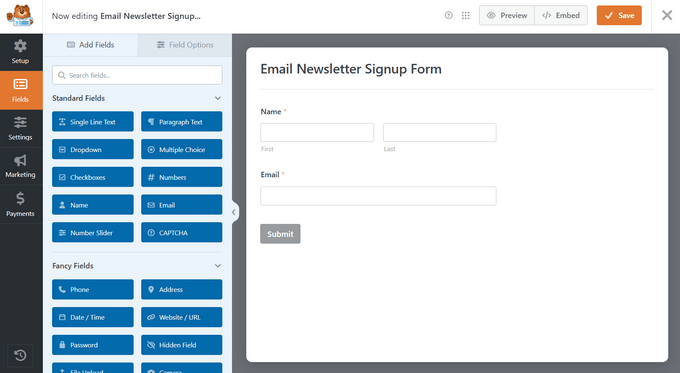
What makes WPForms stand out as the best form builder for WordPress is its true drag-and-drop interface. I can create a contact form in under 5 minutes, complete with all the fields I need.
The 2,000+ pre-built form templates save even more time – instead of starting from scratch, I just pick a template that matches my needs.
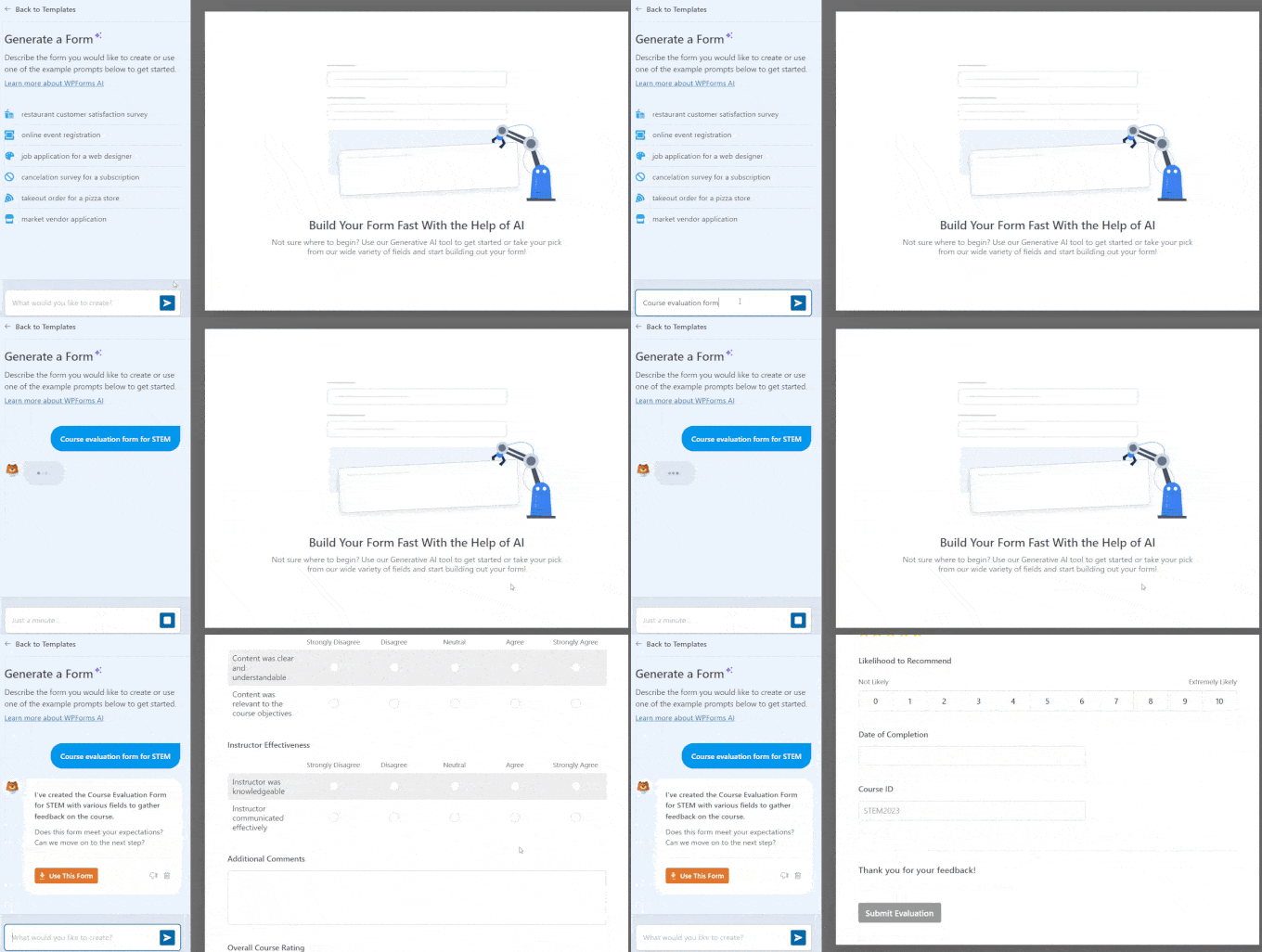
Plus, the new AI form builder is one of my favorite features. You just describe what you need in plain English — something like “create a guest post submission form with fields for topic ideas and writing samples” — and WPForms builds it for you in seconds.
From there you can refine it by chatting with the AI or tweaking it manually in the drag-and-drop builder. For bloggers who hate starting from a blank form, it’s a genuine time-saver.
The Smart Conditional Logic feature has been incredibly useful for my survey forms as well. I can show or hide fields based on user responses, making forms feel more personalized and reducing abandonment rates. The spam protection works automatically in the background, so I don’t have to worry about fake submissions.
I particularly appreciate how WPForms handles file uploads and integrates with email marketing services, including Constant Contact, Mailchimp, and others. Setting up these connections takes just a few clicks, and everything works reliably without any coding required.
The payment integrations with PayPal and Stripe have made it simple to create order forms and donation forms. I’ve tested the transaction processing extensively, and the security features give me confidence when handling sensitive payment information.
| Pros of WPForms: | ✅ True drag-and-drop form builder requiring no coding ✅ 2,000+ pre-built templates for common form types ✅ AI form builder that generates forms from plain English descriptions ✅ Smart conditional logic for personalized, dynamic forms ✅ Built-in payment processing for selling products or taking donations ✅ Excellent spam protection and security features ✅ Reliable customer support and documentation |
| Cons of WPForms: | ❌ Limited customization options in the free version ❌ Advanced features require paid plans |
Pricing: Starts at $49.50 per year with a 100% no-risk moneyback guarantee. There’s also a free version of WPForms that you can use to get started.
Why I recommend WPForms: WPForms is my top recommendation for anyone who wants to create professional WordPress forms quickly and easily. The combination of user-friendliness and powerful features makes it perfect for beginners and experienced users alike.
Related: For more on this plugin, see: WPForms Review for Bloggers: The Best Form Builder?
2. OptinMonster: Best for Advanced Lead Generation & Conversions

- User-friendly lead generation campaign builder
- 700+ professionally designed templates
- Variety of triggers and targeting features like exit-intent and geolocation
- A/B split testing and conversion analytics
- Personalized follow-up campaigns
- And more…
OptinMonster addresses the specific challenge of converting website visitors into subscribers and customers through high-converting lead generation forms. I use OptinMonster on my websites to create targeted exit-intent popups to capture visitors who are about to leave.
What sets OptinMonster apart from other form builders is its laser focus on conversion optimization. I tested their exit-intent technology extensively, and it consistently captures leads that would otherwise be lost forever. When your site visitor moves their mouse toward the browser’s close button, you can show a perfectly timed popup with an irresistible offer.
The drag-and-drop campaign builder makes creating professional-looking opt-in forms surprisingly easy. I can choose from dozens of proven templates, customize colors and messaging to match my brand, and have a high-converting form ready in minutes. The A/B testing feature has helped me optimize my forms by testing different headlines, offers, and designs.
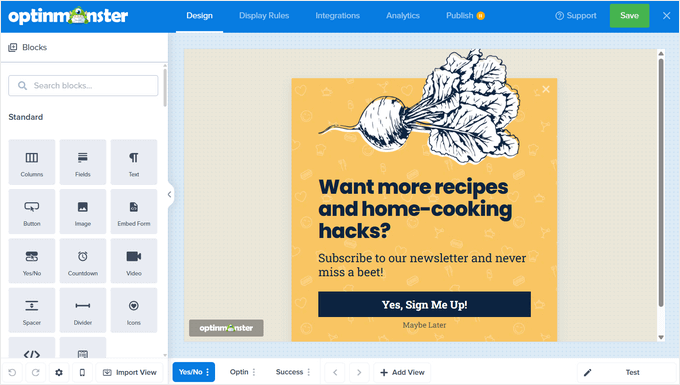
I’ve been particularly impressed with the advanced targeting options. I can show different lead generation forms based on where visitors came from, what pages they’ve viewed, or how much time they’ve spent on my site. This level of personalization significantly improves conversion rates compared to showing the same form to everyone.
The integration with email marketing services works flawlessly in my experience. New subscribers automatically get added to the right email lists in services like Constant Contact. Its real-time analytics help me track which campaigns perform best and where I should focus my optimization efforts.
| Pros of OptinMonster: | ✅ Easy drag-and-drop popup form builder ✅ 700+ proven templates designed for high conversions ✅ Powerful exit-intent technology that captures abandoning visitors ✅ Advanced targeting and personalization options ✅ Built-in A/B testing for optimization ✅ Seamless email marketing integrations |
| Cons of OptinMonster: | ❌ Focused specifically on lead generation, not general forms ❌ Higher pricing than some other form builders on this list |
Pricing: Starts at $7 per month with a 14-day unconditional moneyback guarantee.
Why I Recommend OptinMonster: OptinMonster is unmatched for converting website visitors into leads and customers. If your primary goal is growing your email list and increasing conversions, this form builder tool delivers results that justify its cost.
3. Thrive Leads: Best for List Building & Conversion Optimization
- Drag-and-drop form builder with 200+ templates
- Multiple opt-in form types including popups, ribbons, slide-ins, and inline forms
- Advanced A/B testing to optimize conversions
- Smart targeting and behavioral triggers
- Detailed analytics and reporting
- Integrates with popular email marketing services
- And more…
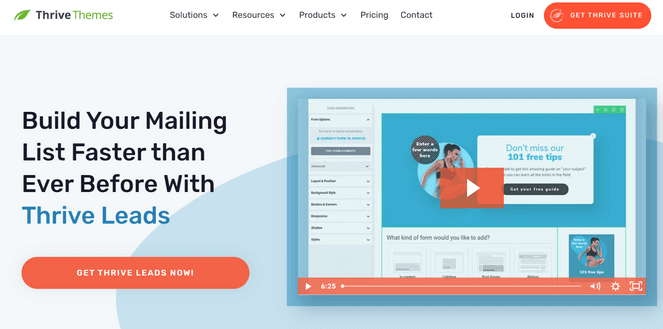
Thrive Leads is similar to OptinMonster, it covers every opt-in form type I’d ever need on a blog or website — popups, sticky ribbons, slide-ins, inline forms within post content, and full-screen overlays.
I find the inline forms particularly useful. Being able to drop a relevant opt-in directly within a blog post, rather than relying solely on popups, tends to feel less intrusive to readers and often converts better too.
The A/B testing is one of the stronger features. I set up my variants, and Thrive Leads automatically pushes more traffic toward whichever form is winning. It’s the kind of thing you configure once and then it just keeps working in the background without much ongoing attention.
I also appreciate the targeting options — I can show specific forms based on which post or category a visitor is reading, how far they’ve scrolled, or whether they’re about to leave. It’s a solid range of triggers without being overwhelming to set up.
Where Thrive Leads really shines is for bloggers already using the Thrive Suite of WordPress plugins. If you’re building with Thrive Architect or Thrive Apprentice, everything slots together seamlessly. It feels much more cohesive than mixing tools from different companies, which I’ve done plenty of times and it’s rarely as smooth as you’d hope.
| Pros of OptinMonster: | ✅ Easy drag-and-drop popup form builder ✅ 700+ proven templates designed for high conversions ✅ Powerful exit-intent technology that captures abandoning visitors ✅ Advanced targeting and personalization options ✅ Built-in A/B testing for optimization ✅ Seamless email marketing integrations |
| Cons of OptinMonster: | ❌ Focused specifically on lead generation, not general forms ❌ Higher pricing than some other form builders on this list |
Pricing: Thrive Leads standalone starts at $99 per year for a single site. The full Thrive Suite is $299 per year and includes all Thrive plugins with a 30-day money-back guarantee.
Why I Recommend Thrive Leads: Thrive Leads is a strong opt-in form plugin for bloggers who want solid A/B testing, smart targeting, and a wide range of form types. It works well on its own, but if you’re already in the Thrive ecosystem, it becomes an even easier recommendation.
4. Formidable Forms: Best for Complex Data-Driven Forms
- Drag-and-drop form builder
- Library of ready-made form templates
- AI-powered form building
- Powerful WordPress form math for calculations
- Turn form results into user-generated content like directories
- Displays form results in beautiful graphs and charts
- And more…
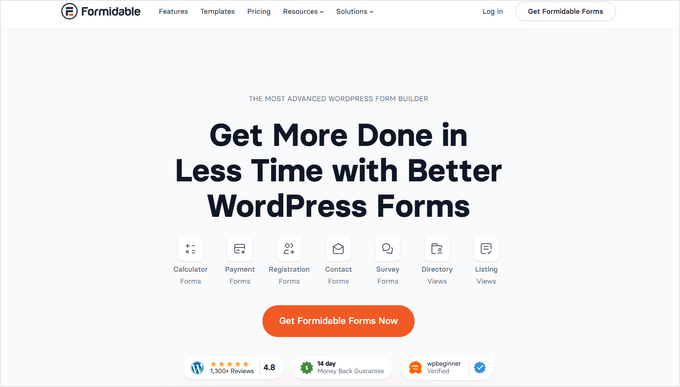
When simple contact forms aren’t enough, Formidable Forms becomes my go-to choice for creating complex WordPress forms and turning them into data-driven applications. I tested this plugin extensively when I needed advanced functionality beyond basic form collection.
Formidable Forms excels at handling complex business requirements that other form builders simply can’t manage. While it can be used to create simple forms, like contact forms, I primarily use it to create multi-step forms, advanced calculations, and even simple database applications.
The ability to create views and display submitted data on the front-end makes it incredibly powerful for membership sites and business directories.
The advanced calculations feature impressed me the most during my testing. I can create quote calculators, pricing forms, and order forms with automatic totals that update in real-time as users make selections. This level of functionality usually requires custom development, but Formidable Forms makes it accessible through their visual interface.
I also found their conditional logic system more robust than most competitors. Forms can show different sections based on user roles, previous submissions, or complex combinations of field values. This makes it possible to create personalized experiences that feel more like web applications than simple forms.
The reporting and analytics features help me understand form performance and user behavior. I can track conversion rates, see where users drop off, and export data for further analysis. These insights have been valuable for optimizing form completion rates.
| Pros of Formidable Forms: | ✅ Drag-and-drop form builder and AI form building ✅ Powerful advanced calculations and conditional logic ✅ Can create full data-driven applications, not just forms ✅ Excellent front-end data display capabilities ✅ Advanced reporting and analytics features ✅ Strong developer tools for custom functionality |
| Cons of Formidable Forms: | ❌ Steeper learning curve compared to simpler form builders ❌ Advanced features require higher-tier paid plans ❌ Can be overkill for basic contact forms |
Pricing: Formidable Forms starts at $39.50 per year for the Basic plan.
Why I Recommend Formidable Forms: Formidable Forms is the clear winner when you need to build complex forms or turn form data into functional applications. While it requires more time to master, the advanced capabilities make it worth the investment for serious business use.
5. UserFeedback: Best Form Builder for Collecting User Feedback
- Quick and easy setup, no coding required
- Pre-made form templates and customizable branding
- NPS surveys and reports
- Conditional logic and powerful targeting
- AI summaries to understand thousands of survey results
- Outstanding customer support
- And more…
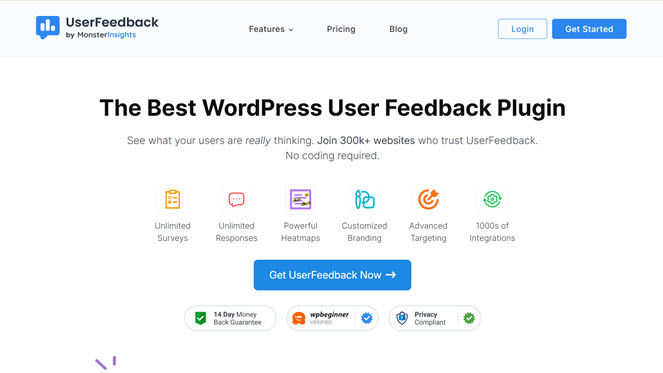
UserFeedback is a tool designed to collect feedback directly from your website visitors through targeted surveys and feedback forms. I used UserFeedback on my product pages to collect real-time feedback from users about their experience and decision-making process.
What makes UserFeedback perfect for gathering user insights is its focus on the right questions at the right moments. The feedback I collect helps me identify friction points and optimize my conversion funnel.
The survey templates are designed specifically for common feedback scenarios. Instead of building surveys from scratch, I can quickly deploy proven questionnaires for customer satisfaction, product feedback, or exit surveys. The targeting options let me show different surveys based on user behavior or page location.
I found the real-time feedback particularly valuable during product launches or website changes. I can see immediately how users respond to new features or design updates. The feedback data can send events to Google Analytics, allowing you to track survey interactions alongside other user behavior metrics.
This helps you see how feedback collection points impact user journeys, while you’d typically analyze the qualitative feedback itself within the UserFeedback dashboard.
| Pros of UserFeedback: | ✅ Purpose-built for collecting actionable user feedback ✅ Smart targeting shows surveys at optimal moments ✅ Visual feedback tool identifies specific page issues ✅ Real-time insights help optimize conversion rates ✅ Integrates with analytics for complete user picture |
| Cons of UserFeedback: | ❌ Limited to feedback collection, not made for general form building ❌ Requires separate solution for other form needs ❌ Advanced targeting features need paid plans |
Pricing: Starts at $49.50 per year. There’s also a free version available to download.
Why I Recommend UserFeedback: UserFeedback excels at its specific purpose of understanding user behavior and collecting actionable insights. If you need to understand why visitors aren’t converting or what’s working well on your site, this tool provides invaluable data that other form builders simply can’t match.
6. HubSpot Forms: Best Free & Simple Form Builder
- User-friendly drag-and-drop form editor
- Offers multiple form types including embedded and pop-up box
- Ready-made, customizable form templates
- Automated emails and notifications
- Connects seamlessly with HubSpot's Smart CRM
- And more…
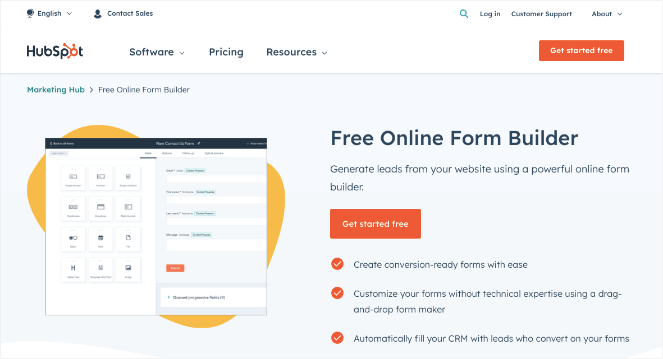
HubSpot Forms is one of the best free form builders available for WordPress. If you’re a beginner who just needs a simple contact form or lead capture form without spending a penny, it’s hard to beat. And if your needs grow over time, it scales with you into a full marketing platform.
For basic use, the drag-and-drop builder gets the job done. I had a simple contact form up and running in minutes — no coding, no fuss. It covers all the essential field types, includes solid spam protection, and forms load quickly across all devices.
What makes HubSpot Forms really stand out for growing businesses is how it connects to HubSpot’s broader marketing ecosystem. When someone fills out a form, their information immediately appears in your CRM with their complete interaction history. I can see which pages they visited, what emails they opened, and how they originally found my site, all without any manual data entry.
I’ve been impressed with how the progressive profiling feature works in practice. Instead of asking for all information upfront, forms can gradually collect more details over time as visitors return. This reduces form abandonment while building comprehensive user profiles automatically.
The analytics and reporting integration provides insights that go far beyond basic form metrics. I can track which forms generate the highest quality leads, see the complete customer journey from form submission to sale, and optimize my entire funnel based on real data.
| Pros of HubSpot Forms: | ✅ Seamless integration with HubSpot’s marketing ecosystem ✅ Progressive profiling reduces form abandonment ✅ Comprehensive analytics and lead tracking ✅ Automatic lead scoring and nurturing workflows ✅ Free plan available for basic needs |
| Cons of HubSpot Forms: | ❌ Limited design customization compared to dedicated form builders ❌ Best value requires existing HubSpot investment ❌ Overkill for simple contact forms without marketing goals ❌ Learning curve for users new to marketing automation |
Pricing: HubSpot Forms is completely free to use. Premium plans start at $9 per month to subscribe to the Marketing Hub, which includes advanced marketing tools and features.
Why I Recommend HubSpot Forms: If you’re just starting out and want a free, reliable form builder with room to grow, HubSpot Forms is a fantastic choice. And if you ever want to level up into email marketing and CRM, everything you need is already built in.
7. Gravity Forms: Best for Advanced Form Functionality
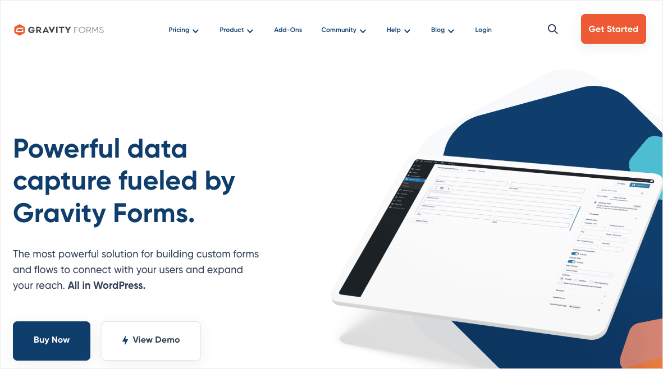
- Intuitive drag-and-drop form builder
- Offers multi-column layouts and paginated forms
- Conditional logic to show or hide form fields based on responses
- Save and continue form entries
- Creates calculators, quizzes, and surveys
- Allows you to collect recurring payments
- And more…
Gravity Forms was my trusted form builder for years before I discovered other solutions that better fit my workflow. I used Gravity Forms on all my websites and found it to be incredibly powerful for creating complex forms with advanced functionality.
What makes Gravity Forms shine as a form builder is its extensive feature set and rock-solid reliability. During my years of using it, I appreciated how it handled everything from simple contact forms to complex multi-page surveys. The conditional logic system allowed me to create smart forms that adapted based on user responses.
The add-on ecosystem impressed me throughout my time using Gravity Forms. I could connect forms to virtually any third-party service through their official add-ons — from email marketing platforms to payment processors to CRM systems. The PayPal and Stripe integrations worked flawlessly for client projects requiring payment collection.
I found the user registration and post submission features particularly useful for membership sites. Forms could automatically create WordPress user accounts or publish user-submitted content, turning forms into powerful site-building tools. The file upload handling was also more robust than most competitors I tested.
The form entry management system provided excellent tools for reviewing and processing submissions. I could edit entries, add notes, and even allow users to save and continue forms later. These administrative features made managing large volumes of form submissions much easier.
| Pros of Gravity Forms: | ✅ Extremely reliable with proven track record ✅ Extensive add-on ecosystem for integrations ✅ Advanced user registration and post creation features ✅ Powerful administrative tools for managing entries ✅ Strong developer community and third-party support |
| Cons of Gravity Forms: | ❌ Interface feels dated compared to newer form builders ❌ Requires annual license renewal for updates ❌ Steeper learning curve for advanced features ❌ No free version available |
Pricing: Starts at $59 per year for the Basic License.
Why I Recommend Gravity Forms: Gravity Forms remains a solid choice for users who need advanced functionality and don’t mind a more traditional interface. While I moved to other solutions, I still recommend it for complex business applications where reliability is important.
8. Ninja Forms: Best Flexible, Modular Form Builder
- Simple drag-and-drop form builder
- Library of form templates
- Supports data calculation for quizzes and calculators
- Unlimited email notifications whenever a form is submitted
- Easy form submission management
- Variety of advanced add-ons
- And more…
Ninja Forms caught my attention as a potential alternative to WPForms, so I installed it on my test sites to see how it compares in terms of functionality and ease of use. The plugin takes a modular approach to form building that appeals to users who want flexibility in choosing exactly which features they need.
What sets Ninja Forms apart from other WordPress form builders is its extension-based architecture. I found this approach interesting because you start with a free core plugin and only add paid extensions for specific features you actually need. This means you’re not paying for functionality you’ll never use.
The drag-and-drop form builder worked smoothly during my testing. I could create basic contact forms and surveys without any issues. The interface felt clean and modern, though it took me a bit longer to build forms compared to WPForms. The conditional logic worked reliably once I figured out the setup process.
I tested several of their paid extensions, including the file uploads and multi-part forms add-ons. The extensions integrated well with the core plugin. With that said, managing multiple add-ons felt more complex than having everything built into one comprehensive solution.
The email marketing integrations required separate extensions, which added to the overall cost when building feature-rich forms. While the modular approach offers flexibility, I found myself missing the all-inclusive nature of other form builders when working on client projects with tight deadlines.
| Pros of Ninja Forms: | ✅ Modular approach lets you pay only for needed features ✅ Clean, modern interface that’s easy to navigate ✅ Solid free version for basic form needs ✅ Good performance and reliable form processing ✅ Regular updates and active development |
| Cons of Ninja Forms: | ❌ Can become expensive when adding multiple extensions ❌ More complex setup compared to all-in-one solutions ❌ Some basic features require paid extensions ❌ Smaller community compared to more established plugins |
Pricing: There is a free version available to download. Paid plans start at $59.40 per year with a 14-day 100% moneyback guarantee.
Why I Recommend Ninja Forms: Ninja Forms offers a solid alternative for users who prefer a modular approach to form building. While it works well, I found other solutions more efficient for most use cases, especially when you need multiple advanced features from the start.
9. Jetpack Forms: Best for Simple Forms for Jetpack Users
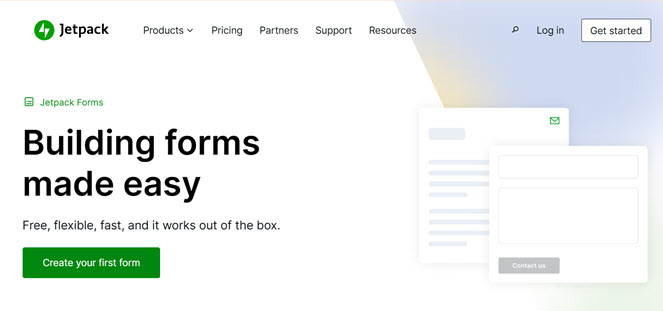
- Drag-and-drop form editor
- AI-powered assitant for creating forms
- Variety of form templates
- Real-time email notifications for form submissions
- Connects with apps like Google Sheets and Salesforce
- Anti-spam with Akismet
- And more…
Jetpack Forms is a form builder that comes built into the popular Jetpack plugin for WordPress. This could be a great tool for those who are already using the all-in-one Jetpack plugin and don’t want a dedicated forms plugin cluttering their WordPress installation. I’ve tested this feature as part of the broader Jetpack suite to see how it performs compared to standalone form solutions.
What makes Jetpack Forms appealing is its simplicity and integration with the broader Jetpack ecosystem. If you’re already using Jetpack for security, backups, or site stats, adding form functionality doesn’t require installing another plugin. The forms work reliably and integrate with the Jetpack dashboard for easy management.
The form builder uses the standard WordPress editor (you might know it as the ‘block editor’ or ‘Gutenberg’). If you’re used to writing posts or pages in WordPress, creating a form will feel very similar – you just add a ‘Form’ block and customize it from there. The drag-and-drop interface worked smoothly, though it lacks some advanced features found in dedicated form plugins.
I found the spam protection adequate for most situations, leveraging Jetpack’s broader security features. Form submissions get filtered automatically, and the system caught most spam attempts during my testing period. The email notifications worked reliably, delivering form submissions to the right recipients.
The limitation becomes apparent when you need advanced features like conditional logic, payment processing, or complex integrations. Jetpack Forms focuses on simplicity rather than advanced functionality, which works well for basic needs but falls short for complex business requirements.
| Pros of Jetpack Forms: | ✅ No additional plugin required if already using Jetpack ✅ Integrates smoothly with WordPress block editor ✅ Reliable spam protection and email delivery ✅ Simple setup with minimal configuration needed ✅ Included with existing Jetpack subscription |
| Cons of Jetpack Forms: | ❌ Limited advanced features compared to dedicated solutions ❌ Fewer customization options for form design ❌ No payment processing or eCommerce integration ❌ Basic reporting and analytics capabilities ❌ Tied to broader Jetpack plugin ecosystem |
Pricing: Free
Why I Recommend Jetpack Forms: Jetpack Forms serves its purpose well for users who want basic form functionality without additional plugins. While it won’t replace dedicated form builders for advanced needs, it provides a solid solution for simple contact forms within the familiar Jetpack environment.
Frequently Asked Questions
What’s the difference between free and paid form plugins?
Free form plugins typically offer basic contact forms with limited field types and basic email notifications. Paid versions add advanced features like conditional logic, payment processing, email marketing integrations, and premium support. Based on my testing, free versions work fine for simple contact forms, but you’ll need paid features for business-critical applications.
Can I migrate forms between different form plugins?
Most form builders don’t offer direct migration tools between competitors. However, you can usually export form entries as CSV files and recreate forms manually in the new plugin. I found it’s easier to run both plugins temporarily while transitioning rather than trying to migrate everything at once.
Which form builder works best with WooCommerce?
WPForms and Formidable Forms both integrate excellently with WooCommerce for product inquiries and custom order forms. I used WPForms extensively with WooCommerce sites and found the integration seamless for creating product-specific contact forms.
Do I need coding skills to create WordPress forms?
No coding skills are required with modern form builders. I helped complete beginners create professional forms using drag-and-drop interfaces. WPForms and Ninja Forms are particularly beginner-friendly, while tools like Formidable Forms offer advanced features that still don’t require coding knowledge.
How do I make my forms GDPR compliant?
Most reputable form plugins include GDPR compliance features like consent checkboxes and data processing agreements. I always recommend adding clear privacy policy links, explicit consent checkboxes for data collection, and automatic data deletion options.
What is the Best Form Builder for WordPress?
After testing all these plugins extensively, my top pick for most WordPress users is WPForms. It’s the easiest form builder I’ve used, and the drag-and-drop interface means anyone can create professional forms in minutes — no coding required. It handles everything from simple contact forms to payment forms and surveys without breaking a sweat.
If you’re on a tight budget, there’s also a free version of WPForms that lets you get started without spending anything. It’s a great way to try it out before committing to a paid plan.
If your main goal is growing your email list and converting visitors into subscribers, OptinMonster is the one to go for. Its exit-intent popups and advanced targeting are in a league of their own when it comes to lead generation.
And if you need something more powerful — like calculators, data-driven applications, or complex multi-step forms — Formidable Forms is the clear choice. It goes well beyond what a typical form builder can do.
That’s a wrap! I hope this article helped you find the best form builder for your needs. If you enjoyed this article, you may want to see our guide on how to create a contact form in WordPress, step-by-step, or our expert picks of the best marketing automation tools for small businesses.
And don’t forget to sign up for our email newsletter so you can get helpful content like this sent right to your inbox!
For me personally, the best is the old school ContactForm7. It is so powerful that everything is on your fingertips. Of course if you have experience with web development. It gives you freedom and flexibility.