

H aving great photos is only half the battle. If your WordPress theme wasn't built for photography, your work isn't going to get the presentation it deserves.
It’s something I’ve noticed across tons of photography sites I’ve looked at.
Most general themes treat photos like any other content — shrunk down, boxed in, competing with sidebars and widgets for space. Your images lose their impact before anyone even looks at them.
The right photography theme changes everything. I’ve tested dozens of options, sorting through slow-loading layouts, clunky portfolio grids, and themes that looked great in the demo but fell apart with real photos.
The best WordPress themes for photographers share the same qualities: full-width layouts, clean portfolio grids that let the work breathe, and fast load times even with high-resolution images. Here are the ten I’d recommend first.
Quick Picks: Best WordPress Themes for Photographers
If you don’t have time to read the full reviews, check out this handy comparison table to quickly find the right WordPress photography theme for your needs:
| # | Theme | Best For | Pricing | Free Version? |
| 1 | Sydney | Overall best theme for photographers | $63/year | ✅ |
| 2 | SeedProd | Building a fully custom photography site | $39.50/year | ✅ |
| 3 | Divi | Photographers who want detailed creative control | $89/year | ❌ |
| 4 | Imagely | Professional photography businesses | $139.50/year | ❌ |
| 5 | Neve | Photographers who want a fast, flexible foundation | $69/year | ✅ |
| 6 | Ultra | Built-in performance features for images | $59/year | ❌ |
| 7 | Astra | Beginners who want a flexible, well-supported theme | $69/year | ✅ |
| 8 | Border | Minimal, distraction-free portfolio sites | $75/year | ❌ |
| 9 | OceanWP | Photographers on a tight budget | $26/year | ✅ |
| 10 | Lense | Getting a photography site live fast | $49/year | ❌ |
How I Test & Review WordPress Photography Themes
I’ve been reviewing WordPress themes for photographers for years, and the biggest mistake I see is choosing a theme based on how the demo looks before any real photos are loaded. Demos always look good.
The test is how the theme handles your actual work: full-resolution images, multiple galleries on one page, a portfolio grid with dozens of entries. That’s what I focus on.
I also pay close attention to ease of setup, because most photographers aren’t WordPress developers. If getting a professional-looking photography site online requires hours of configuration or a developer’s help, that’s a real problem regardless of how the finished result looks.
The best themes on this list get you to a working, polished portfolio quickly — and let you keep building from there.
Here’s what I specifically evaluated for each theme:
- Ease of Setup: Can a photographer with no coding experience get a working, professional-looking site up without frustration?
- Photo Presentation: Do images get the space they deserve, or does the theme box them in with unnecessary sidebars and clutter?
- Speed on Image-Heavy Pages: Does the theme stay fast once real photos are loaded?
- Mobile Display: Do galleries and portfolio layouts look good on a phone, where many potential clients will first see your work?
- Customization Without Code: Can you adjust colors, fonts, and layouts to match your brand without touching any CSS?
This approach helped me separate the themes that genuinely work well for photographers from the ones that just look good in a controlled demo environment.
Now, let’s dive into the full reviews…
1. Sydney
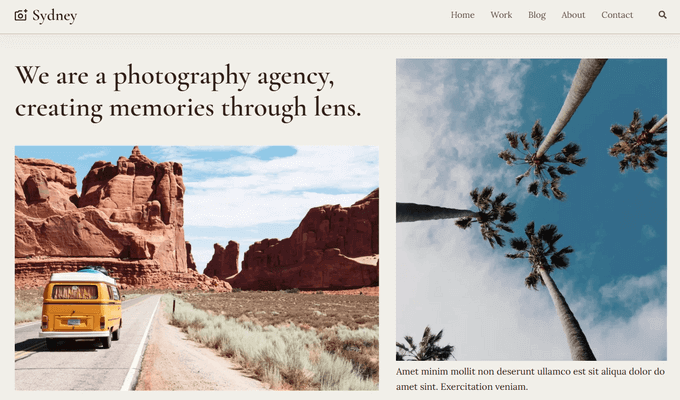
- Photography starter site, importable with one click
- Full compatibility with Elementor for drag-and-drop customization
- A-grade performance on both desktop (99%) and mobile (96%)
- Header and footer builder with multiple preset layouts
- Full color and font control via the WordPress Customizer
- Full-screen slider and sticky navigation built in
- Template builder for custom headers, footers, and archive pages
- 65+ premium Elementor widgets
Sydney is a free multipurpose WordPress theme with a dedicated photography starter site — and for photographers looking for a free starting point, it’s hard to beat. The photography demo imports with one click and gives you a clean, professional portfolio foundation without spending anything.
When I first loaded Sydney with a set of real photos, I was struck by how fast it stayed. The theme earns A grades on both desktop and mobile performance testing — 99% and 96% respectively — which matters a lot when your site is full of high-resolution images. Most general-purpose themes start to drag under that kind of image load. Sydney doesn’t, because the codebase is lean by design.
Setup is genuinely simple. The photography starter site handles the initial look and feel, and from there, everything is adjustable through the onboarding Site Wizard, Elementor, or the WordPress Customizer directly.
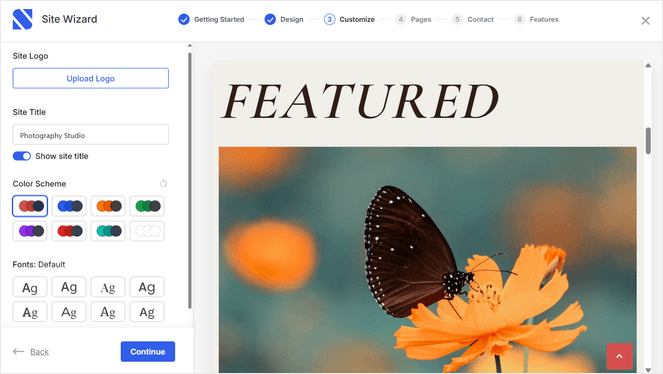
Colors, fonts, header layouts, and sidebars are all configurable from your WordPress dashboard without touching a line of CSS.
In addition, Sydney seamlessly integrates with WooCommerce so you can sell your photography online.
The free version of Sydney has everything you need to build a beautiful photography blog, which makes it perfect for beginners.
However, if you want extra layout options, more sliders, extended blogging modules, and more powerful features, I recommend upgrading to Sydney Pro.
| Pros of Sydney | Cons of Sydney |
|---|---|
| ✅ Completely free WordPress theme | ❌ Most advanced design features require the Pro upgrade |
| ✅ Comes with multiple ready-made themes, including a themes for portfolios and photography blogs | |
| ✅ A-grade performance on both desktop and mobile | |
| ✅ Works seamlessly with Elementor for drag-and-drop design | |
| ✅ Over 90,000 active installs and a 4.9-star rating | |
| ✅ Full color, font, and layout control without touching code |
Pricing: Free version available. Pro starts at $63/year. 14-day money-back guarantee.
Why I Recommend Sydney: Sydney is best for photographers who want a free, fast starting point they can easily customize. The photography starter site handles initial setup, A-grade performance keeps your images loading quickly, and the core theme is genuinely usable without ever spending anything. Plus, you can upgrade to the Pro version for more powerful features.
2. SeedProd
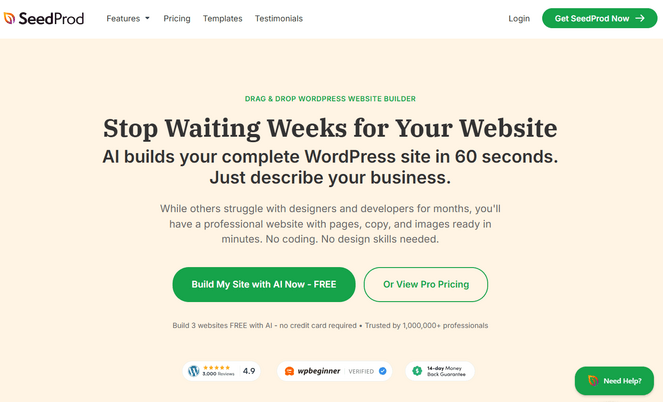
- Drag-and-drop page builder and full theme builder in one plugin
- 350+ professionally designed templates, including photography site kits
- 90+ blocks including galleries, countdown timers, and opt-in forms
- Complete AI website builder to create a custom site in minutes
- AI Assistant for generating page copy and royalty-free images inside the editor
- WooCommerce blocks for selling prints or digital downloads
- Lightweight, clean code with strong Core Web Vitals performance
- Global CSS for applying design changes across an entire site kit at once
SeedProd is a drag-and-drop page builder and custom theme builder for WordPress. What makes it different from every other theme on this list is that it’s not a traditional theme.
Instead of customizing a pre-made photography theme, SeedProd comes with a built-in drag-and-drop visual editor and full website kits, so you can design a custom theme from scratch.
This is my personal go-to for creating custom WordPress themes without code, and you can read more about my experience in this detailed SeedProd review.
When I first built a theme with SeedProd, the interface surprised me with how clean it is. You pick a website kit, open it in the editor, and start making it yours — replacing placeholder content, adjusting layouts, dropping in your own photos, adding page blocks.
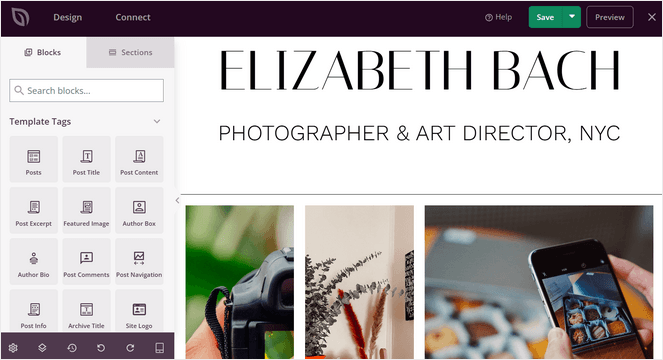
The 350+ kits include photography and portfolio designs, and once you install one, that design flows across every page of your site automatically.
One thing I really appreciate about SeedProd is that it generates lightweight, clean code. Page builders often bloat a site and drag performance scores down. SeedProd consistently outperforms heavier builders on Core Web Vitals — which matters a lot on a photography site where you’re already dealing with large image files.
SeedProd even offers a smart AI Theme Builder that can create a custom, professional-looking photography website for you in minutes. Simply answer a few questions about the type of site you want to build and the AI Theme builder handles the rest.
The AI Assistant is a genuine time-saver too. You can generate page copy and royalty-free images directly inside the editor, which means less time hunting for placeholder content and more time on the actual design.
In addition, if you want to sell prints on your website, SeedProd offers built-in WooCommerce blocks so you can easily add add to cart buttons, custom checkout pages, featured product sections, and more.
| Pros of SeedProd | Cons of SeedProd |
|---|---|
| ✅ Full theme builder and page builder in one plugin | ❌ Theme builder requires a Plus plan or higher |
| ✅ 350+ website templates installable with one click | ❌ The free version is limited |
| ✅ AI Assistant for copy and image generation inside the editor | |
| ✅ Lightweight, clean code that won’t hurt your site speed | |
| ✅ WooCommerce blocks for selling prints or downloads | |
| ✅ Global CSS applies design changes across your entire site at once |
Pricing: Free version available. Paid plans start at $39.50/year.
Why I Recommend SeedProd: SeedProd is the best option on this list if you want a photography site that looks completely custom without hiring a designer. Most themes give you a starting point and let you tweak it — SeedProd lets you build the whole thing your way from the ground up, with the AI tools and website kits doing the heavy lifting on the parts that would otherwise slow you down.
3. Divi
- Visual drag-and-drop builder — no coding required
- 2,000+ pre-built layouts including photography and portfolio designs
- 200+ design elements (modules) including gallery, slider, and portfolio grids
- Theme Builder for designing custom headers, footers, and site-wide templates
- Divi AI for generating content and design suggestions inside the builder
- Built-in eCommerce support for selling photography services or products
- Quick Sites for getting a complete site live in minutes
Divi, by Elegant Themes, is a WordPress theme and visual page builder combined — and for photographers who want complete creative control over every element of their site, this is the perfect choice.
With 2,000+ pre-built layouts and over 200 design modules, you have the tools to build virtually any photography portfolio layout you can imagine, without writing a line of code.
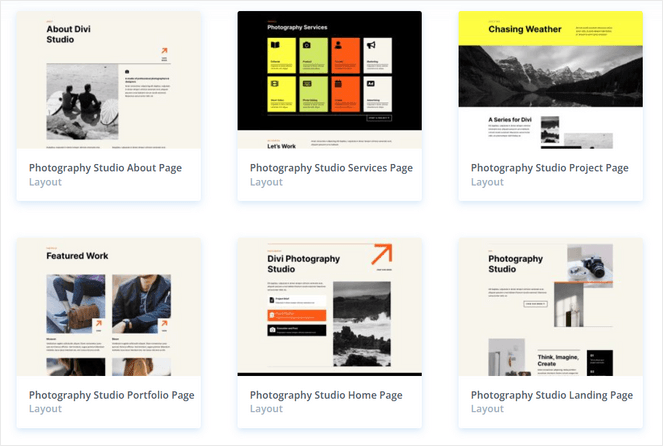
I started by importing one of Divi’s photography layouts, which takes under a minute. From there, the visual builder lets you adjust every element in real time — headers, galleries, typography, spacing, hover effects.
I love how the Theme Builder gives you design control at the site level, not just the page level. You can create custom headers and footers that apply everywhere — so your navigation and page structure reflect your choices, not whatever the default template decided.
Divi AI adds the ability to generate content and layout suggestions directly inside the builder, which can speed up the initial setup considerably.
The downside? All those options can feel overwhelming initially, and sometimes, the theme can be a bit slow due to its numerous features.
| Pros | Cons |
|---|---|
| ✅ 2,000+ ready-to-use layouts including photography and portfolio designs | ❌ No free version available |
| ✅ Full visual control over every element without writing code | ❌ The amount of features can be overwhelming for beginners |
| ✅ Theme Builder for site-wide header and footer design | ❌ Theme can be a bit slow at times |
| ✅ Divi AI for generating content and design inside the builder | |
| ✅ One license covers unlimited websites | |
| ✅ Built-in eCommerce for selling photography services or prints |
Pricing: Starts at $89/year.
Why I Recommend Divi: Divi is best for photographers who want complete creative control over every page on their site and are willing to invest the setup time to get it. If you’ve ever looked at a photography portfolio and thought “I want mine to look exactly like that,” Divi gives you the tools to build it.
4. Imagely
- Built specifically for photographers — not a general-purpose theme
- 65+ built-in designs with up to 8 homepage variations each
- Full WordPress Customizer control — no coding required
- NextGEN Gallery Pro bundled at no extra cost, with 12+ gallery display types
- Client proofing galleries for managing image selections with clients
- Automated print fulfillment through White House Custom Colour
- Stripe and PayPal payment processing with automated sales tax calculation
- Right-click protection to keep your images secure
Imagely is a photography WordPress theme built for professional photographers who run a business. It’s not just a theme, it comes with client proofing, print sales, automated order fulfillment, and gallery management all built in, and all of it runs directly from your WordPress dashboard.
Most photographers piece this together with a gallery plugin, a separate eCommerce plugin, and a third tool for client proofing. Imagely replaces all of that.
Using the Imagely theme, you can create any type of photography site you want. With 65+ built-in designs and up to 8 homepage variations each, there are over 520 starting combinations before you’ve touched a single customization setting.
The WordPress Customizer handles fonts, colors, layouts, and spacing — no coding required.
NextGEN Gallery Pro is included at no extra cost, giving you 12+ gallery display types — mosaic, masonry, filmstrip, tiles, and more — without any additional downloads.
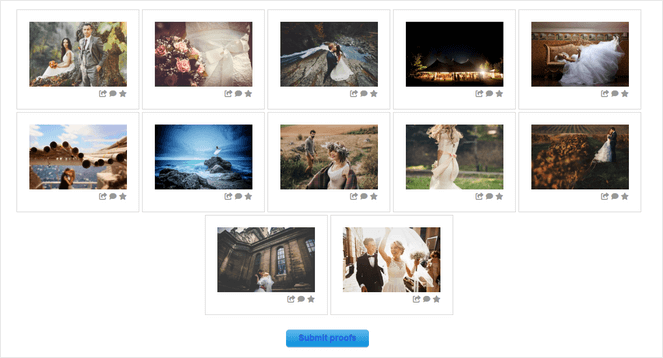
The client proofing feature is one of the strongest I’ve seen in any WordPress theme. Clients can browse their gallery, select their favorites, and submit their choices, all without leaving your website. You see their selections inside your WordPress dashboard and move forward from there. No back-and-forth emails, no third-party proofing tools.
The print sales setup is equally impressive. When a client orders a print, the order goes directly to White House Custom Colour for fulfillment — automatically, without any manual processing on your end. Stripe and PayPal handle payment, and sales tax is calculated automatically.
For photographers who sell prints regularly, having all of this inside WordPress rather than across multiple platforms is a real advantage.
| Pros of Imagely | Cons of Imagely |
|---|---|
| ✅ Built specifically for photographers | ❌ No free version |
| ✅ NextGEN Gallery Pro included | ❌ More than most photographers need if you don’t sell prints or run client galleries |
| ✅ Client proofing galleries managed entirely within WordPress | |
| ✅ Automated WHCC print fulfillment — orders go straight to the lab | |
| ✅ 520+ design starting combinations for fast professional setup | |
| ✅ Right-click image protection built in |
Pricing: Starts at $69.50/year. However, to unlock the Imagely theme and 96+ design options, you need at least the Pro plan, which costs $139.50/year.
Why I Recommend Imagely: Imagely is the obvious choice for photographers who run a business rather than just a portfolio. If you’re managing client galleries, selling prints, or taking orders, having all of that inside one WordPress theme rather than pieced together across multiple plugins is a genuine advantage. It’s more than most hobby photographers will need, but for working professionals it covers a lot of ground.
5. Neve
- 110+ ready-to-import starter sites and templates
- 100% Google PageSpeed grade on both desktop and mobile
- Header and footer builder with 15+ customizable components
- Global color palettes that apply changes across the entire site with one click
- Compatible with every major page builder including Elementor, Divi, and Beaver Builder
- AMP compatible for accelerated mobile performance
- Content restriction features for managing member-only sections
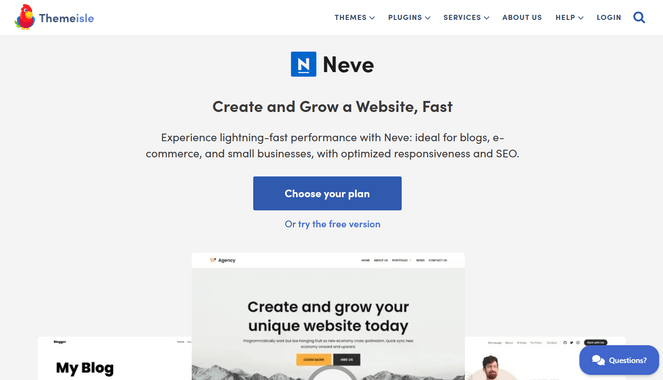
Neve, by Themeisle, is a lightweight, flexible WordPress theme with a solid collection of starter sites — several of which are built specifically for photography portfolios. You pick one, import it in one click, and you’ve got a professional-looking foundation to build from.
What’s nice is that the starter sites don’t slow the theme down. Neve stays fast regardless of which one you use, so you’re not trading performance for a good-looking starting point.
The header and footer builder gives you a lot of control over your site’s layout without touching code. Global color palettes are handy too — update your brand color in one place and it changes everywhere automatically.
Speed is genuinely one of Neve’s strengths for photographers. High-res images can tank a site’s load time, and Neve’s lightweight build gives you a head start on keeping things fast.
On a default install it loads in 0.6 seconds and scores 100% on Google PageSpeed — and those numbers hold up even when you’re running a photo-heavy site.
| Pros of Neve | Cons of Neve |
|---|---|
| ✅ Loads in 0.6 seconds — among the fastest themes available | ❌ Some photography starter sites and features are locked behind the Pro plan |
| ✅ 110+ starter sites including portfolio and photography designs | ❌ No built-in portfolio post type, so you’ll need a separate gallery plugin |
| ✅ Pro blog layouts with reading time and social sharing | |
| ✅ Works with WooCommerce if you want to sell prints or book sessions through your site | |
| ✅ Content restriction features for managing member-only sections |
Pricing: There is a limited free version of Neve available. Pro plans start at $69/year.
Why I Recommend Neve: Neve is worth considering if you want something between a fully general-purpose theme and a photography-specific one. It’s flexible enough to build almost any kind of site, but the photography starter sites and the performance on image-heavy pages make it a particularly natural fit for photographers.
6. Ultra

- 100s of pre-made themes and layouts
- Google PageSpeed A scores across pre-built demos
- Built-in lazy loading, WebP image conversion, and Gzip compression
- Gallery archive styles: Overlay, Card, Polaroid, and Flip layouts
- Section Scroll for fullscreen, scroll-by-section photo presentations
- Image Pro addon for enhanced image display and effects
- WooCommerce support with Ajax cart and sticky purchase buttons
Ultra is is an all-in-one WordPress theme from Themify that works great for photographers because it comes with some of the most flexible gallery display options on this list.
You get multiple ways to present your work including different archive layouts like Overlay, Card, Polaroid, and Flip. There’s also multiple single project layouts and a Section Scroll feature that lets you build fullscreen, scroll-by-section presentations that feel a lot more immersive than a standard portfolio grid.
The built-in page builder handles most layout needs without needing Elementor or Divi, which keeps things simpler overall. If you do prefer a third-party builder, Ultra supports those too — but honestly most photographers probably won’t feel the need.
On the performance side, things like lazy loading, WebP conversion, and minification are all baked in rather than left for you to sort out with separate plugins. I really appreciate this because it’s one less thing to think about.
| Pros of Ultra | Cons of Ultra |
|---|---|
| ✅ 100s of ready-made themes and layouts, including options for photography sites | ❌ No free version available |
| ✅ Easy to make customizations using the visual editor with live preview | ❌ Updates have been known to cause issues — some users report broken layouts or styling after updating the theme |
| ✅ Section Scroll for immersive fullscreen photo presentations | |
| ✅ Four gallery archive styles plus multiple single-post layouts | |
| ✅ Performance tools like lazy loading and WebP conversion are already built in |
Pricing: The standalone Ultra theme starts at $59/year. Or, you can purchase Master Club, which includes all 42 Themify themes and Builder Pro for $89/year.
Why I Recommend Ultra: Ultra is a good pick for photographers who want a theme where the gallery and presentation options are already figured out. The different archive layouts and Section Scroll feature give you more ways to show your work than most themes offer, and having the performance tools built in means you’re not piecing together a bunch of extra plugins just to get things running properly.
7. Astra
- 300+ premium starter templates
- AI website builder to generate a complete site in minutes
- Full WooCommerce support for selling photography products or services
- Advanced header and footer builder with drag-and-drop components
- Lightning-fast and lightweight with a mobile-first codebase
- Mega menu builder for creating complex navigation layouts
- Works with every major page builder like Elementor and Beaver Builder
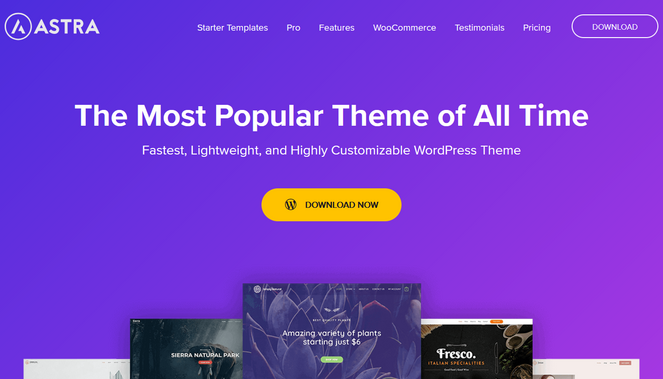
Astra is the most-installed WordPress theme in the world — over a million active sites — and it’s easy to see why. It’s fast, flexible, and has one of the biggest libraries of starter templates around, several of which are designed specifically for photographers and portfolio sites.
The free version is more usable than most. You get the full lightweight framework, global typography and color controls, and a solid set of free starter templates — enough to launch a good-looking photography site without spending anything.
The Pro version unlocks more templates, advanced header and footer customization, and deeper layout control, but you’re not hitting a wall every five minutes with the free version.
If you want to sell prints or offer booking through your site, Astra has solid WooCommerce support built in. You get things like quick view, an off-canvas cart, and responsive product galleries without needing a separate plugin to make your shop look decent.
Astra also has an AI website builder called ZipWP that can spin up a complete site in under two minutes based on a short description of your business. It’s not something every photographer will need, but it’s a handy option if you want to get something live quickly.
| Pros of Astra | Cons of Astra |
|---|---|
| ✅ Over 1 million active installs with 6,000+ five-star reviews — extremely well supported | ❌ The free version is limited |
| ✅ Photography-specific starter templates available, even on the free plan | ❌ No photography-specific features built in |
| ✅ Powerful WooCommerce functionality | |
| ✅ SEO-friendly with built-in Schema.org markup and AMP support | |
| ✅ Separate header/footer layouts for desktop, tablet, and mobile built in |
Pricing: There’s a free version of Astra to get you started. Pro plans start at $69/year.
Why I Recommend Astra: Astra is a safe, reliable pick for photographers who want a well-supported theme with a strong starter template library and room to grow. The free version gets you further than most, and if you need more control down the line, upgrading is straightforward.
8. Border
- Minimal, photography-first design that keeps photos front and center
- Unique portfolio page builder for arranging photography projects
- Multiple showcase options per portfolio project
- Animated page transitions between portfolio sections
- SEO-optimized and speed-optimized
- WPML compatible for multilingual photography sites
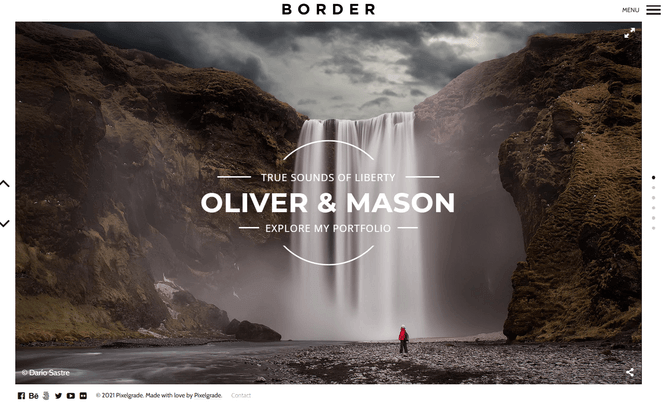
Border is a photography-specific WordPress theme from Pixelgrade, and its entire design philosophy is built around one idea: the photos should be the only thing the visitor notices.
There are no sidebars, no decorative elements competing for attention, and no layout choices that put the theme’s personality ahead of yours.
What I really love about Border is the portfolio page builder. Most portfolio themes give you one layout, usually a grid, and let you adjust column counts and spacing.
But, Border gives you a choice between a precisely aligned grid and a dramatic flowing layout, and both can be changed with a few clicks. Each project can also display photos, text, or a mix of both, so you can tell the story behind the work if you want to — or just let the images speak.
One of the standout features I discovered is that Border has beautiful, animated page transitions built in that show up in some unexpected places. They give the site a lively, polished feel without ever pulling attention away from the photos themselves.
| Pros of Border | Cons of Border |
|---|---|
| ✅ Minimal design built entirely around showcasing photos | ❌ No free version available |
| ✅ Portfolio builder with grid and flowing layout options | ❌ Less suited to sites that need heavy blog or eCommerce features |
| ✅ Multiple showcase options per project — images, text, or mixed | |
| ✅ Lively page transitions with no sidebars competing with your images | |
| ✅ Knowledge center accessible directly from the WordPress dashboard |
Pricing: Starts at $75/year.
Why I Recommend Border: Border is best for photographers who want a minimal, distraction-free portfolio where the images do all the talking. If your work leans toward fine art, fashion, or architectural photography, where the way photos are presented is part of the overall impression, it’s one of the most considered options I’ve tested.
9. OceanWP
- Lightweight and highly extendable, designed to work well with any type of site
- Portfolio and photography demo templates available
- Responsive design with settings editable directly for mobile and tablet
- WooCommerce support for selling photography products or services
- RTL and translation ready, available in 30+ languages
- Works with all major page builders
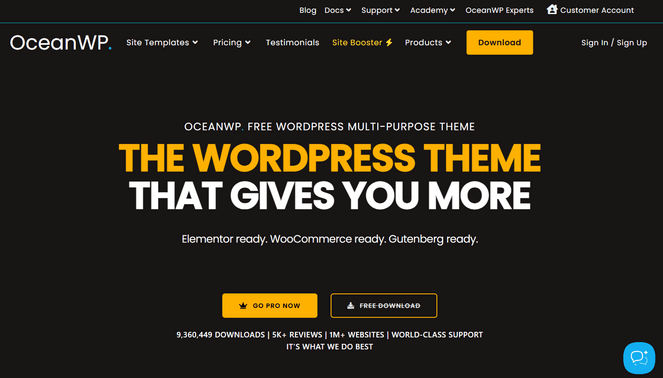
OceanWP is a free multipurpose WordPress theme with over 500,000 active installs — one of the most popular free themes available — and for photographers who want a capable foundation without any upfront cost, it’s a strong starting point.
It handles portfolios, blogs, business sites, and WooCommerce stores equally well, which makes it one of the most flexible options on this list.
When I set up OceanWP for a photography portfolio, the process was straightforward. The theme comes with portfolio and photography demo templates that import quickly, and from there, you can make changes with its built-in theme Customizer.
OceanWP also pairs well with Elementor, Beaver Builder, Divi, Brizy, or any other major builder you prefer.
One thing I genuinely appreciate is that you can edit mobile and tablet settings directly without touching code. OceanWP lets you adjust how your portfolio looks on different screen sizes from the same dashboard you use for everything else, which saves a lot of back-and-forth when you’re getting a photography site looking right on mobile.
| Pros of OceanWP | Cons of OceanWP |
|---|---|
| ✅ Free and popular WordPress theme | ❌ The free version is limited |
| ✅ 240+ site templates and a section templates library | ❌ Advanced customization requires paid extensions |
| ✅ Variety of customization and styling options | |
| ✅ Comes with a built-in popup builder | |
| ✅ WooCommerce support for selling photography products |
Pricing: Free theme available. Premium plans start at $26/year.
Why I Recommend OceanWP: OceanWP is best for photographers who want a free, flexible foundation they can build on. It won’t give you photography-specific features out of the box, but for getting a capable portfolio site up without spending anything upfront, it’s one of the most solid free options available.
10. Lense
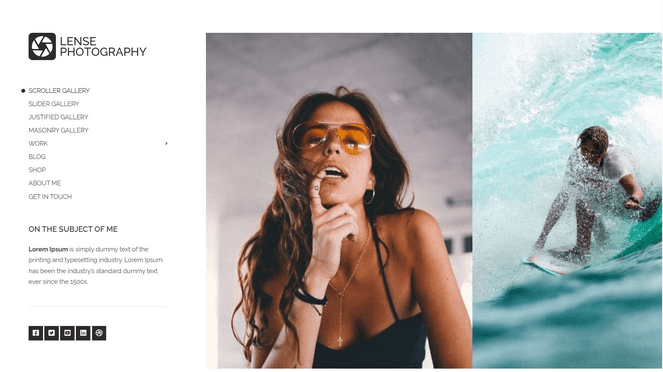
- One-click demo content import for getting a professional site live fast
- Peak-performance optimization for fast loading on image-heavy pages
- Flexible header layouts with real-time Customizer preview
- GutenBee custom blocks collection included for richer page layouts
- WooCommerce integration for selling prints or photography services
- Global Sections for designing reusable portfolio components site-wide
Lense is is a photography-specific WordPress theme from CSSIgniter that helps photographers get online quickly with a site that looks professional from day one. The one-click demo import handles the heavy lifting, and from there, the Customizer gives you real-time control over how everything looks.
When I first set up Lense, I was impressed by how fast the onboarding was. You install the theme, run the demo import, and you have a complete photography site structure in place — headers, portfolio pages, contact section — ready to be filled in with your own work. There’s no rebuilding from scratch and no hunting for the right layout.
Lense supports both Elementor and the WordPress block editor, and the GutenBee custom blocks collection comes included. That gives you more layout flexibility inside the block editor than most photography themes offer, without requiring a separate page builder plugin if you’d rather keep your setup simple.
The Global Sections feature is a practical tool for photographers with larger portfolios. You can design a portfolio section — layout, styling, structure — once, and reuse it across as many pages as you need. When you want to update the look, you change it in one place and it updates everywhere.
| Pros of Lense | Cons of Lense |
|---|---|
| ✅ Built specifically for photographers to showcase their work | ❌ No free version available |
| ✅ One-click demo import for fast professional setup | ❌ Fewer photographer-specific features compared to other themes |
| ✅ GutenBee custom blocks included for customization | ❌ Smaller community than more established themes on this list |
| ✅ WooCommerce support for selling prints or services | |
| ✅ Global Sections for reusable portfolio components across your site |
Pricing: Starts at $49/year.
Why I Recommend Lense: Lense is best for photographers who want a purpose-built theme they can get live quickly. The one-click demo import and Customizer-based setup make it easy to go from a blank WordPress install to a professional photography site in a short amount of time, without needing to piece a design together from scratch.
FAQs About WordPress Photography Themes
Still have questions about WordPress photography themes? Here are the answers to the most common questions I get about them:
What is the best free WordPress theme for photographers?
Sydney is my top pick for a free photography theme. It includes a one-click photography starter site, earns A-grade performance scores on desktop and mobile, and it comes with a ton of customization options like full screen sliders, header images, sticky navigation, full color control, and more.
Do I need a photography-specific WordPress theme?
Not necessarily. Photography-specific themes like Imagely, Border, and Lense are built around tools photographers actually need, like client galleries, print sales, purpose-built portfolio layouts, and they’re worth it when your site depends on those features.
But for a clean, fast portfolio site, a well-optimized general-purpose theme like Sydney, Neve, or Astra will serve you just as well, often with more flexibility.
Which WordPress theme is best for selling photos online?
Imagely is the strongest option if you want to sell prints and manage client proofing in one place. It includes automated print fulfillment through WHCC, Stripe and PayPal payment processing, and client gallery tools — all built into the theme.
If your needs are simpler and you just want to add a shop to an existing portfolio, themes like Sydney, Divi, and Neve all include WooCommerce support.
Will a photography WordPress theme slow down my site?
It depends on the theme. Themes that bundle heavyweight page builders or load unnecessary scripts on every page can hurt your speed scores. The themes that perform best here — Sydney, Neve, Astra, and Ultra — are either built to be lightweight by default or include performance tools right out of the box.
When in doubt, check for PageSpeed scores on the theme’s own demo pages before you commit.
What is the Best WordPress Theme for Photographers?
After testing all of these, Sydney is my top overall pick. It’s fast, comes with a photography starter site, and the free version gets you to a professional result without spending anything.
If you want even more, such as additional theme templates, layouts, sliders, and other advanced features, Sydney Pro is worth the upgrade and still one of the most affordable options on this list.
If you want a fully custom site that doesn’t look like anyone else’s, SeedProd or Divi give you the design control to make that happen.
And if you’re running a photography business — managing client galleries, selling prints, handling orders — Imagely is in a category of its own. It replaces a stack of separate tools with one theme built specifically for how photographers work.
I hope this article helped you find the best WordPress theme for photographers. You may also want to check out our guide on image SEO tips to unlock massive traffic, or our expert picks of the best ebook plugins for WordPress.
And don’t forget to sign up for our email newsletter for more helpful blogging tips!
The A-grade performance Sydney reportedly achieves on both desktop and mobile is certainly a strong selling point for a free photography theme. Nevertheless, in practice, a rapidly expanding portfolio and the addition of various gallery or e-commerce plugins 82-0 game can significantly challenge even the fastest themes over time.