

I didn't think twice about email deliverability when I started my WordPress blog. I assumed everything would just work—welcome emails, password resets, comment notifications—but I was wrong.
Most of my important emails weren’t reaching subscribers at all. Welcome emails vanished. Password resets never arrived. The few that did send landed in spam folders.
That’s when I discovered SMTP services, and they changed everything.
WordPress’s default email system is unreliable, which is why an SMTP service is essential. It ensures your emails actually reach inboxes instead of disappearing or landing in spam—so your subscribers get your content and your automated emails actually work.
In this article, I’ll share my picks for the 9 best SMTP services to ensure your WordPress emails reach users every time.
Overview: Best SMTP Service Providers
Short on time? Here’s a quick comparison to help you pick the best option fast.
| # | Service/Tool | Best For | Starting Price |
| 1 | WP Mail SMTP | Connecting any SMTP service to WordPress | $49/year + Free |
| 2 | SendLayer | Affordable transactional emails with analytics | $5/month + Free trial |
| 3 | SMTP.com | Enterprise-grade reliability | $25/month |
| 4 | Brevo | Email marketing on a budget | $9/month + Free |
| 5 | Constant Contact | Professional email marketing campaigns | $12/month |
| 6 | Mailgun | Developers and high-volume transactional emails | $15/month + Free |
| 7 | SendGrid | Scaling transactional emails | $19.95/month + Free |
| 8 | Amazon SES | High-volume, cost-efficient email delivery | $0.10 per 1,000 emails |
| 9 | Postmark | Lightning-fast critical email delivery | $15/month + Free |
Now, before I get to the full reviews, let me explain what SMTP is…
What is SMTP and Why Do You Need It?
You need to use WordPress to send emails for many common tasks like:
- Registering a new user
- Recovering a lost password
- Notifications for password changes
- New article or comment notifications
For online stores, you’d also need to send order confirmations, shipping notifications, delivery confirmations, and more.
The problem is many users find that WordPress doesn’t send these emails properly.
And that’s because WordPress relies on the PHP mail() function to send emails. There are a few problems with this. Mainly, many hosting providers don’t have this function configured properly or disable it completely to protect their servers from abuse.
Even if the function is configured properly, your emails can still end up in the spam folder. That’s because most spam filters verify emails by the sender’s email address, location, and domain name, so it could flag your site’s email as suspicious.
The good news is, SMTP service providers are an easy solution to this problem.
SMTP, which stands for Simple Mail Transfer Protocol, is the industry standard for sending emails on the Internet. It uses proper authentication to make it more likely that your emails are delivered successfully to users in their inbox rather than in the spam folder.
How I Test and Review SMTP Service Providers
I’m not the kind of person who picks tools based on marketing claims or feature lists that sound impressive.
I’ve personally tested several of these services on real WordPress sites, and for the others, I’ve done extensive research—reading through customer reviews, checking support forums, and analyzing what actual users say about their experiences.
Some services impressed me immediately with how well they worked. Others had a steeper learning curve or required more technical knowledge than I expected.
Here’s what I paid attention to while testing:
- Setup process: How fast could I go from creating an account to actually sending an email? Did I need to dig through DNS documentation, or was it straightforward?
- Email deliverability: Where do emails actually end up—in the inbox or spam folder? I look at deliverability rates, user reports, and testing data.
- Dashboard usability: Could I figure out what was happening with my emails without getting lost in confusing menus? Were the logs and analytics actually useful or just there for show?
- Integration options: How smoothly did each service connect with WordPress, WooCommerce, and other tools I actually use? Did it just work, or did I spend hours troubleshooting?
- Pricing transparency: I looked for the real cost—not just the advertised price, but what you actually pay once you add dedicated IPs, extra features, or scale up your sending volume.
- Customer support quality: When people have questions, can they get real help quickly, or are they stuck reading outdated documentation and waiting days for responses?
This approach helps me figure out which services work best for different situations—whether you’re a beginner looking for simplicity, a developer who needs powerful APIs, or a growing business that needs reliable delivery at scale.
With that said, let’s take a look at the best options for SMTP services.
1. WP Mail SMTP: Best SMTP Service Plugin for WordPress Email Deliverability
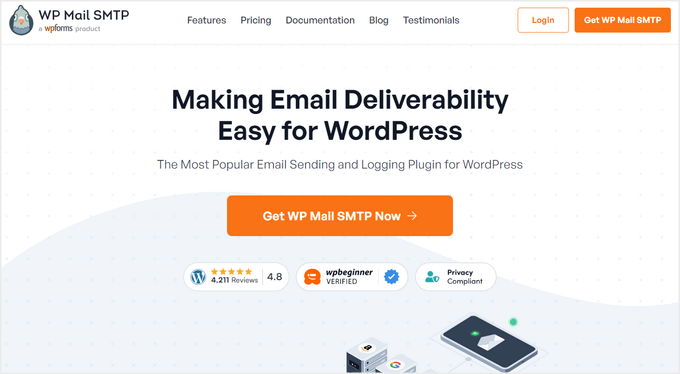
- Connects your WordPress site to any SMTP service provider
- Automatically keeps track of all emails sent from your WordPress site
- Control which email notifications your site sends
- Smart email routing with conditional logic
- Full translation and localization support
- Outstanding customer support
- And more…
WP Mail SMTP became essential the moment I installed it on my WordPress site.
It’s not an SMTP service itself—it’s the bridge that connects your WordPress site to any SMTP provider you want. If your WordPress emails keep vanishing or landing in spam, this plugin fixes that problem by forcing proper SMTP delivery instead of relying on PHP mail functions that nobody trusts.
The free version gives you everything you need to get started, but the paid plans add powerful features that serious site owners will appreciate.
My Experience with WP Mail SMTP
I installed WP Mail SMTP and immediately understood why it works so well—it bypasses WordPress’s unreliable PHP mail() function completely. This alone solved most of my email delivery headaches.
The setup interface was clean and simple. I entered my SMTP provider credentials in a well-organized dashboard, and everything connected without any technical drama.
It integrates with 15+ SMTP providers, so whether you want to use SendLayer, Gmail, or Amazon SES, it works seamlessly with all of them. No weird compatibility issues or mysterious errors.
Once configured, I tested the email logging feature. Every outgoing email was tracked with timestamps and delivery status, which made troubleshooting problems incredibly fast.
One premium feature that really stood out was the backup connections for failover protection. If your primary SMTP provider goes down, the plugin automatically switches to a backup provider, ensuring zero downtime. That peace of mind was worth the upgrade alone.
In addition, email failure alerts keep you informed in real-time. If an email fails to send, you’ll get notified immediately so you can fix it before subscribers even notice something was wrong.
The White Glove Setup on premium plans is a nice touch as well. For non-technical users who don’t want to mess with DNS records and SMTP settings, having the WP Mail SMTP team configure everything saves tons of time and stress.
| Pros of WP Mail SMTP ✅ | Cons of WP Mail SMTP ❌ |
| Works with all popular SMTP service providers | Limited to SMTP configuration, not a full email service |
| Simple and user-friendly setup process | Advanced features require a premium subscription |
| Free version includes essential features | |
| Real-time alerts keep you informed of delivery issues | |
| Advanced features like backup connections prevent email failures |
Pricing: There’s a free plugin available to download from the official WordPress repository. Paid plans start at $49 per year.
Why I Recommend WP Mail SMTP: WP Mail SMTP is the best starting point for WordPress site owners who need reliable email delivery without the technical headaches. It works with any SMTP provider you choose, so you’re not locked into one service. Whether you’re running a small blog or managing client sites, this plugin solves WordPress email problems quickly—and the free version covers the essentials perfectly for most users.
2. SendLayer: Best for Affordable Transactional Emails with Analytics
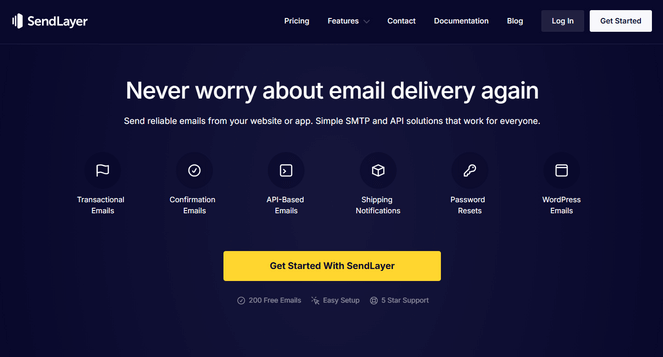
- Easy to set up and user-friendly dashboard
- Awesome email deliverability
- Detailed email logs
- Analytics to track opens, clicks, and unsubscribes
- Integrates with 1,000+ platforms
- 5 star customer support
- And more…
SendLayer is one of the best SMTP service providers on the market. It combines simplicity with power, which is exactly what I needed.
If you want reliable transactional email delivery without spending hours on complex setup, this service delivers. The detailed analytics give you insights that most budget services skip entirely, and the pricing is hard to beat for what you get.
My Experience with SendLayer
When I tried SendLayer, the setup took less than ten minutes from start to finish. The DNS configuration guide walked me through each step with clear instructions and screenshots.
Once it was set up, detailed email logs appeared right in the dashboard. Every email shows delivery status, open rates, and click-through rates at a glance. No digging through menus or exporting reports.
What impressed me most was the open and click tracking. You can see exactly which emails subscribers interacted with and when they opened them. This helped me understand what was working and what needed improvement.
There’s also active anti-spam monitoring running in the background constantly. This keeps your domain safe from spam complaints and blacklisting without having to actively manage it.
SendLayer integrates with over 1,000 platforms. It worked seamlessly with WordPress, WooCommerce, and my other tools without requiring extra configuration or weird workarounds.
The only limitation I noticed was the focus on transactional emails rather than marketing campaigns. If you need bulk newsletter features with drag-and-drop builders and automation workflows, you might need additional tools.
| Pros of SendLayer ✅ | Cons of SendLayer ❌ |
| Quick domain setup with guided DNS configuration | Primarily focused on transactional emails, not marketing campaigns |
| Strong emphasis on email deliverability | Free trial limited to 200 emails |
| Detailed engagement tracking and reporting | |
| Wide range of integrations with popular platforms | |
| Affordable pricing structure |
Pricing: SendLayer offers a free trial that lets you try out the service and send 200 emails. After that, paid plans start at $5 per month for 1,000 emails per month.
Why I Recommend SendLayer: SendLayer is perfect for WordPress blogs and small businesses that need affordable, reliable transactional email delivery without sacrificing powerful features. If you want excellent deliverability and engagement tracking at a price that won’t break the bank, SendLayer delivers exactly that.
3. SMTP.com: Best SMTP Service Provider for Enterprise-Grade Reliability
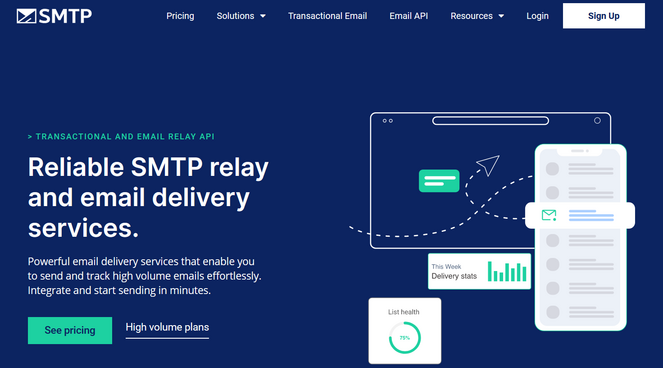
- Supports shared and dedicated IPs
- 99.99% system uptime
- Proactively checks and blocks spam
- Easy migration from other services
- Flexible and scalable plans
- 24/7 customer support
- And more…
SMTP.com is a full SMTP email service made for transactional and bulk email. If you’re sending things like password resets, order confirmations, or important campaigns, SMTP.com focuses on making sure those emails arrive instead of disappearing or landing in spam.
It’s trusted by over 100,000 companies like Best Buy, T-Mobile, Virgin Atlantic, and more, which shows it can handle heavy email sending without slowing down or breaking when volume increases.
My Experience with SMTP.com
The SMTP.com setup is fairly straightforward, which allows you to start sending emails quickly. During setup, SMTP.com guides you through connecting your domain and setting up email authentication, including SPF, DKIM, and DMARC, so your emails are more likely to pass email provider checks and reach the inbox.
Once everything is connected, emails send fast and consistently, even at higher volumes. SMTP.com also offers a 99.99% uptime guarantee, which helps reduce the risk of delivery issues during important or time-sensitive sends.
You can start on a shared IP and move to a dedicated IP or bring your own IP later if your sending volume grows. This flexibility makes it easier to scale without switching providers.
One of the most useful features is the sender reputation dashboard. It shows how email providers see your domain and sending behavior, making it easier to catch problems early before deliverability takes a hit.
There’s also an optional add-on called SMTP Reputation Defender. It watches your email list health, looks for spam traps, drops in engagement, and reputation issues, and helps protect your domain before problems get serious.
Plus, it seamlessly integrates with WordPress and popular SMTP WordPress plugins like WP Mail SMTP.
| Pros of SMTP.com ✅ | Cons of SMTP.com ❌ |
| Strong deliverability, even at higher sending volumes | Higher cost compared to budget alternatives |
| 99.99% uptime guarantee with 24/7 support | No free plan or free trial available |
| Lightning-fast delivery speeds with robust infrastructure | Reputation Defender costs extra (20% of plan price) |
| Advanced reputation monitoring with SMTP Reputation Defender | |
| All features available on every plan |
Pricing: SMTP.com pricing starts at $25 per month to send 50,000 emails per month, and it comes with all features. If you need to send more emails, you’ll have to upgrade your plan.
Why I Recommend SMTP.com: SMTP.com is the right choice for established businesses and enterprises that need guaranteed uptime and advanced reputation management for business-critical emails. While it costs more than budget alternatives, the reliability and proactive reputation monitoring make it worth the investment if email delivery directly impacts your revenue.
4. Brevo (formerly Sendinblue): Best Free SMTP Service Provider
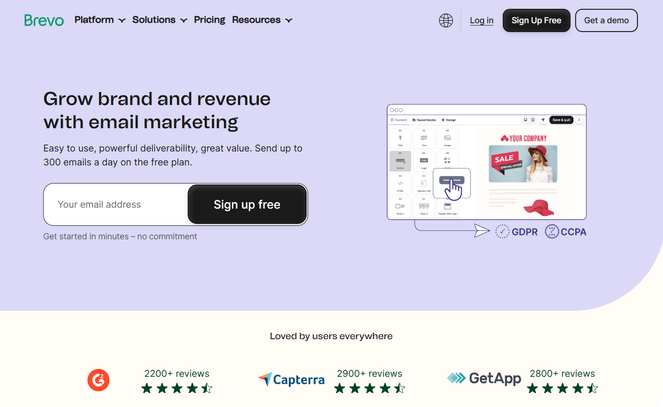
- Excellent deliverability rates with Brevo SMTP
- Email template library and drag-and-drop builder
- Real-time statistics and reports
- Shared inbox to manage customer email history
- Integrates with WordPress and marketing tools like OptinMonster
- And more…
Brevo, formerly known as Sendinblue, surprised me with how much it offers beyond just SMTP. It handles transactional emails perfectly, but it’s also a complete marketing platform with SMS, WhatsApp campaigns, marketing automation, and live chat built in.
Plus, the free plan is incredibly generous—you get unlimited contacts and can send 300 emails per day, which works great for small bloggers or businesses on a budget.
My Experience with Brevo
Brevo makes sending transactional emails simple and reliable. Emails go out quickly and consistently, landing in inboxes without issues. Bulk emails work just as smoothly using their dedicated SMTP servers.
I love that the real-time stats show opens, clicks, and engagement right away, so you always know your emails are actually being delivered.
The email builder is drag-and-drop and really easy to use. Templates give you a solid starting point, so you can create professional-looking emails in minutes without touching a line of code.
Automation is straightforward too. Welcome emails, abandoned cart sequences, or other triggered campaigns run reliably, which is a huge time saver. You can also segment your audience, test subject lines with A/B testing, and track engagement to improve future campaigns.
Brevo connects with over 150 services, including WordPress, Shopify, and Stripe, so it slots right into your existing tools.
The only thing to keep in mind is the free plan’s 300-email daily limit—if your list grows fast, a paid plan will be necessary.
| Pros of Brevo ✅ | Cons of Brevo ❌ |
| Complete multi-channel platform (email, SMS, WhatsApp) | The free plan is limited to 300 emails daily, and emails include Brevo branding |
| Dedicated SMTP servers | Overkill if you only need basic email |
| Real-time analytics and automation | |
| Generous free plan | |
| Affordable pricing based on emails sent |
Pricing: Brevo offers a forever-free plan that lets you send up to 300 emails per day. For no daily sending limit and access to more features, you can upgrade your plan starting at $9 per month.
Why I Recommend Brevo: Brevo is an all-in-one tool that makes life easier for bloggers. It’s reliable for transactional emails, so your messages actually reach inboxes, and it also handles SMS, WhatsApp, and marketing automation. You can manage campaigns, segment your audience, and run everything from one platform without juggling multiple tools.
5. Constant Contact: Best SMTP Service for Email Marketing Campaigns

- 97% email deliverability rate
- Email templates and drag-and-drop editor
- Real-time reporting and analytics
- Send triggered emails based on user behavior
- Subject line A/B testing
- Integrates with WordPress, WooCommerce, Shopify, etc.
- And more…
Constant Contact stood out as the right choice for running actual marketing campaigns, not just sending transactional emails.
The 300+ professional templates and built-in marketing automation made it feel like a complete email marketing platform. In addition, the 97% deliverability rate gave me confidence my campaigns would actually reach customers.
My Experience with Constant Contact
Setting up Constant Contact felt more polished than some other services I tested. The interface was clean, and everything was clearly designed with email marketers in mind.
The drag-and-drop editor made creating email newsletters effortless. The 300+ templates looked professional without customization, though adjusting them to match a specific brand style was easy—no coding required.
I discovered that email authentication features were built right into the setup process. Building a strong reputation with ISPs happened automatically without digging through technical documentation or Googling DNS record formats.
What I appreciated most was how marketing automation workflows handle customer communication without manual effort. Welcome sequences and follow-up emails run automatically once set up. The visual builder makes creating these workflows straightforward.
Plus, there’s an awesome AI content generator that helps draft social posts and email copy faster than starting from scratch.
| Pros of Constant Contact ✅ | Cons of Constant Contact ❌ |
| Impressive 97% email delivery rate | No free plan available |
| Easy-to-use editor with 300+ templates | The Lite plan lacks automation and A/B testing |
| Advanced email authentication features | Pricing scales with contact list size |
| Social media marketing and event marketing features | |
| 30-day free trial with no credit card required |
Pricing: Constant Contact starts at $12 per month depending on how many contacts you have. They also offer a free one-month trial.
Why I Recommend Constant Contact: If you need reliable SMTP for marketing campaigns rather than just transactional emails, this delivers. The 97% deliverability rate ensures your newsletters and promotions actually reach inboxes, while the built-in automation handles sequences without manual work. It’s ideal for small businesses running regular email campaigns who want solid deliverability combined with marketing tools in one platform.
6. Mailgun: Best for Developers and High-Volume Transactional Emails
- Email APIs, SMTP relay, and webhooks
- 99.9% guaranteed uptime
- Highly scalable
- Supports testing mode
- API reference with code samples for Python, PHP, Java, and others
- And more…
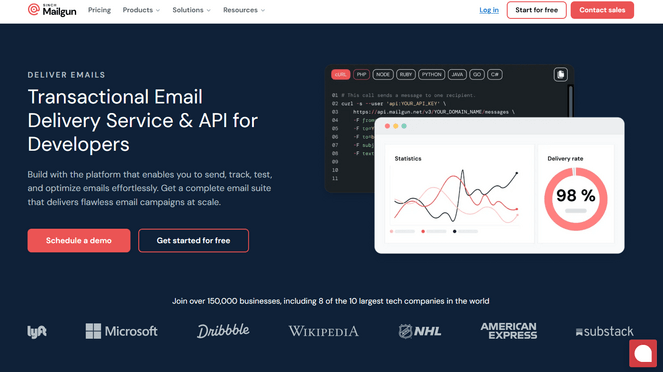
Mailgun is an SMTP service provider that’s clearly built for developers who need flexible API tools and scalable infrastructure.
If you’re comfortable with code and need to send transactional emails at high volumes, it’s powerful. I could feel the developer focus immediately—the API-first approach and webhook integrations give you capabilities you can’t get from simpler services.
My Experience with Mailgun
When testing Mailgun, I found that the setup required lots of technical knowledge. You have to configure domain verification, DKIM records, and SPF authentication before sending anything. If you’re not comfortable with DNS settings, this will feel overwhelming.
The API documentation helped, though. It includes code examples for Python, PHP, Java, Ruby, and .NET, which made integration easier once I got past the initial setup. The examples are clear and actually work without modification.
Once everything was set up, I appreciated the testing mode. It lets you debug your email setup and check deliverability before going live with real recipients, all without risking your sender reputation.
The webhook integrations provide real-time tracking. You can monitor opens, clicks, bounces, and failures as they happen, which helps you catch issues fast. Setting up webhooks requires some coding, but the flexibility is worth it.
In addition, it comes with powerful features like email verification, send time optimization, dedicated IP pools, and more.
| Pros of Mailgun ✅ | Cons of Mailgun ❌ |
| Excellent for transactional email at scale | Steep learning curve for non-developers |
| Highly flexible API perfect for developers | No drag-and-drop email editor |
| Reliable email verification and validation tools | No marketing automation features |
| Robust debugging and testing tools | |
| Webhook support for real-time tracking |
Pricing: Mailgun has a free plan available (100 emails/day). Paid plans start at $15/month.
Why I Recommend Mailgun: If you’re comfortable with code and need to send high-volume transactional emails, Mailgun gives you the control and flexibility you won’t find in simpler services. The webhooks and API let you build exactly what you need, though you’ll need technical chops to set it up. Not for beginners, but perfect if you know your way around APIs.
7. SendGrid: Best SMTP Service for Scaling Transactional Emails

- APIs, SMTP relay, and webhooks
- Delivery optimization tools
- Detailed analytics
- Easy template editor
- Helpful customer support
- And more…
SendGrid handles the kind of volume that most services can’t touch. Companies like Uber and Spotify rely on it to send millions of transactional emails—order confirmations, password resets, shipping notifications—without deliverability issues.
What makes it different is how smoothly it scales. You can start with a few hundred emails and grow to millions without rebuilding your infrastructure or switching providers.
My Experience with SendGrid
The initial setup for SendGrid was pretty quick. I created an account, generated an API key, and was sending test emails within about 15 minutes. The documentation walked me through the basics clearly enough.
During my review, I discovered that it offers dedicated IP addresses. This lets you build your own sender reputation instead of sharing it with other users. Warming up a dedicated IP takes time, but the control over your deliverability is worth it when you’re sending serious volume.
I like that the delivery optimization tools give you visibility into how emails are performing. You can track delivery insights in real-time and spot problems before they affect your users. The dashboard breaks down delivery rates, bounces, and engagement by campaign.
There’s also an email validation feature that comes with the Pro plan. You can run your list through it before launching to catch problematic addresses and protect your sender reputation from the start.
The interface was the biggest frustration. It feels cluttered, and finding specific settings requires navigating through multiple menus. If you’re not technical, the layout can be confusing.
| Pros of SendGrid ✅ | Cons of SendGrid ❌ |
| Enterprise-grade reliability trusted by Uber and Spotify | The interface can be confusing for beginners |
| Dedicated IPs available for reputation control | Not ideal for marketing-focused campaigns |
| Comprehensive API with SDKs for 7+ languages | Two separate products can cause pricing confusion |
| Flexible, scalable pricing |
Pricing: SendGrid offers a free trial that lets you send 100 emails per day for 60 days. Paid plans start at $19.95 per month for 50,000 – 100,000 emails.
Why I Recommend SendGrid: If you need to scale transactional emails from hundreds to millions without switching providers, SendGrid delivers. The infrastructure handles serious volume reliably, and you won’t outgrow it as your business expands.
8. Amazon SES: Best for High-Volume, Cost-Efficient Email Delivery
- Dedicated IP addresses
- Content filtering
- Reputation dashboard
- Detailed statistics and insights
- Integrates with WordPress
- Pay-as-you-go service
- And more…
Amazon SES, which stands for Amazon Simple Email Service, delivers affordable pricing if you’re comfortable with technical setup and are already using Amazon Web Services.
The pay-as-you-go model means you only pay for what you actually use—no monthly minimums eating into your budget. When you’re sending millions of emails, the cost difference compared to flat-rate providers adds up fast.
My Experience with Amazon SES
The setup requires technical chops. You need to configure domain verification, set up DKIM and SPF records, and manage IAM permissions before sending anything. If AWS console navigation isn’t your thing, expect to spend time learning the system.
Once you get through the initial configuration, the reputation dashboard is easy enough to understand. It gives you clear visibility into sender health and lets you monitor bounce rates and complaints. Amazon’s monitoring tools are comprehensive, though finding everything takes some exploring.
You get multiple deployment options. You can start with shared IPs to keep costs low, then switch to a dedicated IP as your volume grows. The flexibility to change as your needs evolve is helpful when you’re scaling up.
One major limitation is the per-recipient billing model. Sending one email to 100 recipients counts as 100 separate charges. For newsletters and announcements where you’re sending the same message to thousands of people, costs add up quickly. This service works best for transactional emails.
| Pros of Amazon SES ✅ | Cons of Amazon SES ❌ |
| Pay-as-you-go pricing with no monthly minimums | Complex setup requiring technical knowledge |
| Highly scalable infrastructure for millions of emails | Per-recipient billing can lead to unexpected costs |
| Reliable deliverability when properly configured | Limited customer support without paid AWS support plans |
| Flexible IP deployment options (shared, dedicated, owned) | |
| Strong integration with AWS ecosystem |
Pricing: Starts at $0.10 per 1,000 emails. There’s also a free tier for up to 3,000 outbound/inbound emails per month for the first 12 months. However, there are fees for outgoing mail data, incoming mail chunks, dedicated IP addresses, and so on.
Why I Recommend Amazon SES: The cost savings for high-volume email are unmatched, especially for transactional emails where you’re sending to one recipient at a time. If you’re technically comfortable and already use AWS, this is the most economical option. Just be ready to invest time in setup—it’s not beginner-friendly, but the pricing makes it worth it for high-volume senders.
9. Postmark: Best SMTP Service for Lightning-Fast Critical Email Delivery

- Multiple server locations (US, Singapore, Amsterdam)
- Open, click, and link tracking
- Detailed email logs
- Email templates
- Helpful documentation and customer support
- And more…
Postmark is another popular SMTP provider used by companies like Asana, LiveChat, Moz, and many more, and it immediately stands out because of its focus on speed and reliability.
The email delivery is genuinely lightning-fast. The average time from API call to inbox is just 1.2 seconds, which matters when sending password resets and order confirmations. When users need emails immediately, that speed makes a real difference.
My Experience with Postmark
During testing, I found that the setup was relatively quick. Creating an account and generating an API key took just a few minutes. The interface walked me through creating a sender signature to verify my email address.
I appreciated the Message Streams feature. It lets you separate transactional emails from broadcast emails, keeping everything organized and easy to track.
Each Stream’s activity feed gives you the detailed analytocs you need including delivery events, bounces, opens, and clicks. This separation helps you monitor performance for different email types independently.
Postmark keeps these full email logs for 45 days, which is more than most services offer. This comes in handy when a customer swears they never got an email—you can pull it up and see exactly what happened. You can change the retention period anywhere from 7 to 365 days if you need longer history for compliance rules or shorter storage to save space.
| Pros of Postmark ✅ | Cons of Postmark ❌ |
| Lightning-fast delivery (1.2 seconds average) | Higher cost per email than competitors |
| Clean interface with detailed logs | Free plan limited to 100 emails/month |
| 45 days of email history included | |
| Transparent pricing with no hidden fees |
Pricing: Postmark has a free plan that allows you to send 100 emails per month. Paid plans start at $15 per month for 10,000 emails. After that, it costs an additional $1.80 per 1,000 emails.
Why I Recommend Postmark: It delivers critical emails faster than any other service—1.2 seconds from send to inbox. If you need transactional emails like password resets and order confirmations to arrive instantly, this is the most reliable option.
Bonus: Google Workspace: Best SMTP Service for Low-Volume Senders
- User-friendly interface
- Reliable email delivery
- Custom business email
- Phishing and spam protection
- And more…
Google Workspace, formerly known as G Suite, is a collection of productivity and collaboration tools that includes professional email, calendar, online storage, Google Docs, and more.
With Google Workspace, you can use Google SMTP servers to reliably send emails and improve deliverability. It’s super easy to integrate with WordPress using the free WP Mail SMTP plugin. That means you can use the familiar Gmail interface to send WordPress emails.
My Experience with Google Workspace
I tested out Google Workspace by setting it up on my WordPress blog using WP Mail SMTP, which was simple. You connect your Gmail account through OAuth authentication, and the plugin handles the rest. No need to dig through server settings or configure complicated credentials.
The familiar Gmail interface makes everything intuitive. You can check sent emails, troubleshoot delivery issues, and manage everything from the same inbox you already use daily.
The sending limits are the main constraint. Free Gmail accounts can send 500 emails per day, which works fine for small sites handling basic notifications and contact forms. Google Workspace accounts get 2,000 emails per day.
Deliverability is strong since you’re using Google’s trusted infrastructure. Email providers recognize messages coming from Gmail servers, which helps with inbox placement.
| Pros of Google Workspace ✅ | Cons of Google Workspace ❌ |
| Free with Gmail account (500 emails/day) | Low daily sending limits |
| Up to 2,000 emails/day with paid Google Workspace | Not suitable for high-volume sites |
| Reliable Google infrastructure | |
| Easy WordPress integration |
Pricing: The free plan lets you send 500 emails per day. Paid plans start at $6 per month for 2,000 emails per day.
Why I Recommend Google Workspace: It’s free and reliable for small sites with low email volume. The familiar Gmail interface makes it easy to manage, and setup takes just a few minutes. However, once you outgrow the daily limits, you’ll need a dedicated provider.
SMTP Service Provider FAQs
What is an SMTP service?
An SMTP service helps your WordPress site send emails reliably by using proper email delivery infrastructure instead of unreliable PHP mail functions. It routes your emails through authenticated servers that email providers trust.
Why do I need an SMTP service for WordPress?
WordPress’s default email system often fails, causing emails to disappear or land in spam. An SMTP service ensures your emails actually reach inboxes by using proper authentication and trusted delivery infrastructure.
Which SMTP service is best for beginners?
SendLayer is best for beginners because of its easy setup, affordable pricing starting at $5/month, and detailed analytics. The DNS configuration guide walks you through setup step-by-step.
Can I use SMTP services for marketing emails?
Yes, services like Brevo and Constant Contact are designed for both transactional and marketing emails with automation and campaign tools. However, services like SendLayer and Postmark focus primarily on transactional emails.
What’s the cheapest SMTP service?
Amazon SES offers the lowest cost at $0.10 per 1,000 emails, but requires technical knowledge to set up. SendLayer is more beginner-friendly at $5/month and includes detailed analytics. There’s also providers like Brevo that offer limited free plans.
Do I need a dedicated IP for email deliverability?
Most users don’t need a dedicated IP. Shared IPs work well for moderate volumes and are managed by the SMTP provider. Dedicated IPs are only necessary for very high-volume senders who want complete control over their sender reputation.
What is the Best SMTP Service Provider?
After testing and researching these services, I believe WP Mail SMTP combined with SendLayer is the best setup for most WordPress users.
WP Mail SMTP ensures your site sends emails reliably through proper SMTP instead of unreliable PHP functions. SendLayer provides affordable, powerful SMTP service with excellent deliverability and analytics at just $5/month.
If you need multi-channel marketing tools beyond just email, Brevo is ideal for combining email, SMS, and WhatsApp in one affordable platform. The free plan is generous enough to get started, and paid plans scale reasonably.
For developers and high-volume senders who need maximum flexibility, Mailgun or Amazon SES offer powerful APIs and unbeatable scalability. The learning curve is steeper, but the control and cost savings are worth it for technical users.
To get started quickly, install WP Mail SMTP, connect it to SendLayer, and fix your WordPress email deliverability today.
That’s a wrap!
I hope that you found this list of the best SMTP service providers helpful. If you liked this article, then you might want to check out our email marketing checklist to help you get big results, or see our expert picks of the best email capture tools for WordPress.
And don’t forget to sign up for our email newsletter so you can get useful content like this sent right to your inbox!
I really like the way you present your blog. Your writing skills streamline your work. But I have a question that why everyone writes only about big email marketing companies like sendinblue, sendgrid, mailchimp, hubspot, while there is some other company available which provides email marketing service with all these same features. As in earlier I was taking email marketing service from Mailgun, then someone suggested the name of Mailcot to me, I took email marketing service from Mailcot as soon as Mailgun’s one month plan ended, which was giving the same facility as Mailgun at a lower cost.