

Y ou pour everything into a post — research, writing, making it better than what's already ranking. Weeks later, nothing. No links, no traffic. Just silence.
I’ve been in that exact spot, and the frustrating thing is that great content really isn’t enough on its own. Google treats backlinks as votes of confidence — the more quality sites linking to your content, the more it thinks your post is worth ranking.
Once I started actively building links and paying attention to my internal structure, I started seeing my posts actually climb.
The challenge is that “link building” covers a lot of ground: finding opportunities, reaching out to site owners, managing relationships, and making sure the links you already have are working hard.
So I tested 9 of the best link building tools specifically for bloggers to find what’s actually worth your time and money. Here’s the full breakdown.
Overview: Best Link Building Tools for Bloggers
If you don’t have time to read the full reviews, check out this handy comparison table to quickly find the right link building tool:
| # | Tool | Best For | Pricing | Free Version |
| 1 | All in One SEO | Complete SEO toolkit + internal link building in WordPress | $49.60/yr | ✅ |
| 2 | Semrush | Full-suite link prospecting | $117.33/mo | ❌ |
| 3 | Ahrefs | Analyzing competitor backlinks | $108/mo | ✅ |
| 4 | HARO | Earning free editorial backlinks | Free | ✅ |
| 5 | Hunter.io | Finding outreach contacts fast | $34/mo | ✅ |
| 6 | MonsterInsights | Tracking outbound link performance | $99.50/yr | ✅ |
| 7 | LinkWhisper | Automated WordPress internal linking | $97/yr | ❌ |
| 8 | BuzzSumo | Professional content-led link prospecting | $199/mo | ❌ |
| 9 | BuzzStream | Managing outreach campaigns | $49/mo | ❌ |
But first, let’s quickly go over why link building is important…
Why Link Building Matters for Bloggers?
Search engines treat backlinks as one of the strongest signals of a site’s authority. When a reputable site links to your post, it’s essentially telling Google that your content is worth paying attention to.
Internal links matter just as much, though they get far less attention. Connecting your posts to each other tells search engines how your content is organized and helps readers discover more of your blog.
As you can imagine, this comes with a lot of benefits, including:
- Higher Search Engine Rankings. To get eyes on your new blog and its content, your site must show up in search engines like Google and Bing. Building backlinks and internal links for your blog improves your SEO score so your site ranks higher in search and your audience finds your content.
- More Traffic to Your Blog. When other blogs link to your content, it drives their traffic straight to your website. Users who click on the links will be directed to your blog so you can increase engagement and build a larger readership.
- Boosts Brand Authority. When verifiable, credible websites link back to your blog, it positions you as an authority in your industry. It’s easier to trust a blog that other well-known blogs endorse because it shows you’re trustworthy and your information is reliable.
If you’re new to backlinks, you can check out our detailed guide on how to get backlinks for more information.
How I Test and Review Link Building Tools
As a blogger of 10 years, I’ve been working with link building tools long enough to know whether a tool helps you make real progress — whether that’s finding a handful of link opportunities you couldn’t have spotted on your own, getting your internal links properly connected, or just understanding which of your existing backlinks are sending readers your way.
For each tool on this list, I set it up from scratch the way a first-time user would — no tutorials, no prior configuration. For example, for research tools, I ran real competitor analysis and checked how current the data was. For WordPress-based tools, I worked through the setup and used them on actual content.
Here’s what I looked at for every tool:
- Ease of use: Can a blogger get started without an SEO background or a long onboarding process? I set each tool up and noted if there were any difficulties.
- Data quality: For tools that pull in backlink or contact data, I check whether it’s accurate and current. Outdated information wastes time and sends outreach to dead ends.
- Prospect quality: Does the tool surface link opportunities that are actually relevant to a specific niche, or just a generic list of high-authority domains?
- Integrations: I check whether each tool works inside WordPress or requires logging into a separate platform, and whether it connects to tools bloggers are likely already using, like Google Search Console, Gmail, or Google Analytics.
- Value for money: I think about what each tool is worth for a blogger — especially given how wide the price range is on this list, from completely free to several hundred dollars a month.
My goal throughout was to find the tools that are genuinely worth your time at the level most bloggers are operating at, whether you’re just starting to think about link building or you’re ready to invest in something more serious.
Now that you know the importance of getting backlinks, let’s go ahead and dive into my list of the best link-building tools.
1. All in One SEO (AIOSEO): Best Internal Link Building + Overall SEO for WordPress
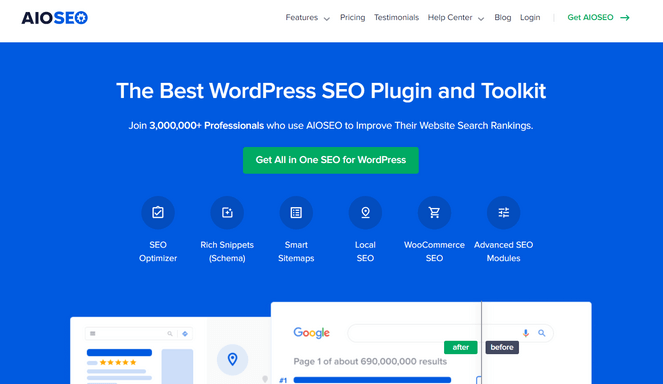
- Link Assistant that maps every internal and external link across your site
- One-click internal link insertion directly from the WordPress dashboard
- Intelligent linking suggestions based on matching content across your blog
- Orphaned post detection to find content that nothing links to
- Full link report with per-URL link counts and status
- TruSEO on-page analysis with a keyword score and actionable checklist
- Built-in Search Statistics to track SEO performance and rankings
- And more…
All in One SEO is well-known as one of the best WordPress SEO plugins, but its Link Assistant makes it just as valuable for bloggers who want to build a smarter internal link structure without leaving their dashboard.
The Link Assistant crawls every post and page on your site and generates a report showing all your internal, external, and affiliate links in one place. What I love most is how it handles orphaned posts — content that has no internal links pointing to it, making it difficult for search engines to discover.
AIOSEO flags these posts and suggests relevant articles to link from, then lets you add the link with a single click without opening each article individually. For a blog that’s been publishing for a while, this is often the fastest SEO win available.
The internal linking suggestions are accurate enough to be genuinely useful. They’re based on matching content across your blog rather than loose keyword associations, so you’re getting links that make sense in context.
From there, the full link report shows which posts are receiving the most internal link equity and where the gaps are, giving you a clear picture of your site’s structure at a glance.
The Redirection Manager is worth highlighting too. Every backlink you’ve earned is an asset, and when you rename a post or change its URL, which happens more than most bloggers expect, those backlinks start pointing to a 404.
AIOSEO detects slug changes automatically and prompts you to create a redirect on the spot. It’s a small feature that stops you from quietly losing the link equity you’ve worked to build.
AIOSEO also has a separate free Broken Link Checker plugin that scans every internal and external link on your site and flags anything returning a 404 error. The free tier scans up to 250 links per month, and you can fix broken links inline without opening each post individually.
Beyond the Link Assistant, AIOSEO is a complete SEO plugin covering on-page optimization, schema markup, sitemaps, and more. Setting up a proper SEO foundation on your WordPress blog from the start is a must for a successful link building strategy.
| Pros of All in One SEO: | ✅ One-click link insertion without visiting each post individually ✅ Orphaned post detection catches content search engines can’t easily find ✅ All link management happens inside WordPress — no separate tools needed ✅ Redirection Manager protects existing backlink equity when URLs change ✅ Covers every aspect of WordPress SEO beyond just link building |
| Cons of All in One SEO: | ❌ Link Assistant is only available on higher-tier plans ❌ Doesn’t help with finding or earning external backlinks |
Pricing: Starts at $49.60/year. However, to unlock the Link Assistant, you need to upgrade to the Pro plan, which costs $199.50/year. There’s also a lite version you can try out that’s completely free.
Why I Recommend All in One SEO: AIOSEO is best for WordPress bloggers who want to manage and improve their internal link structure without the manual work of cross-referencing posts. It won’t help you build external backlinks, but for keeping your content properly connected inside your own site, it’s the most complete solution available without leaving WordPress.
2. Semrush: Best All-in-One Link Building Platform
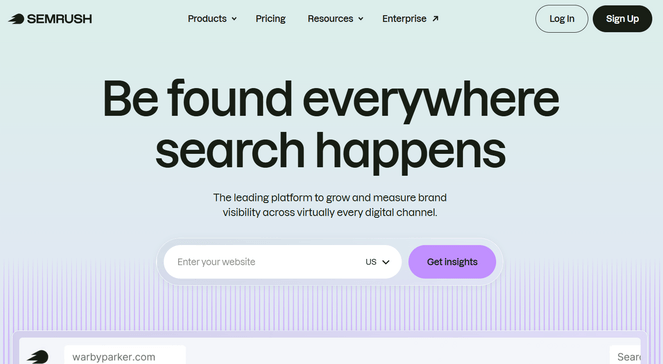
- Link building tool that identifies prospect domains and manages outreach
- Competitor backlink analysis to see where rivals are getting their links
- Built-in Gmail integration for sending outreach emails without switching apps
- Backlink Audit tool to identify and disavow toxic or spammy links
- Customizable outreach email templates
- Real-time link status tracking (active, lost, broken, rejected)
- Keyword research, rank tracking, and on-page SEO analysis included
- And more…
Semrush is one of the most widely-used SEO platforms, and its dedicated link building tool takes what could be a scattered, multi-step process and pulls it into one place. You can find prospects, reach out to site owners, and track whether links actually went live — all without switching between different apps.
When I first started using Semrush for link building, the feature that impressed me most was how it sources prospects. Instead of starting from scratch, it identifies domains that are already linking to your competitors but not to you.
That narrows your list immediately because you know these sites are already in the habit of linking to content like yours, so your outreach makes more sense.
From there, you can connect your Gmail account and reach out directly from inside Semrush. The outreach workflow is built right into the platform, so you’re not exporting spreadsheets and jumping to a separate email tool.
Each prospect has a domain rating attached, making it easy to prioritize the highest-value targets first and spend your time where it counts.
The link status tracking is super helpful too. Once a link is live, Semrush monitors it and alerts you if it gets removed or breaks. Since most people don’t check links after they’re placed, it’s easy to lose value without noticing, this helps cut down on that manual work.
Semrush is also one of the strongest keyword research tools available. If you’re already using it to plan content, the link building features fit naturally into the same workflow instead of feeling like something separate.
| Pros of Semrush: | ✅ Prospecting, outreach, and link tracking all in one platform ✅ Built-in Gmail integration removes the need for a separate outreach tool ✅ Competitor backlink analysis surfaces proven link sources immediately ✅ Link status monitoring catches lost links before they become a long-term problem ✅ Keyword research, rank tracking, and SEO tools all included |
| Cons of Semrush: | ❌ One of the pricier tools on this list, expensive for bloggers just starting out ❌ Can be overwhelming for beginners |
Pricing: Starts at $117.33/month (billed annually).
Why I Recommend Semrush: Semrush is a powerful link building tool that covers the entire process — from finding prospects to managing outreach to tracking live links — all in one place. That said, the price makes it a better fit for established or larger blogs that are actively investing in link building, rather than beginners who may not need that level of depth.
3. Ahrefs: Best for Backlink Research and Competitor Analysis
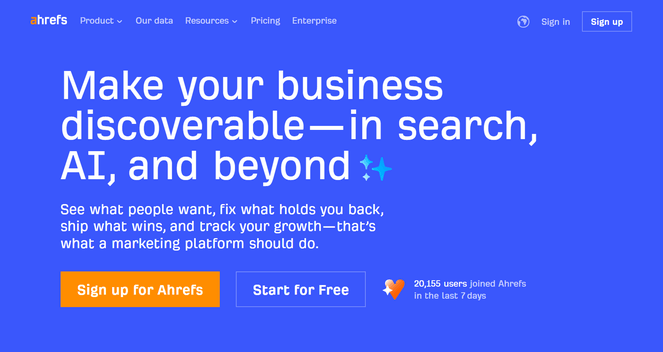
- Site Explorer with full competitor backlink profile analysis
- Link Intersect tool to find sites linking to competitors but not to you
- Content Explorer to discover the content earning the most links in your niche
- Backlink index covering 35+ trillion external links
- Keywords Explorer for finding content topics with link-earning potential
- Brand mention tracking to find unlinked mentions worth following up on
- And more…
Ahrefs is the tool most SEO professionals reach for when they want to understand why a competitor is outranking them — and for bloggers, the backlink data alone makes it worth exploring.
Its live backlink index is one of the largest available, which means you’re working with current information rather than a snapshot that’s months out of date.
The feature I come back to most for link building is Site Explorer. You type in any competitor’s domain and Ahrefs shows you every site linking to them — the page they’re linking to, the anchor text used, and a domain rating for each source.
For a blogger trying to figure out where to focus outreach, that list is invaluable. You’re not guessing at which sites might be relevant; you’re looking at a proven list of sites already linking to content like yours.
Link Intersect takes this further. You can enter two or three competing domains, and Ahrefs surfaces all the sites linking to them but not to you. I love this for finding gap opportunities fast because these sites have already decided your topic is worth linking to.
Content Explorer works differently from Site Explorer, and I find it just as useful. Instead of starting with a competitor, you search a topic and see which pieces of content have earned the most backlinks in your niche. That tells you what kind of content attracts links in your space, and it also surfaces the people who linked to that content, turning research into a prospecting list at the same time.
Plus, the unlinked mention tracking is a feature a lot of bloggers overlook. If someone wrote about your blog or named your brand without linking back, Ahrefs catches it. Reaching out to turn those mentions into links is one of the easiest outreach wins available because the person already knows who you are.
| Pros of Ahrefs: | ✅ One of the largest and most current backlink indexes available ✅ Link Intersect makes it fast to find proven link gap opportunities ✅ Content Explorer doubles as both content research and a link prospecting tool ✅ Unlinked mention tracking turns brand awareness into easy link wins ✅ Free tools available for basic site and backlink analysis |
| Cons of Ahrefs: | ❌ Paid plans are expensive, especially for new bloggers ❌ No built-in outreach tool — you’ll need a separate tool to manage contact and follow-up |
Pricing: Starts at $108/month. There’s also some free tools available for basic analysis.
Why I Recommend Ahrefs: Ahrefs is best for bloggers who are serious about understanding their backlink landscape and want to see exactly where competitors are getting their links. It’s the most powerful research tool on this list — and if you’re willing to invest in one premium SEO tool, Ahrefs is the one that consistently surfaces the most actionable link opportunities.
4. HARO: Best Free Way to Earn Editorial Backlinks
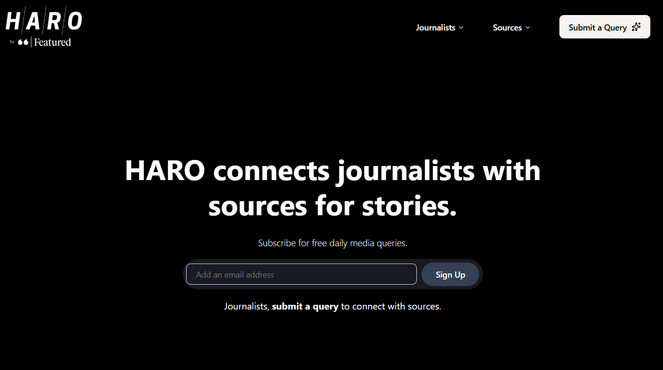
- Free daily email digests with journalist queries across multiple topic categories
- Categories include Business, Finance, Tech, Health, Lifestyle, and more
- AI-powered verification to filter out spam and fake source requests
- Source profiles to build credibility with journalists over time
- Free for both journalists and sources — no subscription required
- And more…
HARO (Help a Reporter Out) is one of the few link building strategies that gets easier the more credible you become — because journalists come to you.
Instead of cold outreach, you respond to media queries from reporters who are actively looking for expert input. When your response gets used, you typically earn a mention and a link from the publication.
The process is straightforward. You sign up, choose your topic categories, and receive three email digests per day. Each digest contains a batch of queries from journalists at everything from niche blogs to major publications. When a query matches your expertise, you send a response. If the journalist uses your quote, they usually link back to your site.
In my experience, I’ve found that HARO rewards bloggers who respond quickly and specifically. Generic pitches get ignored. But if you can answer a journalist’s exact question with real experience or data, your chances of getting picked up are solid.
The backlinks you can earn through HARO often come from high-authority domains — the kind that are very hard to get through traditional cold outreach. For bloggers with genuine expertise in their niche, it’s one of the highest-return link building activities available, especially considering it costs nothing.
| Pros of HARO: | ✅ Completely free for sources and journalists ✅ Can earn links from major publications that cold outreach rarely reaches ✅ No cold outreach required — journalists are already looking for your expertise ✅ Improved spam filtering under new ownership makes query quality better ✅ Works for any niche where you have genuine expertise to share |
| Cons of HARO: | ❌ Results take time — this is a long game, not a quick win ❌ Competition is high in popular categories ❌ Staying on top of the daily digests requires consistency |
Pricing: Free.
Why I Recommend HARO: HARO is best for bloggers who have built real expertise in their niche and want to earn backlinks from high-authority publications without running cold outreach campaigns. It takes patience and consistent effort, but the link quality you can get through HARO is hard to match through any other free method.
5. Hunter.io: Best for Finding Email Contacts Quickly
- Domain Search to find professional emails associated with any website
- Email Finder to locate a specific person's address by name and company
- Email Verifier to confirm addresses are valid before sending
- Email Sequences for automated, personalized follow-up campaigns
- AI Writing Assistant for drafting outreach emails
- Free plan available with 50 searches per month
- And more…
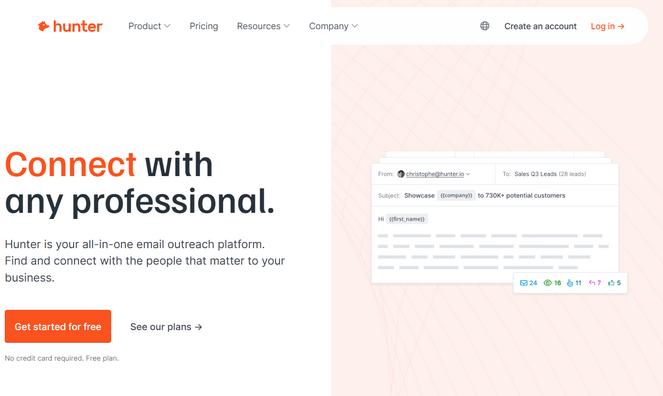
Hunter.io is a popular email finding and verification tool, and for link building, having the right contact email is often the difference between getting a reply and getting nowhere. You can spend hours identifying the perfect sites to target, but if you’re sending cold outreach to a generic contact form, it rarely goes anywhere useful.
I think the Domain Search is where most bloggers will spend their time. You can enter any website’s URL and Hunter finds the professional email addresses associated with it, along with confidence scores showing how likely each one is to be valid.
I’ve found the accuracy impressive, and it’s far better than guessing at common email formats and hoping for the best.
Hunter also includes Email Sequences, which let you build a series of follow-up emails that send automatically if someone doesn’t reply. That follow-up step is where most responses come from in outreach. People are busy, and a polite reminder a week later makes a real difference to reply rates.
The free plan covers 50 searches per month, which is enough to get a feel for the tool and handle occasional guest post or resource link outreach without paying anything. For bloggers who aren’t running high-volume campaigns, the free tier covers a lot of ground.
| Pros of Hunter.io: | ✅ Domain Search makes it fast to find the right contact at any website ✅ Confidence scores help you prioritize the most reliable contact emails ✅ Email Sequences automate follow-ups to improve reply rates ✅ Free plan available ✅ Integrates with major CRMs and Zapier for a clean workflow |
| Cons of Hunter.io: | ❌ Not a full link building tool, you still need to find your prospects elsewhere ❌ Credits run out quickly if you’re doing heavy prospecting every week |
Pricing: There’s a free plan available that includes 50 credits/month. Paid plans start at $34/month (billed annually).
Why I Recommend Hunter.io: Hunter.io does one part of link building really well: finding the right contact details. If you already have your list of target sites, it makes outreach much more efficient and increases your chances of actually getting a response. The free plan is enough for occasional outreach, and even the paid plans are relatively affordable, which makes it a good fit for bloggers who don’t need a full all-in-one platform but still want to improve their outreach results.
6. MonsterInsights: Best for Tracking Your Link Performance
- Outbound link tracking to see which external links your readers click most
- Referral source reports showing which sites are sending you traffic
- Top pages report to identify which content is attracting the most visitors
- Real-time visitor data directly inside the WordPress dashboard
- AI Insights that show key traffic trends automatically
- Google Analytics integration without writing any code
- And more…
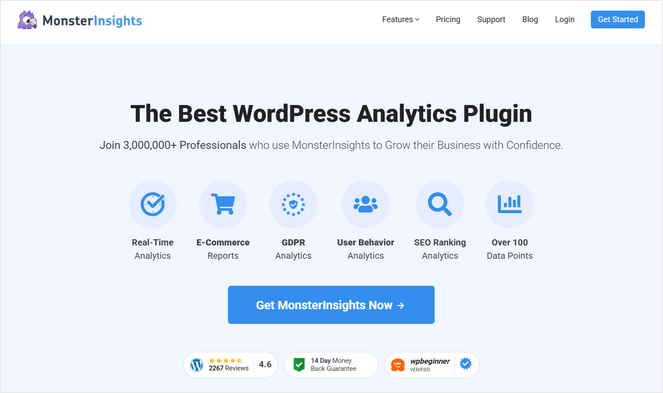
MonsterInsights is the best Google Analytics plugin for WordPress, and its outbound link tracking makes it the perfect tool for bloggers who want to understand how their links are performing.
Most link building tools focus entirely on getting links. MonsterInsights helps you understand what’s happening with the links you already have — which ones are driving real engagement and which aren’t.
The outbound link tracking feature shows you which external links your readers click most often. For bloggers building content partnerships or affiliate relationships, that data tells you which connections are worth nurturing and which aren’t pulling their weight.
I’ve found it useful for spotting patterns too, like when a lot of readers are clicking through to the same external resource repeatedly, it’s a strong signal that a relationship with that site is worth pursuing.
The referral sources report works in the other direction. It shows which external sites are sending traffic to your blog, so you can see which of your existing backlinks are actually delivering readers.
That’s useful information when you’re deciding where to invest more relationship-building time because sites that are already warm to your content are usually easier to work with again when you pitch something new.
The publish time tracking is worth highlighting specifically for link building as well. MonsterInsights shows how much traffic a new post generates in the hours after publishing. Publishing at the right time means more readers see your content early, and early attention is often what drives the initial shares and links that give a post momentum.
| Pros of MonsterInsights: | ✅ Outbound link tracking shows which relationships drive clicks ✅ Referral reports show which backlinks are actually sending traffic ✅ All Google Analytics data appears inside WordPress — no separate login needed ✅ AI Insights highlight traffic trends automatically ✅ Free Lite version available for basic analytics |
| Cons of MonsterInsights: | ❌ Not a dedicated link building tool ❌ Most useful as a complement to other tools on this list, not a standalone solution |
Pricing: Starts at $99.50/year. There’s also a free version of MonsterInsights that you can use to get started.
Why I Recommend MonsterInsights: MonsterInsights is best for bloggers who want to understand which outbound links and referral sources are actually driving engagement on their site. It won’t build links for you, but it tells you which existing relationships are worth pursuing further — and that makes the rest of your link building more targeted.
7. LinkWhisper: Best for Automated Internal Linking
- AI-powered internal link suggestions that appear as you write
- Auto-linking to add internal links for specific keywords across your site
- Orphan page detection dashboard showing all unlinked content at a glance
- Google Search Console integration for data-backed link decisions
- Domains Report to track your internal and external linking patterns
- Link health dashboard for identifying and fixing broken internal links
- And more…
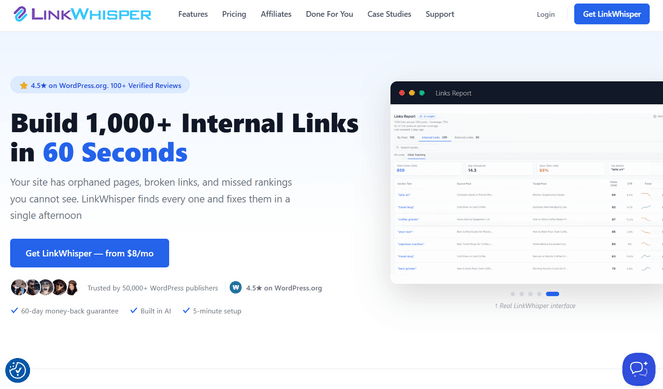
LinkWhisper is another internal linking plugin for WordPress. It reads your content while you write and suggests relevant internal link suggestions in real time — right inside the WordPress editor, without you needing to open other tabs or manually search your archive.
When I tested it, I found the internal linking suggestions to be pretty accurate. You can accept or reject each one with a click, which makes the whole process fast enough to do without breaking your writing flow.
The orphan page dashboard is one of my favorite features, it’s similar to the one AIOSEO has. It finds every post on your site that has no internal links pointing to it. A few targeted internal links to those orphaned posts can make a real difference to how quickly they get indexed and begin ranking.
Auto-linking is a useful time-saver once you’ve configured it. You define which keywords should always link to a specific post, and LinkWhisper adds those links automatically across your existing content. It’s especially helpful for evergreen posts or pillar pages you want to consistently drive internal traffic toward.
| Pros of LinkWhisper: | ✅ Real-time internal linking suggestions appear while writing ✅ Orphan page detection makes fixing structural gaps easy ✅ Auto-linking saves significant time on large sites with lots of content ✅ Works entirely inside WordPress — no separate dashboard to check ✅ Free Lite version available for basic analytics |
| Cons of LinkWhisper: | ❌ Handles internal links only, no help with finding or earning external backlinks ❌ Fewer features compared to All in One SEO (AIOSEO) |
Pricing: Starts at $97/year.
Why I Recommend LinkWhisper: LinkWhisper is a good option if you want a simple way to speed up internal linking as you write, especially on sites with a growing content archive. That said, for most bloggers, AIOSEO is the better choice because it includes many of the same internal linking features along with a full set of SEO tools, so you’re not using a separate plugin just for linking.
8. BuzzSumo: Best for Professional Content-Driven Link Building
- Content Analyzer searching 8 billion articles to find what earns links
- Journalist database with 700,000+ contacts updated monthly
- Influencer research identifies who promotes content in your niche
- Brand monitoring and mention alerts across the web
- AI-powered pitching tools for faster, more targeted outreach
- Chrome extension for on-the-go content and competitor research
- And more…
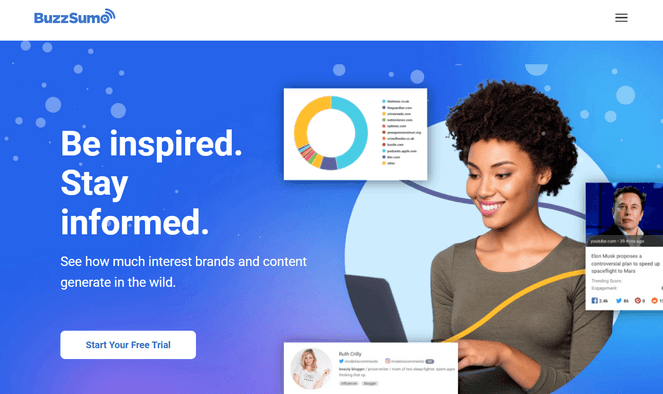
BuzzSumo approaches link building from a different angle than most tools on this list. Instead of starting with a list of sites to target, it starts by figuring out what kind of content actually earns links in your niche, and who’s sharing and linking to it.
For bloggers who want links to come in naturally rather than through heavy outreach, that content-first approach makes a lot of sense.
The Content Analyzer is where I spend most of my time in BuzzSumo. You search any topic and it returns the most-shared and most-linked content published on that subject, going back up to five years.
I love how quickly this shows the gap between what’s ranking and what’s earning links — because they’re often different posts. Understanding that gap tells you exactly what to create if you want your content to attract backlinks rather than just organic traffic.
The journalist database is a serious asset for bloggers doing PR-style outreach. With 700,000+ contacts and regular profile updates flagging active journalists, you can find the right writer at the right publication and see what they’ve been covering recently before you pitch.
In addition, brand alerts are helpful for catching link opportunities you’d otherwise miss. BuzzSumo monitors the web for mentions of your blog, your name, or any keywords you’re tracking. When someone writes about you without linking, you find out fast and you can follow up to request a link.
| Pros of BuzzSumo: | ✅ Content Analyzer shows what articles earn links in your niche ✅ Journalist database makes PR outreach targeted and research-backed ✅ Brand alerts catch unlinked mentions automatically ✅ Influencer research across Facebook, Twitter, YouTube, and TikTok ✅ Trending content discovery to spot what’s gaining traction in real time |
| Cons of BuzzSumo: | ❌ Higher starting price than most tools on this list ❌ Many beginners find the interface overwhelming |
Pricing: Starts at $199/month (billed annually).
Why I Recommend BuzzSumo: BuzzSumo is best for bloggers who want to understand what content earns links in their niche, find the journalists who cover it, and pitch from a position of real research. It’s a bigger investment than most tools here, but for content-focused bloggers doing outreach seriously, it delivers a research advantage that’s hard to match.
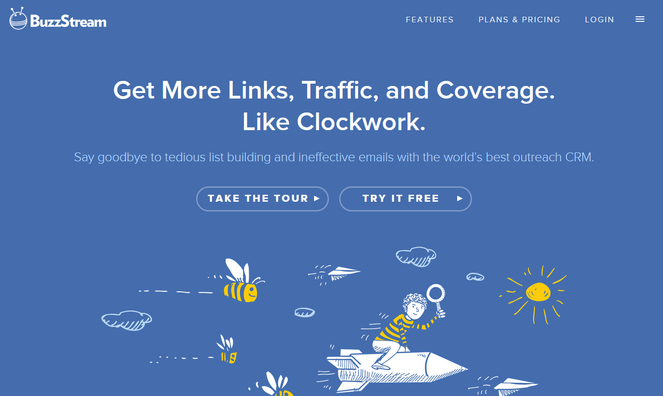
9. BuzzStream: Best for Managing Link Building Outreach
- Automated prospect research to discover contact details and site metrics
- AI-powered media list generation through its News Search feature
- Email outreach with personalization and built-in templates
- Full conversation history for every contact, stored in one place
- Open rate, reply rate, and placement tracking across campaigns
- Team coordination so multiple users don't contact the same prospect
- And more…
BuzzStream is a link building CRM tool I’ve used extensively in the past. It’s where your outreach lives once you’ve found your prospects and you’re ready to start building relationships.
If you’ve ever tried to manage link building from a spreadsheet, you know how quickly it becomes unmanageable. BuzzStream replaces the spreadsheet with a purpose-built system that tracks who you’ve contacted, what you said, and what happened next.
The prospect research automation is a genuine time-saver. When you add a new site to BuzzStream, it automatically pulls the contact information, domain authority, and social metrics for that site. I’ve found that this alone removes one of the most tedious parts of any outreach campaign.
The conversation history is what makes BuzzStream valuable over time. Every email, reply, and note for each contact lives together in one thread. When you reach back out to someone six months later, you can see exactly what the previous conversation was, which makes follow-ups feel personal rather than generic.
The campaign analytics give you clear visibility into what’s working. Open rates, reply rates, and placement tracking show you whether your outreach templates are performing or need adjusting.
Most bloggers doing outreach have no idea whether their emails are being read. BuzzStream makes that data visible, so you can improve based on real numbers rather than guesswork.
| Pros of BuzzStream: | ✅ Automated prospect research saves significant time ✅ Conversation history keeps all outreach organized and searchable ✅ Open and reply rate tracking helps you improve emails over time ✅ Supports link building, digital PR, content promotion, and partner outreach ✅ Free trial available to test before committing |
| Cons of BuzzStream: | ❌ Some learning curve to setting up your first campaign correctly ❌ Starter plan limits you to 500 contacts ❌ Expensive compared to some other tools on this list |
Pricing: Starts at $49/month.
Why I Recommend BuzzStream: BuzzStream is best for bloggers who are doing active link building outreach and want to keep everything organized in one place. If you’re managing more than a handful of campaigns, or reaching out to more contacts than a spreadsheet can handle cleanly, it turns outreach from a chaotic process into a manageable one.
FAQs About Link Building Tools
If you’re new to link building, here are the answers to the most common questions I get from beginners:
What is link building, and why does it matter for bloggers?
Link building is the process of getting other websites to link to yours. Search engines like Google treat backlinks as votes of confidence — the more quality sites linking to your content, the more likely it is to rank well in search results. For bloggers, building backlinks is one of the most effective long-term strategies for growing organic traffic.
Is link building still worth it in 2026?
Yes. Backlinks remain one of Google’s most important ranking signals. What’s shifted is the emphasis on quality over quantity. A handful of relevant, high-authority links from real sites in your niche will do more for your rankings than dozens of low-quality links from unrelated directories. The tools on this list are all built to help you earn the right kind of links.
What’s the best free link building tool for bloggers?
HARO is the best free option if you want to earn editorial backlinks from high-authority publications. For free backlink research, Ahrefs offers limited but useful tools for analyzing your own site’s link profile without a paid subscription. Hunter.io also has a free plan with 50 searches per month, which is enough for bloggers doing occasional outreach.
Do I need separate tools for internal and external link building?
Ideally, yes — they’re different problems. Internal links help search engines understand your site’s structure and pass authority between your own pages. External backlinks build your domain authority in Google’s eyes.
Tools like All in One SEO and LinkWhisper handle internal linking well, while Ahrefs, Semrush, and BuzzStream focus on external link building. Most bloggers benefit from having at least one of each.
How long does link building take to show results?
Most bloggers see measurable ranking movement within 3 to 6 months of consistent link building, though this depends on your niche and how competitive it is. Internal linking improvements often show results faster because search engines re-crawl your site relatively quickly. External backlinks take longer to get indexed and reflected in your rankings, but they have a bigger long-term impact on your authority.
What is the Best Link Building Tool for Bloggers?
For most WordPress bloggers, I’d start with All in One SEO. Internal links are the foundation of a well-structured blog, and AIOSEO handles them better than anything else on this list — catching orphaned posts, suggesting relevant links, and letting you add them without leaving your WordPress editor. It’s also a complete SEO plugin, so you’re not paying for a single feature.
If you’re ready to go beyond internal links and start building external backlinks, Semrush is the tool I’d invest in. You pay more, but you’re not managing multiple separate subscriptions — link building, outreach, keyword research, and rank tracking are all in one place.
And if budget is the priority right now, HARO is free and can earn you backlinks from high-authority publications that no amount of cold outreach will easily reach. It takes patience and consistent effort, but the link quality is hard to match through any other method that costs nothing.
I hope this article helped you find the best link building tools your for needs. For more helpful information, you may want to check out our post on how to rank for multiple keywords, or see our expert picks of the best marketing automation tools.
Also, don’t forget to subscribe to our newsletter to get blogging tips delivered straight to your inbox!
That was an awesome list! Although I am surprised why Postifluence is not on your list. It is a great tool I believe. I even heard it to be an affordable and user-friendly tool as well. Please add this one too to your list.
Really nice blog very helpful for a beginner.
This article is very informative, updated and transparent.
What a useful information provided by this blog! It’s remarkable. Thanks for helping me out
Now a days link building is even tough task as most of the websites quality is not good such as social bookmaking, directory submission, blog sites and more.
Really nice blog with awesome list of link building tools. Keep sharing such helpful content
Each tool looks helpful. Few bloggers understand the power of building high quality, relevant backlinks. Those who do tend to outshine everyone else.
Ryan
This is a genuinely useful breakdown – most “best link building tools” posts just list features without saying who each one is actually for, and the pricing table alone saves a lot of research time. AIOSEO’s orphaned-post detection is underrated; I’ve found fixing those internal gaps often moves the needle faster than any external outreach campaign. One thing I’d add for anyone running a local or service-based blog alongside content: none of these tools touch citation/directory consistency, which is a separate (and honestly easier) lever for local visibility that’s worth pairing with whichever tool you pick here.